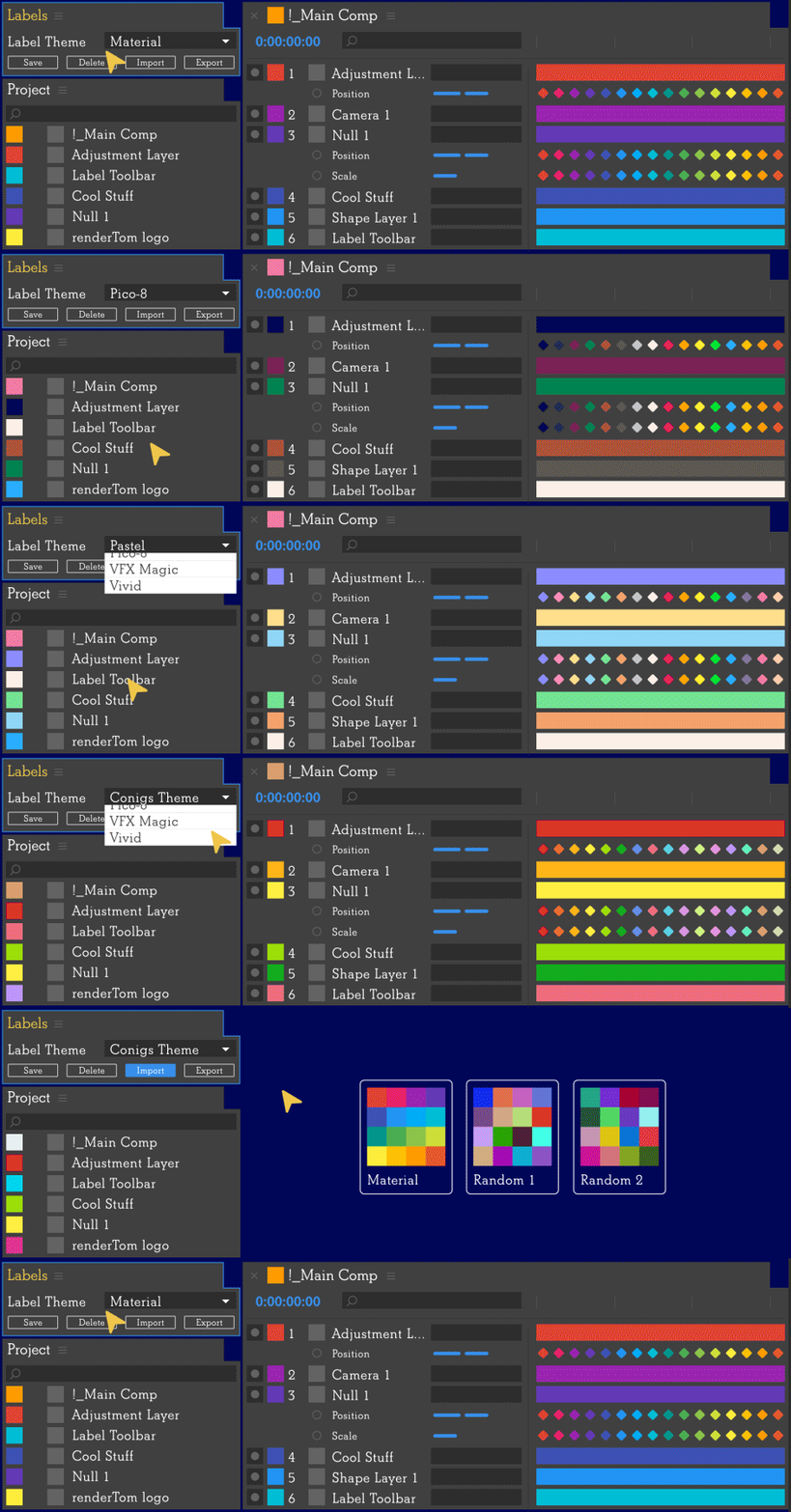
Labels 4 is an After Effects script for people who organize projects with color labels and need to select or act on matching groups. It can set or reset colors on layers and Project panel items, including batches of selected items. If a selected layer has a source, or an item is used in a composition, Labels can assign the same color to both. Keyframe label colors are supported in After Effects v22.6 or later; hold CMD on Mac or CTRL on Windows when targeting keyframes.
Select and manage label groups
Filter the available labels to see which colors are used or unused in the current composition. Mouse and keyboard combinations let you select items with a matching color, add that group to the current selection, select everything except the current color, or remove the matching items from the selection.
Switch themes and run scripts
Labels can switch label color themes without restarting After Effects. Save themes as files to share them with a team. It also works as a script launcher: assign a keyboard key and a script path, then click the corresponding swatch to run the script.
Included snippets copy a label's HEX color, create a Shape Layer or Solid Layer using that color, group matching layers underneath the topmost layer with that color, parent them to a null, push them to the top or bottom of the layer stack one by one, and toggle shy or solo behavior by label color. The developer's repository also documents an API for building custom extensions.
Compatibility and licensing
The product listing names After Effects versions from CS5 through 2026. The listing's EULA grants one copy for use on one computer at a time and requires an appropriate license for each additional user and copy.