What Ladder Filter does
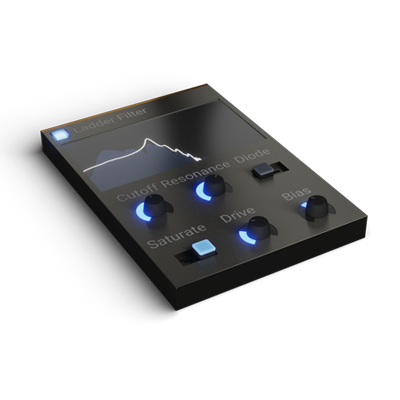
Kilohearts Ladder Filter simulates the low-pass filters found in classic hardware synths. It suits bass and synth parts where you want to shape the cutoff and add resonance, with saturation available for a more driven sound.
Filter topology and saturation
Choose between transistor ladder and diode ladder topologies. The diode option has a gentler rolloff after the cutoff, and the two topologies respond differently when saturation is enabled.
The Cutoff control sets the cutoff frequency, and high Resonance settings make the filter resonate there. Saturate models component saturation. When it is on, Drive controls overdrive and Bias adjusts the simulated bias voltage.
Using it in a project
A practical starting point is to set the cutoff for the amount of brightness you want, then adjust resonance to bring out the cutoff point. Try each topology, then enable saturation if you want the filter stage to add drive as well as filtering.
You can load Ladder Filter as a regular DAW plugin, or use it as a Snapin in Phase Plant, Multipass or Snap Heap. In those hosts, Kilohearts supports combining and modulating Snapins as part of a larger effect or instrument patch.
Compatibility and access
Kilohearts lists Ladder Filter as free with an account and includes it in Kilohearts Essentials. Versions installed through Slate Digital's installer use iLok and require a valid Slate Digital license. The system requirements call for a DAW that supports VST2, VST3, AAX or Audio Unit, and an x86 64-bit processor with SSE3 or an Apple M processor architecture on macOS. Kilohearts recommends keeping Windows or macOS current and does not support operating-system versions their manufacturers no longer support. See the system requirements for details.