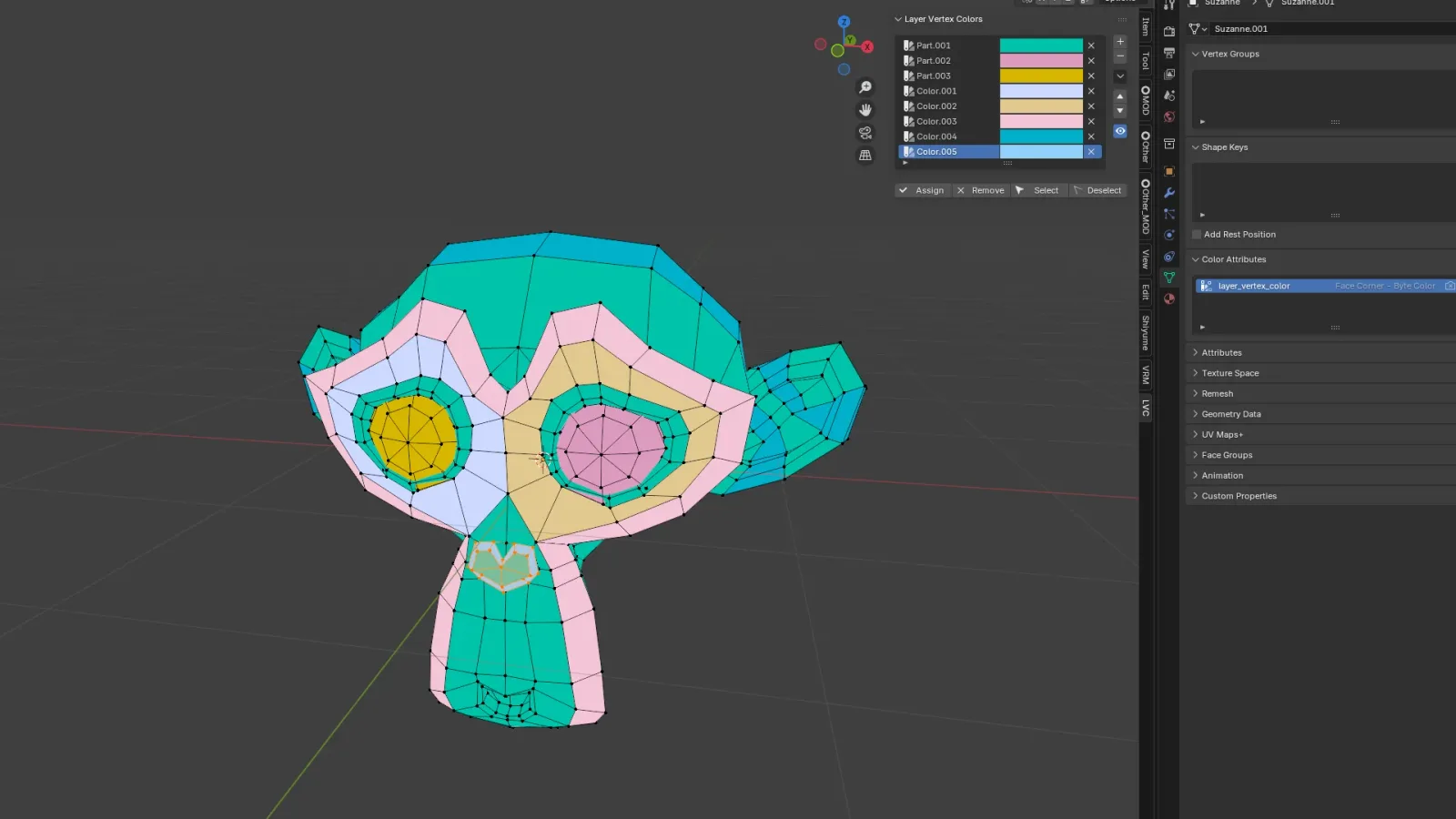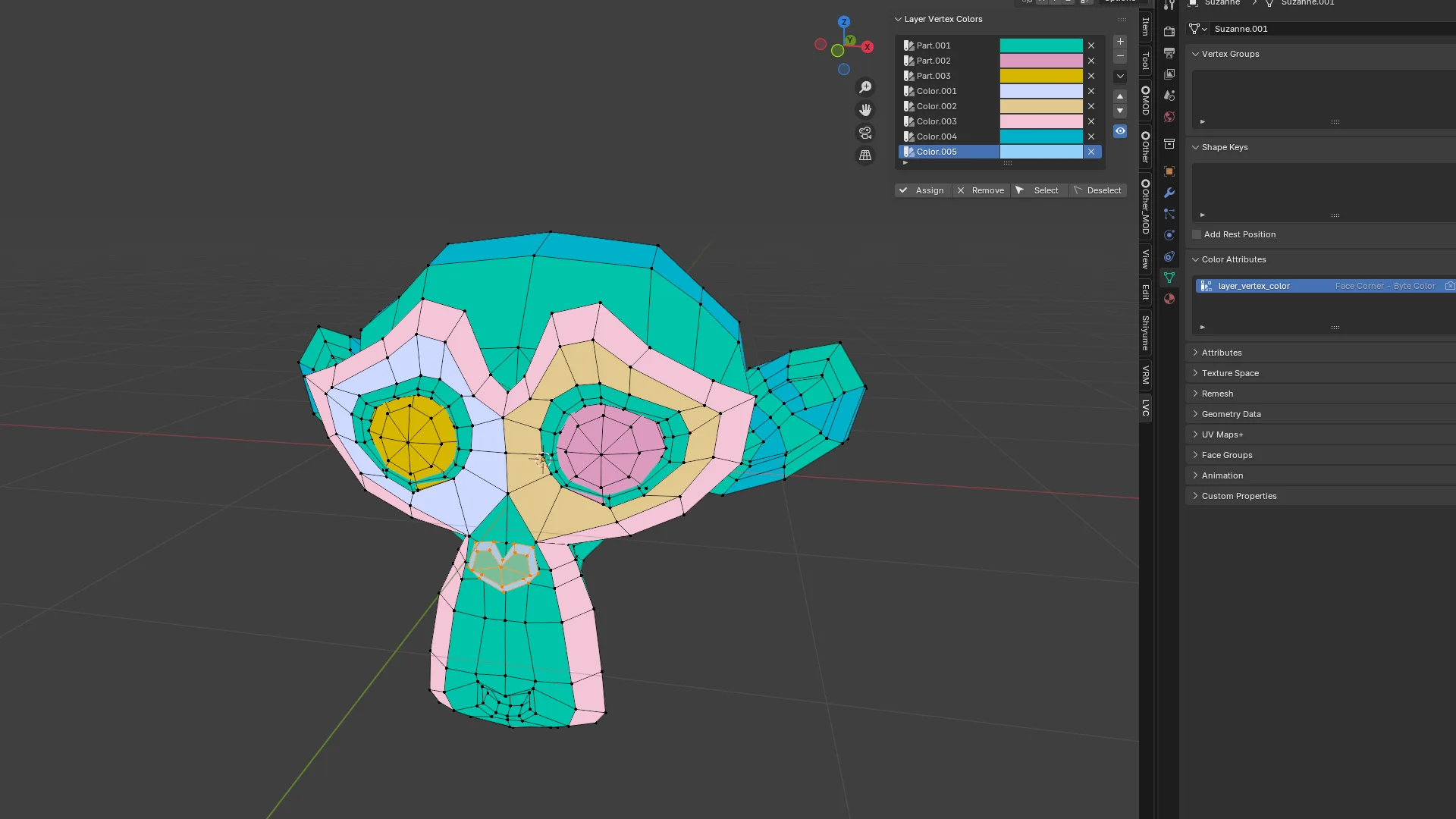
Layer Vertex Colors adds a vertex color slot system to Blender. Each object has its own list of slots, while shared color balls let faces on different objects use the same color. Editing a color ball updates the faces that reference it.
Manage vertex colors with slots
The add-on organizes face colors into slots similar to material slots. You can add, remove and reorder each object's slots, then assign a slot to selected faces in Edit Mode. Per-object slots let you manage groups of face colors separately.
Assign faces or set up slots in batches
Open the LVC panel in the 3D Viewport sidebar and click the plus button to add a color slot. In Edit Mode, select faces and click Assign. The panel also includes select and deselect support for face assignment.
For an existing mesh, Batch Setup can create slots and assign faces by material or by loose parts in one step. A viewport preview toggle lets you switch vertex color display on or off while working.
Recover slot data after joining objects
Layer Vertex Colors includes Data Rebuild to recover slot data from mesh attributes after objects are joined.
Mesh attributes and compatibility
The extension stores its data on mesh corners in three attributes:
layer_vertex_slot: an integer slot index.layer_vertex_color: a byte color value.layer_vertex_hash: a string identifying the associated color ball.
The Blender Extensions listing identifies version 1.0.2 as compatible with Blender 4.5 and newer. It lists the license as GNU GPL v3.0 or later and requests permission to read and write mesh attribute data for vertex color slots. See the official extension listing for the compatibility and release details.