Mesh Attribute Utils is a Blender add-on for inspecting and editing custom mesh attributes. It adds commands to the Mesh menu for showing selected values and setting several attributes together, plus Object menu tools for renaming attributes and editing schemas across selected meshes. It can help when meshes carry custom attributes used as inputs for Geometry Nodes.
Inspect mesh data and set attributes
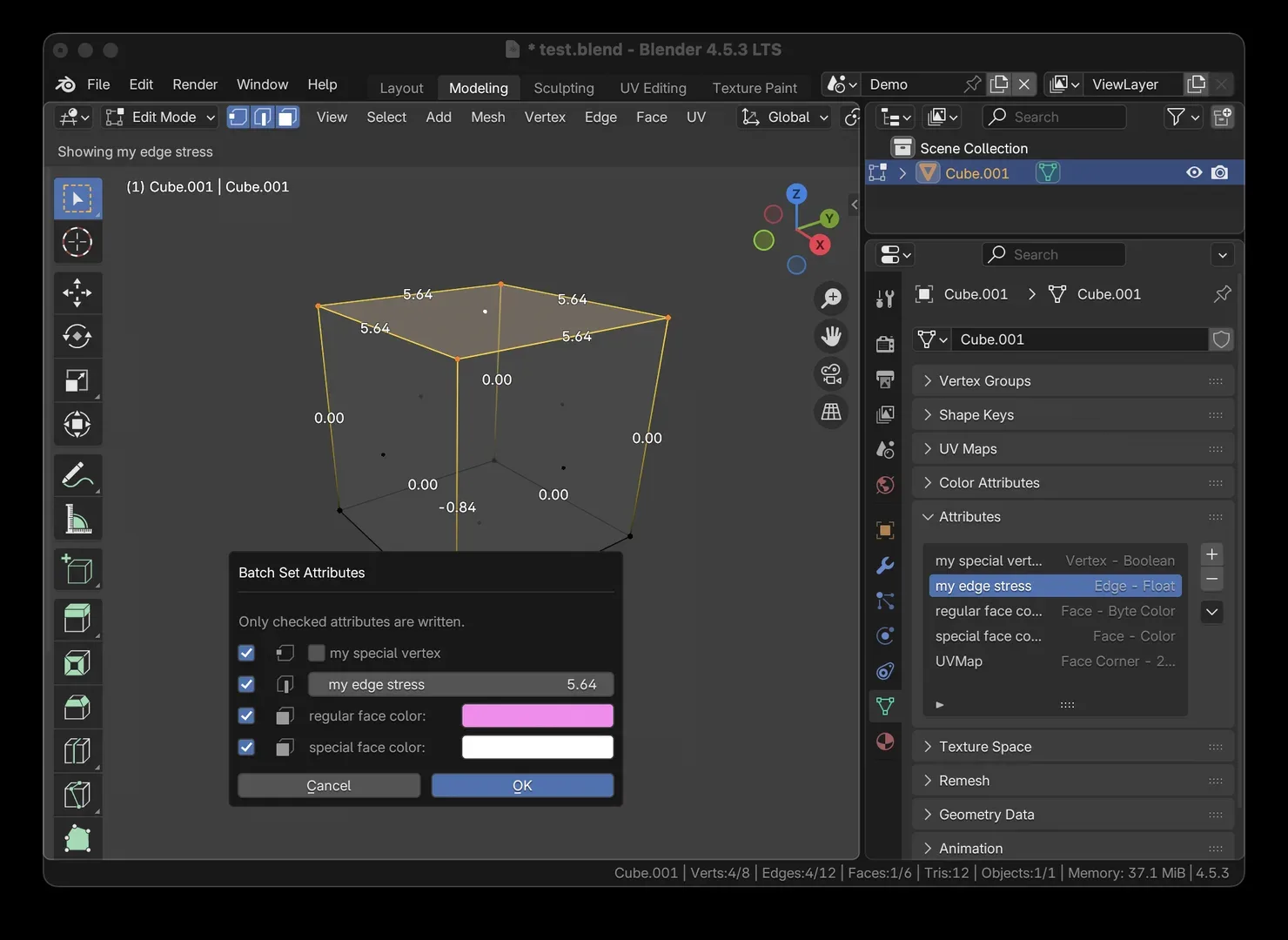
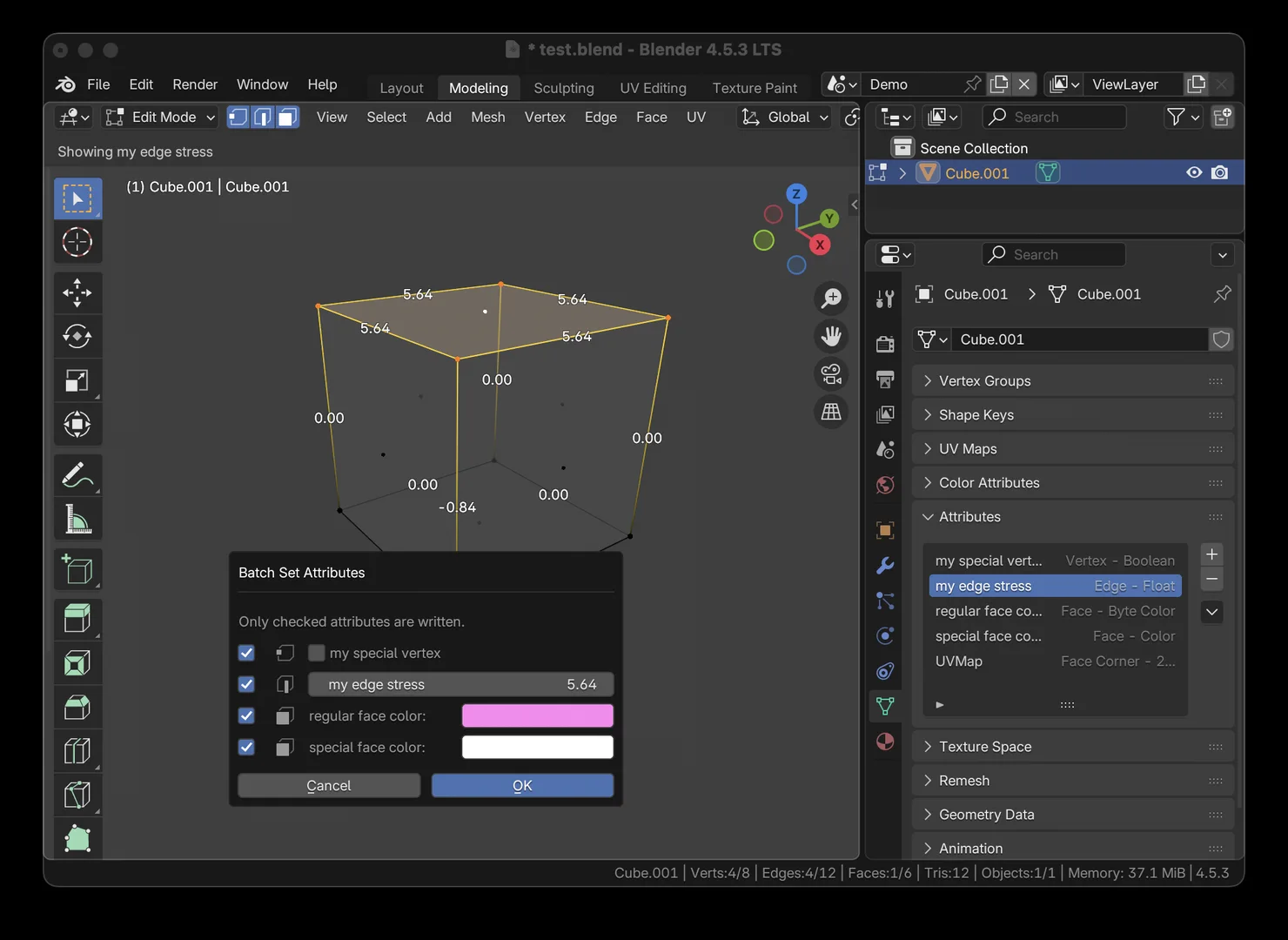
In the mesh editor, Mesh > Show Attributes displays values for the selected vertex, edge, or face attribute as text in the 3D View. The display is capped at 100 values to avoid problems with large meshes.
Mesh > Batch Set Attributes extends Blender’s Set Attribute command so you can set multiple mesh attributes for the selection at once.
Manage attributes across selected meshes
In Object Mode, Object > Rename Attribute renames an attribute on selected meshes while preserving its data. Object > Edit Mesh Attribute Schema can copy attribute definitions across selected meshes or bulk-delete attributes.
Version 0.2.0 added these two Object Mode commands to the add-on. They are useful when several objects need matching attribute definitions or a batch cleanup.
Version and Blender requirements
The Blender Extensions listing identifies version 0.2.0, Blender 4.5.3 as the minimum version, and the GNU GPL-3.0-or-later license. Check the official extension listing for current release details. For a downloaded extension, Blender’s manual explains how to install from disk.