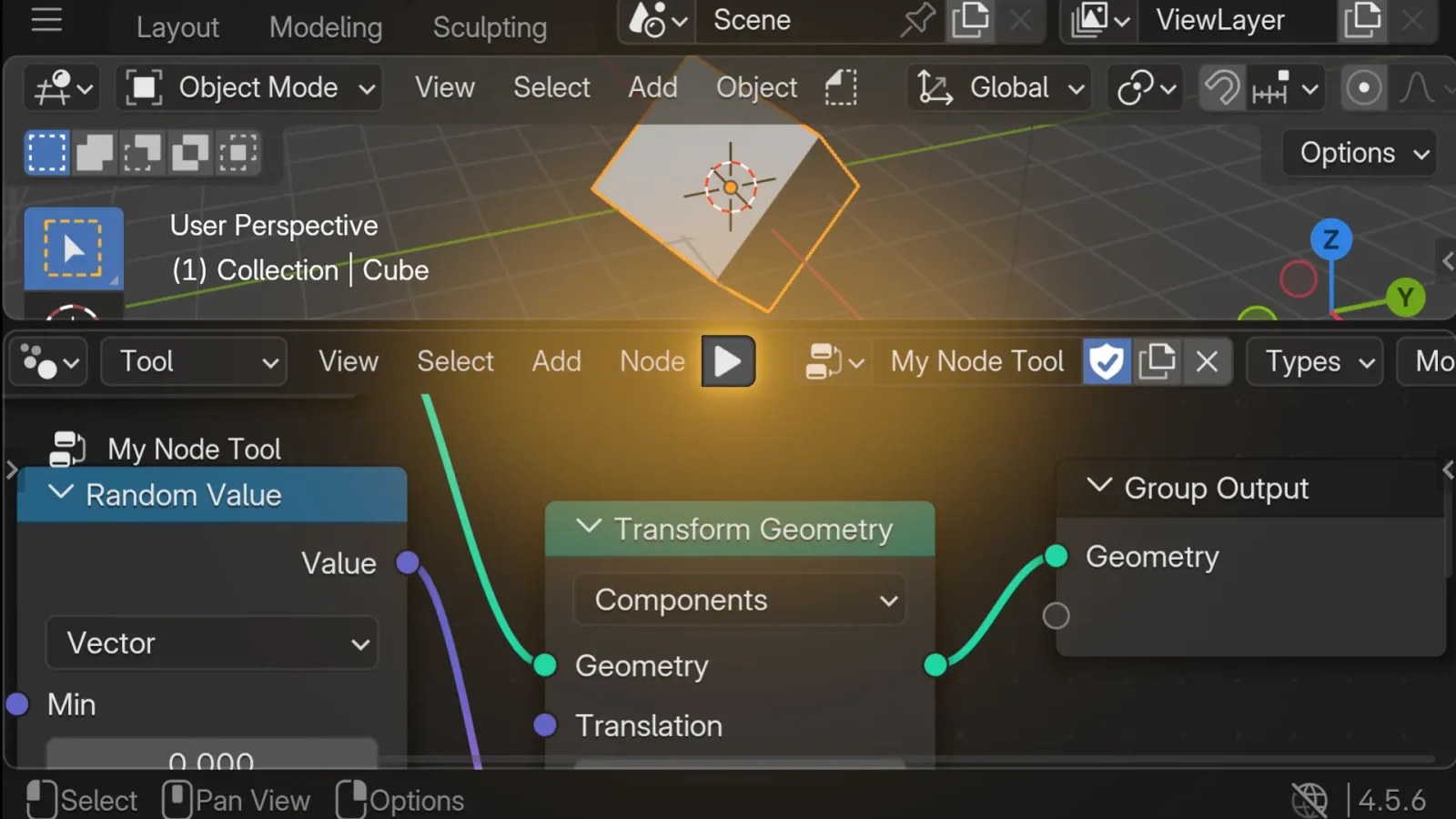
DOBLUX Button to execute Geometry Node Group adds a play button to Blender’s Node Editor header for running the open Geometry Node group on the active object. Both a Node Editor and a 3D Viewport must be visible; the listing warns that execution is unavailable in Blender 5.
Run a Geometry Node group
Open a Geometry Node group in the Node Editor and click the play button in the header. The add-on can run a group in Modifier or Tool mode, so you can postpone setting its Tool flag, Types, Modes, and Asset details until you need them. A Node Editor and a 3D Viewport must both be visible.
Bind the execute operator to a shortcut
To use a keyboard shortcut, open the keymap settings and add a key binding under 3D View > 3D View (Global) for node.doblux_geometry_node_group_execute. The operator runs whichever Geometry Node group is currently open, so the same binding can be used with different groups.
Version and compatibility
The Blender Extensions listing identifies version 1.1.1 and sets Blender 4.5.0 as the minimum. Its compatibility label says Blender 4.5 LTS and newer, while the listing’s description warns that execution is unavailable in Blender 5 because the required API function was removed. These statements conflict, so the listing does not establish whether execution works in Blender 5.
The add-on is licensed under GNU GPL v3.0 or later. For installation, follow Blender’s Install from Disk instructions.