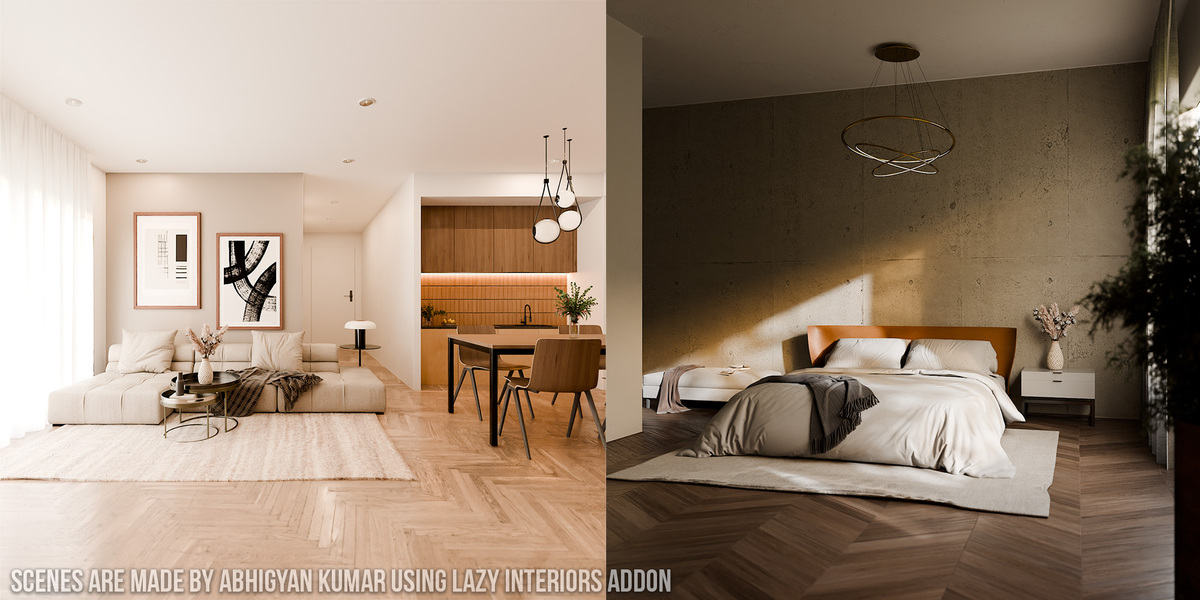
Lazy Interiors Addon pairs a Blender add-on with a large external library for building and dressing interior scenes. It combines a category-based asset browser, ready-made scene imports, a materials library, and Quick Snap Tools for object placement.
Browse and place interior assets
The asset browser organizes 380 interior assets by category. You can add assets from the browser without manually digging through Append or Link menus or searching folders. During assembly, Quick Snap Tools provide alignment, snapping, and positioning helpers to keep objects grounded and organized. The official documentation covers the asset browser, scene imports, materials, and placement tools.
Start from a ready-made scene
The library includes 34 interior scenes organized by category. Import one as a starting point for a layout, preview, presentation, or render, then add or adjust individual assets as needed. More than 60 materials are available for assignment to assets and scene elements, which can help keep a scene's look consistent. A creator walkthrough demonstrates the browser, scene import, and Quick Snap workflow.
Plan the library location
Lazy Interiors includes a substantial external library as well as the Blender add-on. The product listing estimates about 45 GB total, with 13 GB for assets and more than 32 GB for the scenes pack; the documentation gives a different total of approximately 43 GB. Check available disk space before installing. A custom library path is supported, so you can store the files on another drive. The documentation describes installing the add-on through Blender Preferences and setting the library location in the add-on preferences.
Compatibility and project credits
The SuperHive listing marks the add-on as Blender Extension compatible and lists Cycles and Eevee as supported render engines. Check its current product page for Blender version and distribution details before installing. Vladislav Maltsev of Lazy3D developed the add-on, scripting, interface, and workflow. VizFromBlender (Abhigyan Kumar) and MDZGN created the 3D assets and interior scenes. Sales and distribution are handled through SuperHive Market.