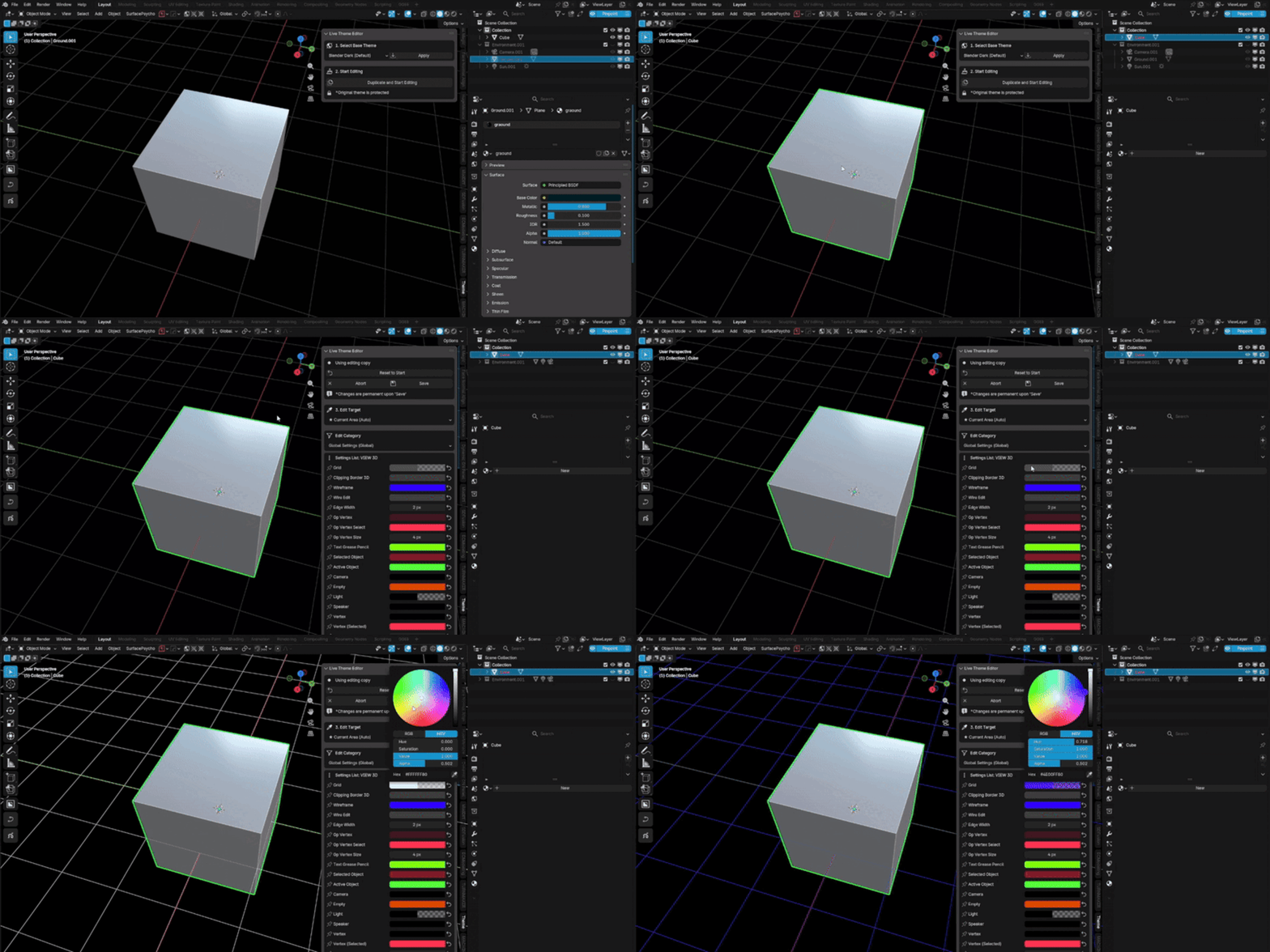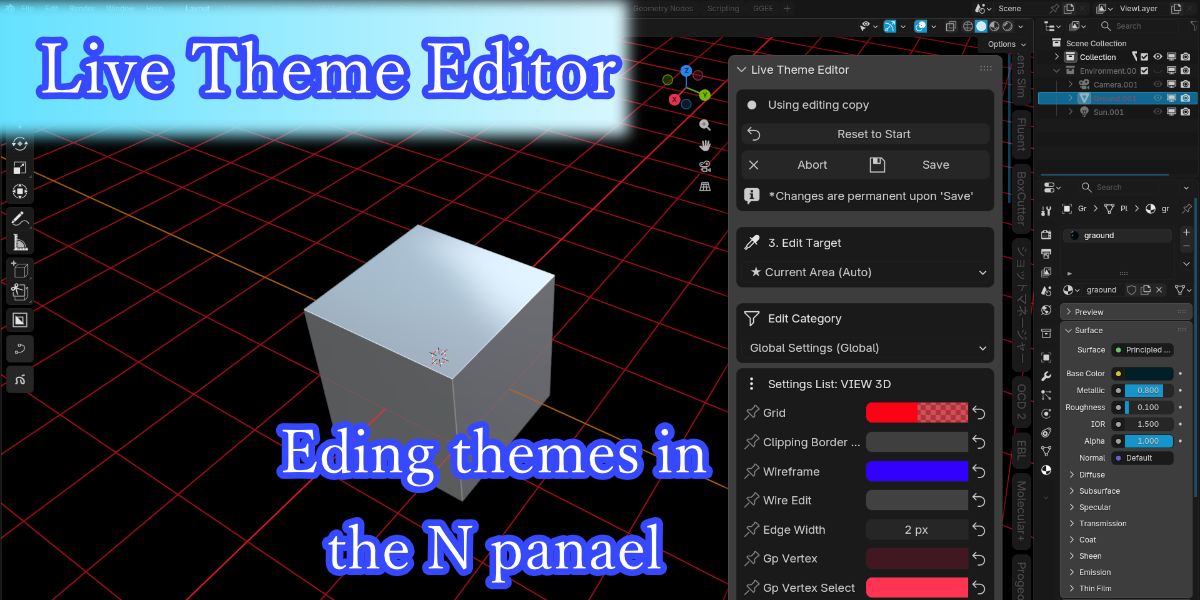
Live Theme Editor is a Blender add-on for adjusting interface theme colors and properties while keeping a snapshot of the starting settings. You can try changes in different editor areas, then reset a single property or restore the full session if you want to start over.
Edit from a theme snapshot
Choose a base theme from the list and click Apply, or use the current theme, then start Editing Mode. The add-on saves the starting settings as an XML snapshot before you make changes. Adjustments made in its panel appear in Blender as you work.
Reset one property or the full session
Each color and property has its own Reset button. Use it to restore that item to the value in the snapshot while keeping your other edits. Reset to Start reloads the snapshot and leaves Editing Mode open. Abort and Revert also restores the snapshot, then exits Editing Mode. To keep your changes, save the edited theme as an XML file in Blender’s user preferences folder.
Keep commonly used controls close
The Target Area selector can follow the area under the mouse with Current Area (Auto), or target areas such as the 3D Viewport, Graph Editor, Outliner, and Node Editor. Pin frequently changed properties to move them into a priority list at the top of the panel. Sub-category controls provide direct access to settings such as Widget Colors, Gradients, and Bone Color Sets.
Install the matching language version
The package includes two add-on versions. The file with _EG in its name is recommended for an English Blender interface; the file without it is recommended for Japanese. Keep the ZIP compressed. In Blender, open Edit > Preferences, go to Add-ons, click Install..., select the ZIP, click Install Add-on, then enable Interface: Live Theme Editor. The panel appears in the sidebar, opened with N, under the Theme tab in supported editors. See the developer documentation for the full steps.
Version and license
The listing identifies version 1.0.1 and displays Blender 4.0 to 5.0; its product description states Blender 4.0 or later. Check the publisher listing for current compatibility details, especially for releases newer than 5.0. The developer documentation identifies the license as GNU GPL version 3.