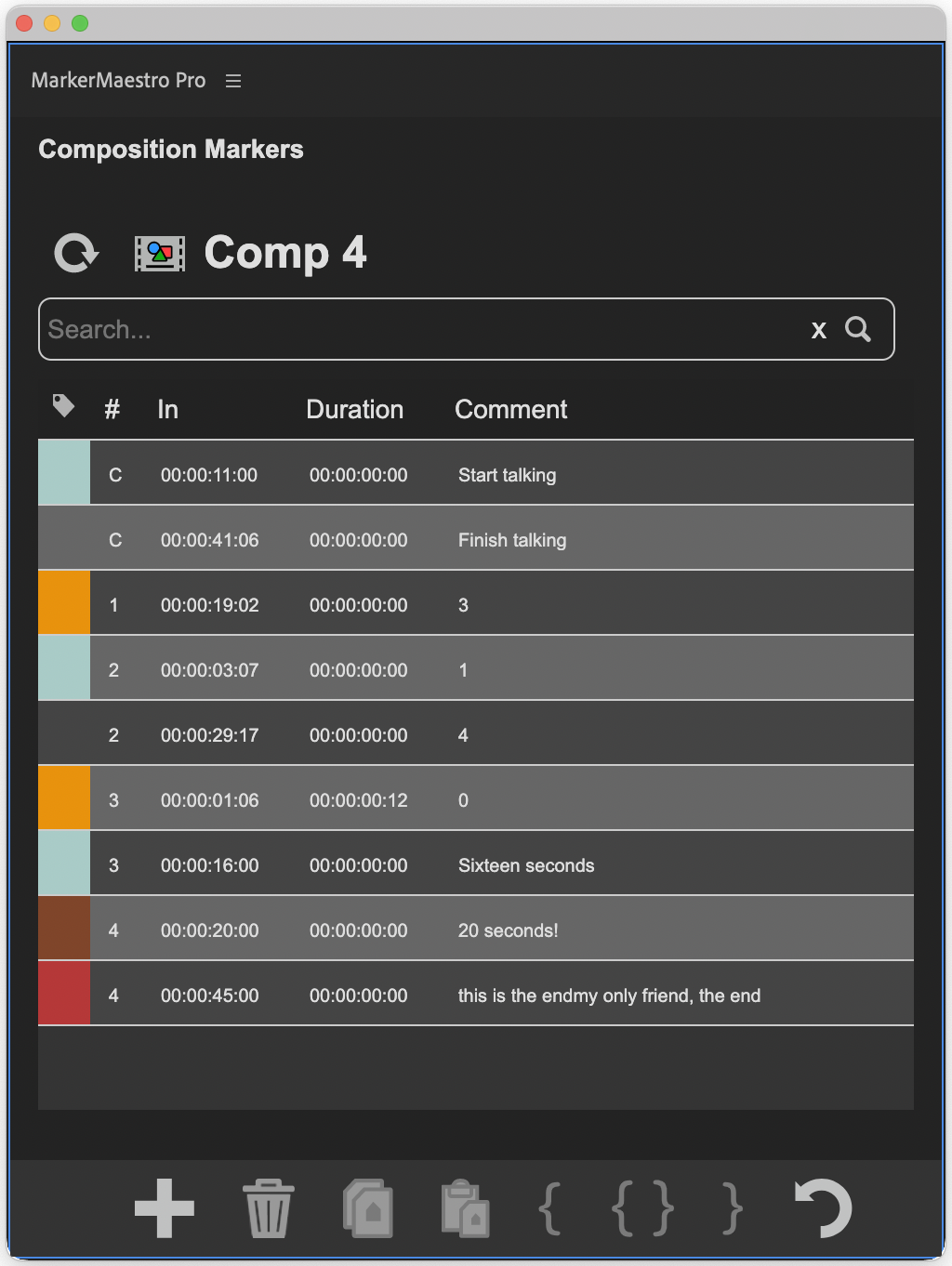
Marker Maestro Pro is an After Effects panel for managing markers across a composition. It gathers the composition's markers and markers on its layers in a spreadsheet-style list, with each row showing timecode, comment, color and layer number. This is useful when a comp has markers spread across multiple layers and you need to inspect or revise them together.
Review and edit in the panel
Add or delete markers from the toolbar, then edit marker properties in the list without switching to the timeline. Double-click a row to jump to that marker. When several markers need the same change, select them and right-click to open the batch-edit menu. From there, you can edit properties or use the selected markers to set the composition's work area.
Shift and reuse markers
Adjust a selected marker's In field to shift it in time; the field accepts timecode shorthand. Change its Layer field to move it to a different layer. To reuse markers, copy one or more and paste them onto selected layers in the composition or into selected compositions in the project. You can select multiple destination layers or comps for a paste.
Compatibility and license
The product listing supports After Effects 2021 through 2025. Its EULA grants use of one copy on one computer at a time. Shared or multi-user installations and additional users or copies require an appropriate license.