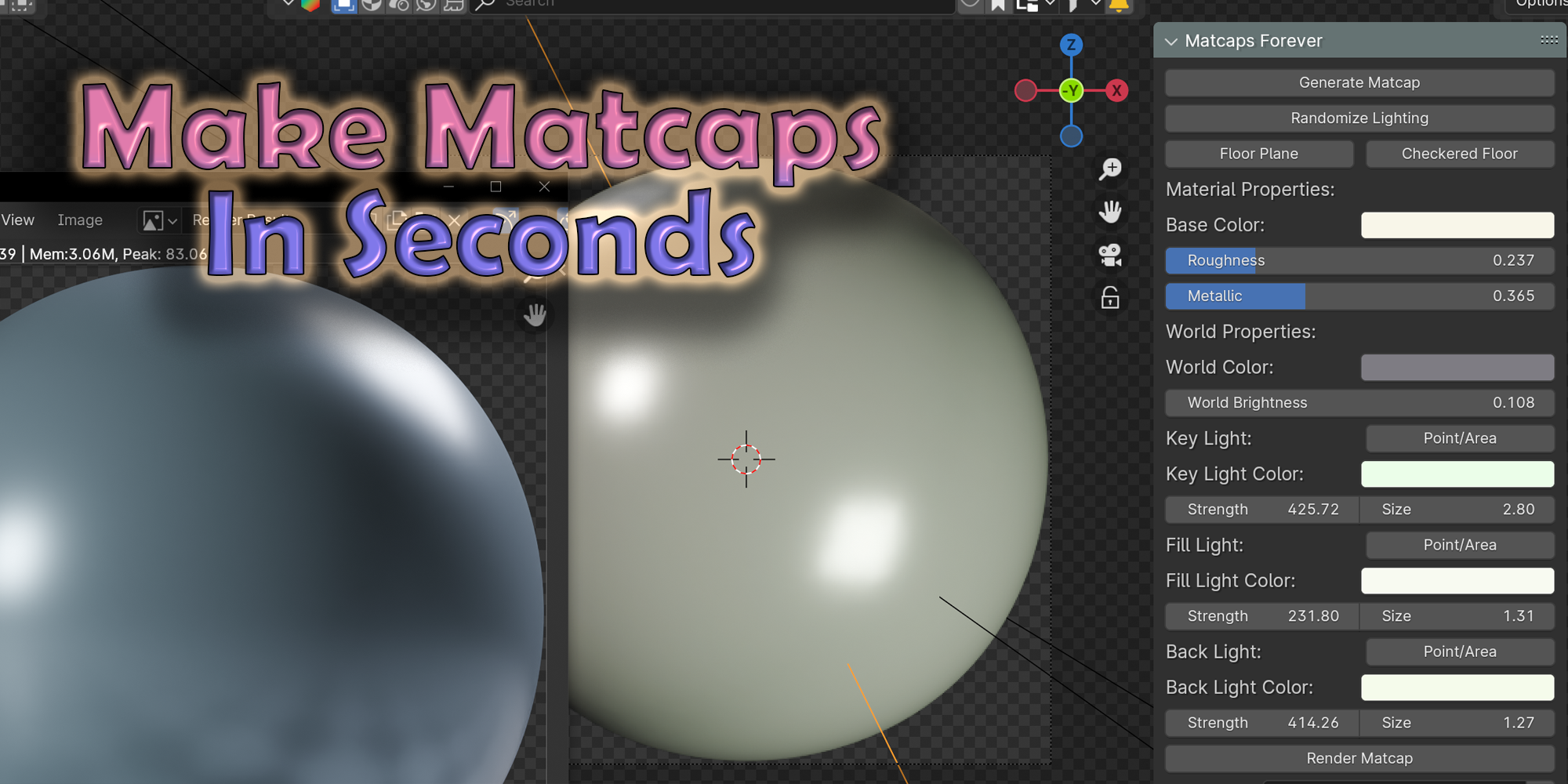
Matcaps Forever is a Blender add-on from Take Refuge 3D for creating and refining matcaps with generated lighting and materials. Version 2.0 requires Blender 5.0 or later and uses Cycles; the listing gives Blender 5.0 through 5.3 as the compatible range. Export a result as an EXR or PNG for use in other software that supports matcaps, including ZBrush and Plasticity.
Generate variations and keep the settings you like
The add-on creates a matcap scene with randomized lighting and materials. Its lighting presets include Studio, Ambient, Dramatic, Moody Two-Tone, Horizon Glow, Satin Sunrise, and Above the Clouds. The listed material presets are Diffuse, Glossy, Metallic, and Dark.
Lock individual lights, material values, sky settings, or floor options to preserve them while generating new variations. Adaptive Lights adjusts light size and strength for glossy and metallic materials. These controls let you explore different surface looks without rebuilding each setup by hand.
Adjust the environment and export
Physical sky environments provide sun, atmosphere, and parameter controls. A procedural floor can add patterns such as a checker, grid, tiles, stripes, dots, or noise, with scale and tint controls. The floor can add context to the sphere and affect its reflections.
Matcaps Forever exports EXR and PNG files from a single render, with an optional 128-pixel PNG thumbnail. The product page names ZBrush and Plasticity as examples of applications that support matcaps.
Who may find it useful
The product is aimed at sculptors and hard-surface modelers who want to explore matcap looks for previews. The adjustable lighting can be used to try clay-like views for sculpting, ceramic looks for modeling, or metallic highlights when checking a shape.
Check the scene behavior before using it
The documentation warns that using the add-on deletes other elements in the scene and recommends starting with a fresh Blender scene. Version 2.0 adds a scene-wipe confirmation dialog. Use a fresh scene for an initial test, and avoid running it in a scene containing elements you want to keep.
Review the terms for commercial work
The marketplace lists the add-on under the GPL license. Its product FAQ separately says you may sell matcaps made with it if your sales page credits the plugin and links to its product page. It says to buy a studio license if you do not want to provide that credit and link. Check the current terms before selling your work.