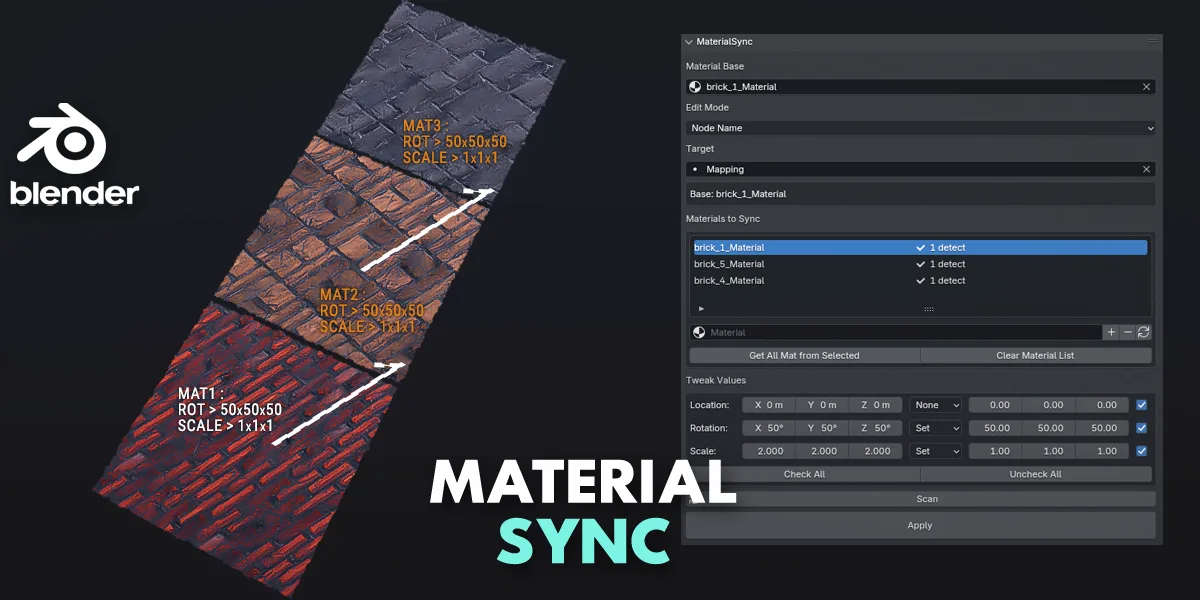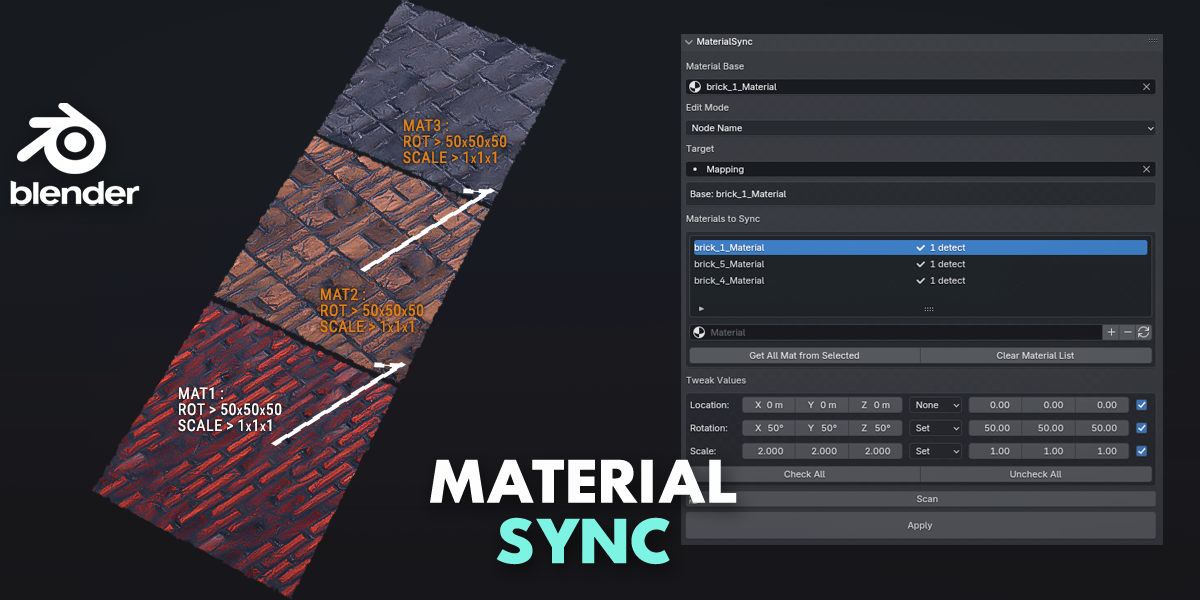
Materialsync is a Blender add-on for synchronizing material properties across a project. The Materialsync catalog listing describes bulk edits from one base material to multiple targets, with matching options for Node Groups, Node Names, or Custom Parameters.
Match targets from a base material
Choose a base material as the template, then add target materials manually or scan selected objects. Materialsync lists three matching modes: Node Groups, Node Names, and Custom Parameters. Smart targeting can detect nodes and parameters across materials. The mode lets you choose how the addon finds the properties to edit.
After selecting targets, adjust values such as colors, vectors, and textures, then sync them across the materials. The listing names Add, Multiply, and Set among the available value operations. This can help when the same property needs a consistent change across materials in a large scene or game project.
Texture and material import tools
The catalog also lists image texture controls for loading, replacing, and tweaking image nodes. Batch import brings materials in from selected objects or from the project. The interface is in Blender's 3D View N-Panel, so the listed workflow keeps material selection and editing in that area.
Check compatibility and availability
The catalog description lists Blender 3.6 through 4.5, while its FAQ says Blender 3.0 and above. Because these ranges conflict, confirm the supported Blender versions with Arcaneforge before installing. The available product details do not identify a separate Materialsync release number.
The catalog labels Materialsync as free and GPL-licensed, but the Superhive product page says the product is no longer available for purchase. A Superhive documentation page reports that the product has either been removed or suspended. Current download access and licensing terms remain unclear. Check with Arcaneforge before relying on the older listing details.