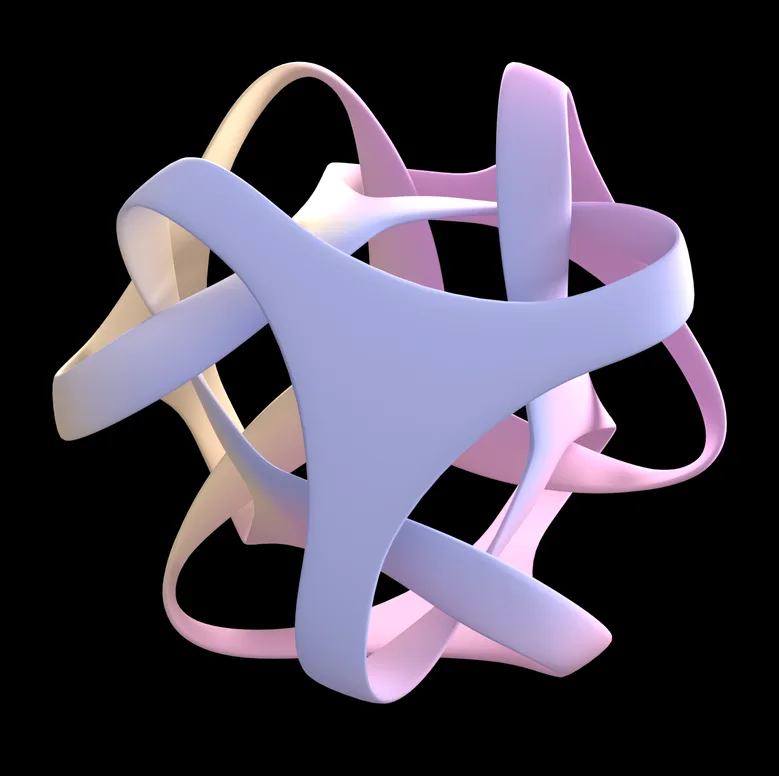
Math Art is a Blender extension for creating mathematical sculpture as mesh and curve objects. Its project README describes more than 150 generators, covering minimal surfaces, polyhedra, knots, fractals, tilings and other forms. Each generator adds geometry to the Blender scene and exposes its available settings in a live redo panel.
Explore different kinds of mathematical geometry
The generator families range from familiar solids to more specialized forms. Surface tools include classical and triply periodic minimal surfaces. Polyhedra include Platonic, Archimedean, Catalan and Johnson solids, along with projections of four-dimensional polytopes. Pattern tools cover wallpaper and frieze groups, Penrose tilings and Islamic strapwork; some patterns can be mapped onto curved surfaces. Other generators create knots and curves, fractals, growth forms, woven shapes, rollers and origami.
This range makes Math Art useful when you want to explore a particular mathematical form as geometry in a Blender scene. The project repository links to individual generator pages with usage walkthroughs, configuration options, explanations of the underlying mathematics and references.
Add and adjust a generator in Blender
Choose Add > Mesh > Math Art to insert a generator. The project README says each one creates a mesh or curve in the viewport, centered at the origin and fitted within a 2 m cube. Use the live redo panel to explore the generator's parameters and adjust the result. The initial size gives a consistent starting point; change the object's scale as needed for your scene.
Version and compatibility
The Blender Extensions catalogue lists version 1.23.2, with Blender 4.2.0 as the minimum supported version. It identifies dkrider as the maintainer and GPL-3.0-or-later as the license. Check the Blender Extensions listing for package details and the Math Art project repository for generator documentation and setup notes.