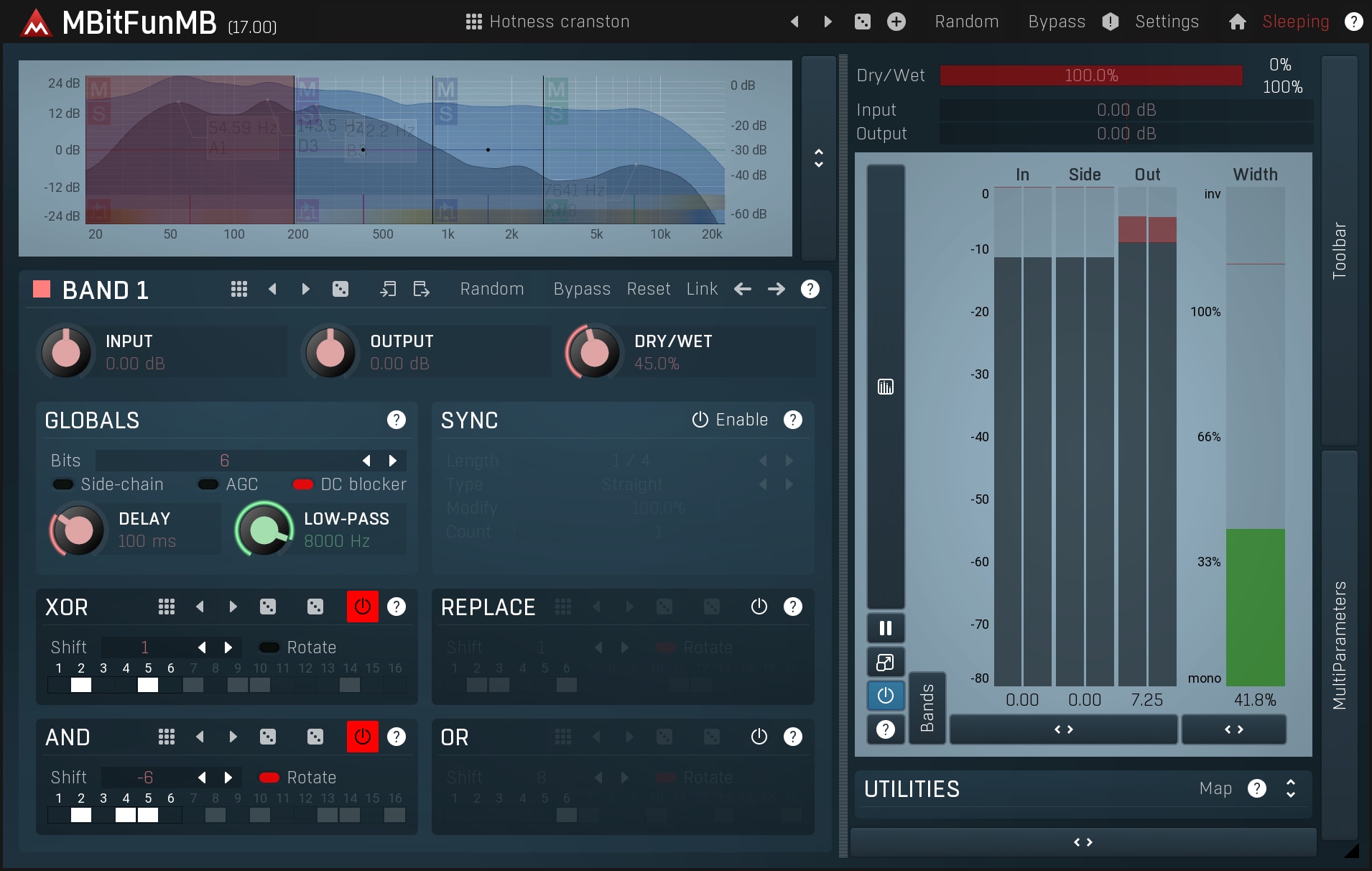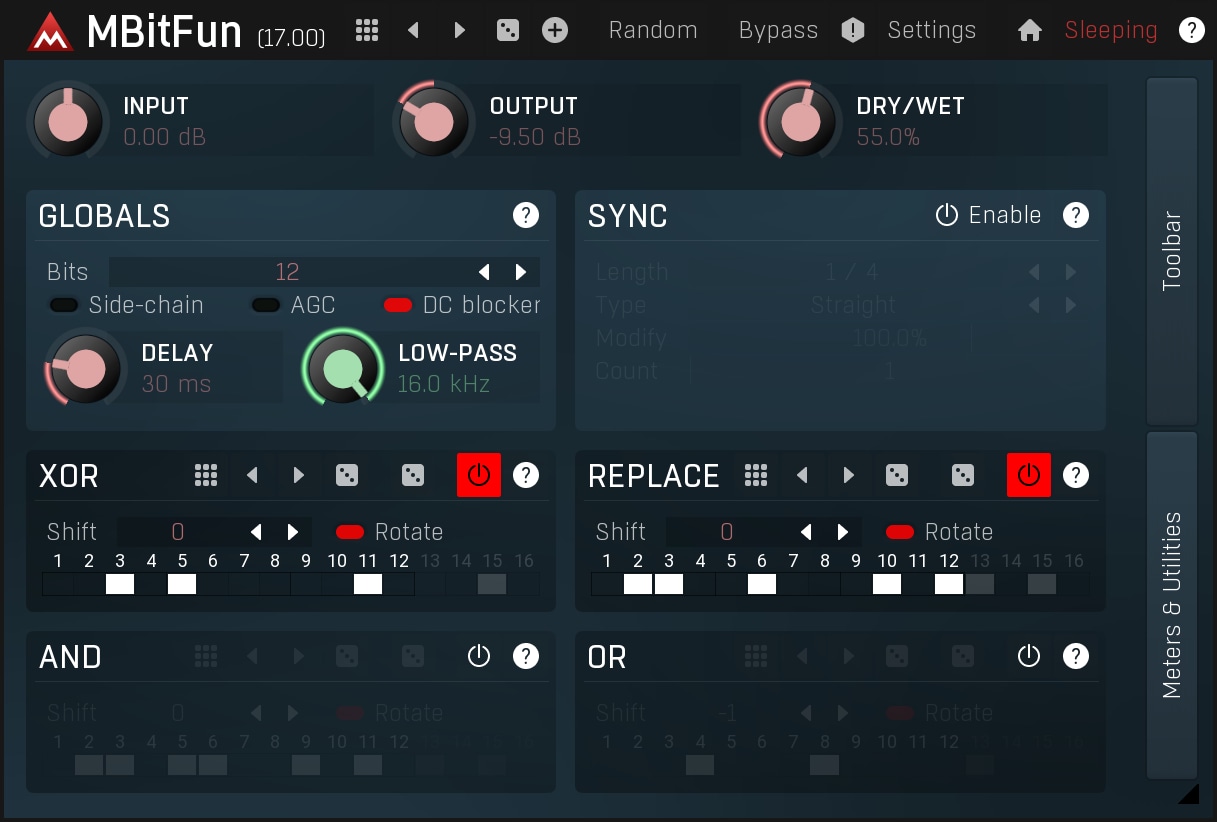
MBitFun is a MeldaProduction effect for bit-based audio distortion. It converts incoming audio to limited fixed-point precision, from 1 to 16 bits per sample, then lets you operate on selected bits. The Bits control defaults to 8; lowering it reduces precision and makes the sound more lo-fi. MeldaProduction offers MBitFun as a free effect with the MFreeFXBundle.
How the bit operations change audio
Each operation works with the main audio signal and can also use a control signal. MBitFun gets a different control signal when you enable sidechain, use delay, or set a nonzero shift for an operation.
| Operation | What it does |
|---|---|
| XOR | Without a separate control signal, each selected bit is inverted in every sample. With a control signal, it is inverted when that bit is set in the control signal. |
| Replace | Copies selected bits from the control signal. It has no effect when the control signal is the same as the input, so use sidechain, delay, or shift to create a different signal. |
| AND | Without a separate control signal, selected bits pass through; enabling every bit leaves the signal unchanged, while disabling every bit produces silence. With a control signal, a selected bit passes only when it is also set there. |
| OR | With a control signal, a selected bit is set when it is set in either input. Without a different control signal, selected bits are set in every output sample, which can create a DC offset. |
Shift moves bits in the control signal. Rotate wraps shifted-out bits around from the opposite side. Together with sidechain and delay, these controls give the operations different bit patterns to work with.
A practical starting workflow
- Insert MBitFun on a drum, vocal, synth, or other audio track. Start with the default 8-bit setting, then lower Bits if you want a more lo-fi result.
- Choose an operation and select the bits it should affect. Use Dry/Wet to blend the processed signal with the original, and adjust input or output gain if needed.
- For bit changes driven by another source, enable sidechain. To use a delayed version of the signal, set Delay or use host synchronization. Sync provides note length, note type, a timing adjustment, and a count multiplier.
- When using OR without a separate control signal, check for DC offset. MBitFun has an integrated DC blocker; a high-pass filter can also address the offset.
The plugin also includes presets and smart randomization for exploring settings. A parameter lock can keep selected controls unchanged while you browse or randomize. Automatic gain compensation can bring output level closer to input level, though the manual notes that AGC can add distortion of its own. MBitFun also offers adjustable up-sampling from 1x to 1024x to reduce aliasing. The manual notes that oversampling can use more CPU and add latency in high-quality mode, and may change the sound.
Channel processing and compatibility
MBitFun supports left and right channel processing, mid/side modes, surround processing up to 8 channels, and ambisonics up to 64 channels. The latter modes depend on support in the host. For VST2 surround, MeldaProduction says to enable surround processing globally and restart the host. Its manual also describes a global activation and restart step for ambisonics, which it notes is supported by relatively few DAWs.
MeldaProduction lists these platform requirements and notes that the plugins may still work on computers below them:
- Windows: Windows 10 or 11, 64-bit, with a 64-bit VST, VST3, or AAX host and an Intel or AMD processor with SSE2 support.
- macOS: macOS 10.14 Mojave or newer, 64-bit, with a 64-bit VST, VST3, AU, or AAX host. Intel, AMD, and Apple Silicon CPUs are listed.
- Linux: Not directly supported. MeldaProduction says running the plugins through Wine may be possible and notes that Wine needs Microsoft TrueType fonts installed.
MeldaProduction says activation uses licence files and does not require a dongle or internet access. The licence is assigned to a person and may be used on that person's computers. See the MBitFun support page for installation resources and the MBitFun manual for operation details. Check the current system requirements if your host or operating system is not listed here.