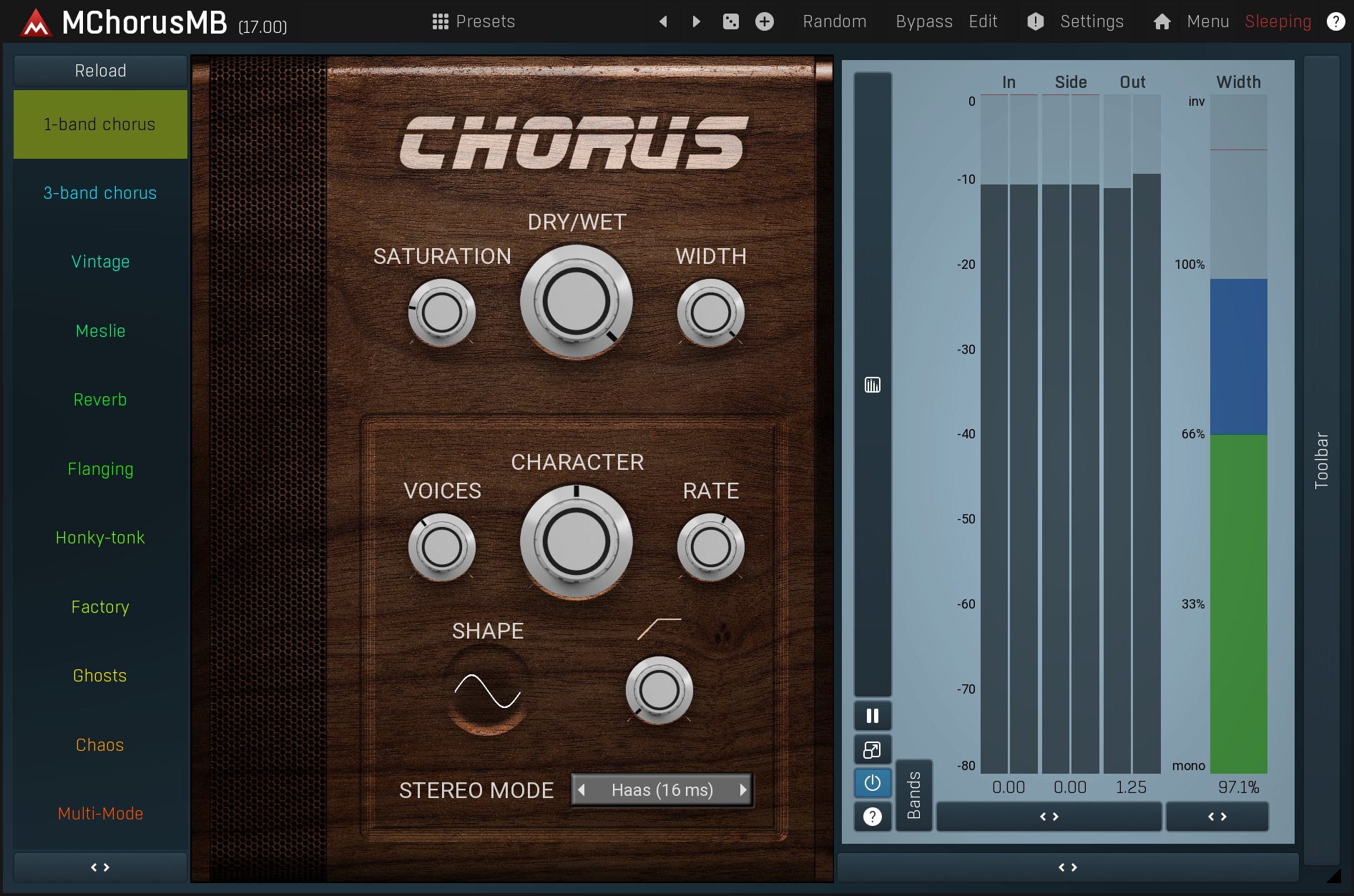
MChorusMB is a chorus effect for producers and engineers who want to shape movement and width across different parts of a sound. It can split audio into six bands, with chorus settings for each band, and generate up to 10 voices. That gives you more control over a mix than a single, full-range chorus effect, though it also means more parameters to learn.
Shape the chorus by band
Set the number of voices, their rate, delay and range, then choose how they spread: panorama, phase or Haas modes. The oscillators can run freely or synchronize to your host tempo. Voice-level variability, tremolo, feedback and saturation provide further ways to change the result.
For a faster start, use the Easy screen and its device controls. The Edit screen exposes the full parameter set, including the band editor, where you can adjust crossover boundaries and work on individual bands. The included MChorusMB quick-start guide explains these controls. Automatic gain compensation helps keep output level comparable to the input while you audition settings.
Channels and practical use
MChorusMB supports mono and stereo, mid/side processing, surround up to eight channels and ambisonics up to 64 channels. Panorama and Haas spreading are effective only with stereo outputs. The multichannel options may suit music, film, game or VR projects, while the six-band controls are useful when you want chorus movement on selected frequency ranges. A simpler chorus may be quicker to set up if you only need one overall effect.
Compatibility and licensing
The developer lists VST, VST3 and AAX formats for 64-bit Windows and macOS, plus AU for macOS. MeldaProduction lists Windows 10/11 (64-bit) on an Intel or AMD processor with SSE2, and macOS 10.14 Mojave or later on an Intel, AMD or Apple Silicon CPU, as minimum requirements. Linux is not directly supported; MeldaProduction says the plugins may run through Wine if the .wine/drive_c/windows/Fonts/ directory contains Microsoft True Type fonts. Check the current support information and system requirements for your host and setup. MeldaProduction says the plugins may still work below these minimums and recommends using the trial period to check compatibility.
MeldaProduction offers a trial and a paid license. The developer says purchases include free updates, and a personal license can be used on the owner's computers. Activation does not require a dongle or internet access.