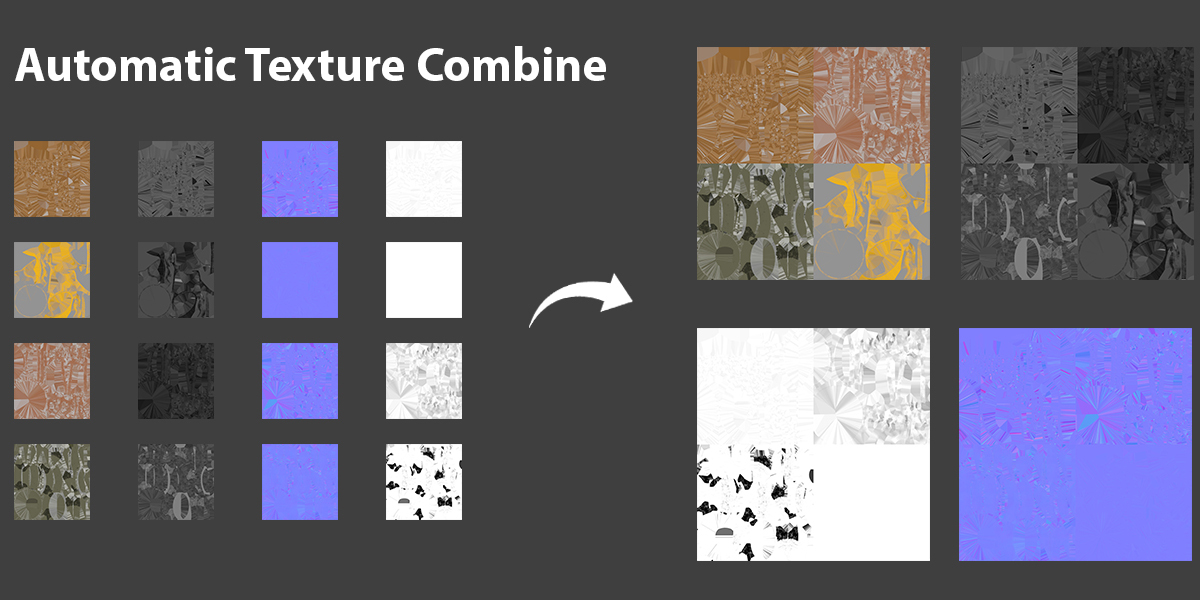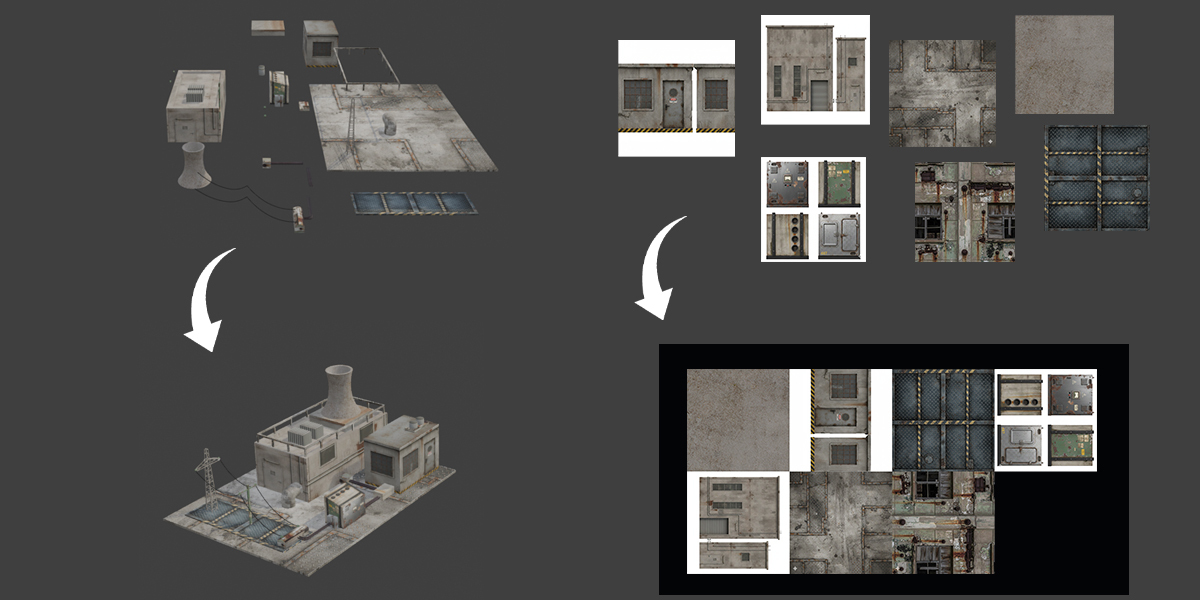
Mesh Combine is a Blender add-on by Azerilo that joins selected mesh objects into a new object and packs chosen texture maps into atlases. The product page describes it as a way to prepare assets for Unity, Unreal Engine, or web-based 3D viewers. View the Mesh Combine product details.
Texture maps and UV remapping
You can select Color (Albedo), Normal, Roughness, and Metallic maps for the atlas workflow. Mesh Combine generates synchronized atlases for the selected map types, adjusts the UV coordinates to fit the atlas, and creates a material named “Combined Atlas Material.” Its shelf-packing algorithm arranges the textures and favors square atlas dimensions, up to 8K.
How to combine meshes
- Select the meshes you want to combine in Blender.
- Press N to open the Mesh Combine panel. Choose the texture map types to include. Every selected mesh must have each map type you check.
- Click Combine. The add-on duplicates the objects, remaps their UVs, and joins them into a new combined mesh. Your original objects remain untouched.
- To save the generated atlases, select the combined mesh in the Shading tab, open its textures, and save them to your chosen location.
These steps follow Azerilo’s Mesh Combine documentation.
Installation and compatibility
Download and extract the add-on, then install the included mesh_combine.zip file through Blender’s Edit > Preferences > Add-ons menu. After installation, press N to find the Mesh Combine panel. The product listing gives a Blender compatibility range of 3.6 through 5.0, lists Cycles and Eevee, and identifies the license as GPL. Check the product page for current details.
When it fits
Mesh Combine suits a workflow that needs selected objects joined into one mesh with consolidated texture atlases before the asset moves to another tool or viewer. The supplied documentation covers creating the combined object and saving its textures in Blender; it does not describe engine-specific export settings. Review the combined material and saved textures in your project before relying on the result downstream.