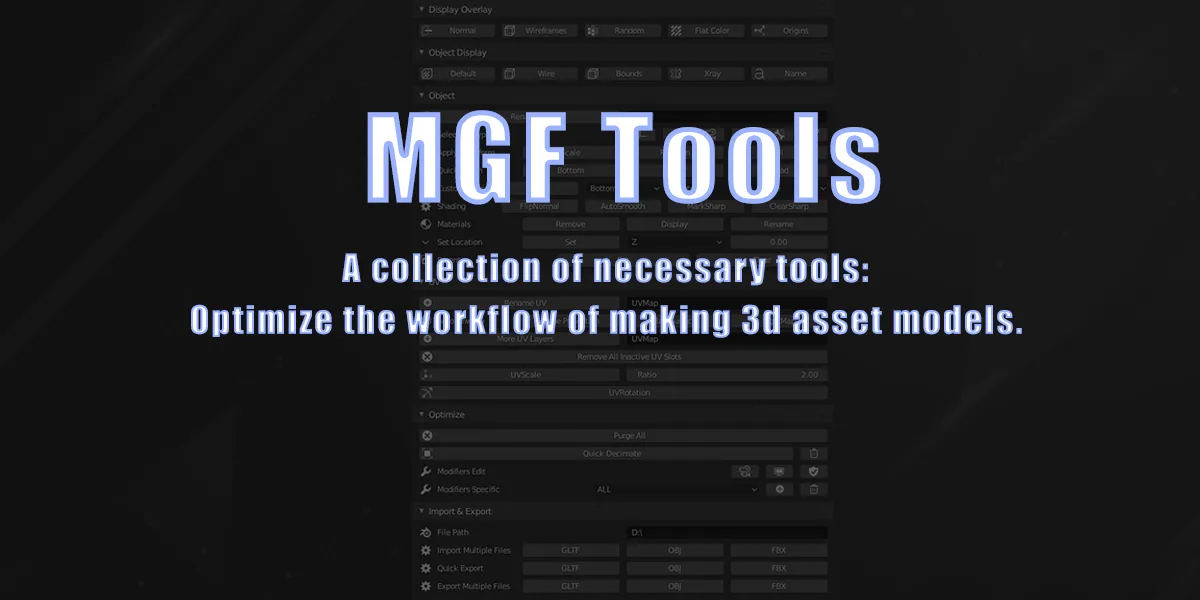
MGF Tools is a Blender add-on that collects object, modeling, material, UV, optimization, rendering, and file-transfer operations in one interface. The Superhive product listing groups its controls into areas such as Object display, Model, Material, UV, Optimize, Import Export, and Render.
Tools for recurring modeling tasks
The MGF Tools version 2.1.2 feature summary on AnyPlugins describes object utilities for renaming, selecting by type, applying transforms, and setting or clearing parents. Origin tools include presets for the bottom, center, or head of an object, plus 27 custom origin combinations. Shading controls cover flipping normals, autosmooth, and marking or clearing sharp edges.
That summary also lists three UV auto-unwrap modes, UV scaling and 90-degree rotation, UV renaming, and removal of inactive UV slots. Its Optimize section includes Purge All, quick decimation, modifier editing for the viewport and render, and a texture-size limit. Material controls include removing unused materials and renaming them. The Import and Export tools handle multiple files.
Version details and Blender compatibility
The newest release shown in Superhive's version history is 3.0.0, dated 27 March 2026. It lists support for Blender 5.0 to 5.2 and new import and export features. Version 2.1.2 lists Blender 3.0 to 4.2 support; its release notes mention camera quick setup, quick rendering for one or more objects, and material and material-node tools.
Superhive's Details field gives an overall Blender range of 2.8 to 5.2, while its history ties specific ranges to individual releases. Check the release notes for the version you plan to install so its stated range includes your Blender version.
Installing an update
Superhive advises uninstalling the current add-on before installing a new version, then restarting Blender. The listing identifies the license as GPL. Check the product page for the package and current details before downloading.