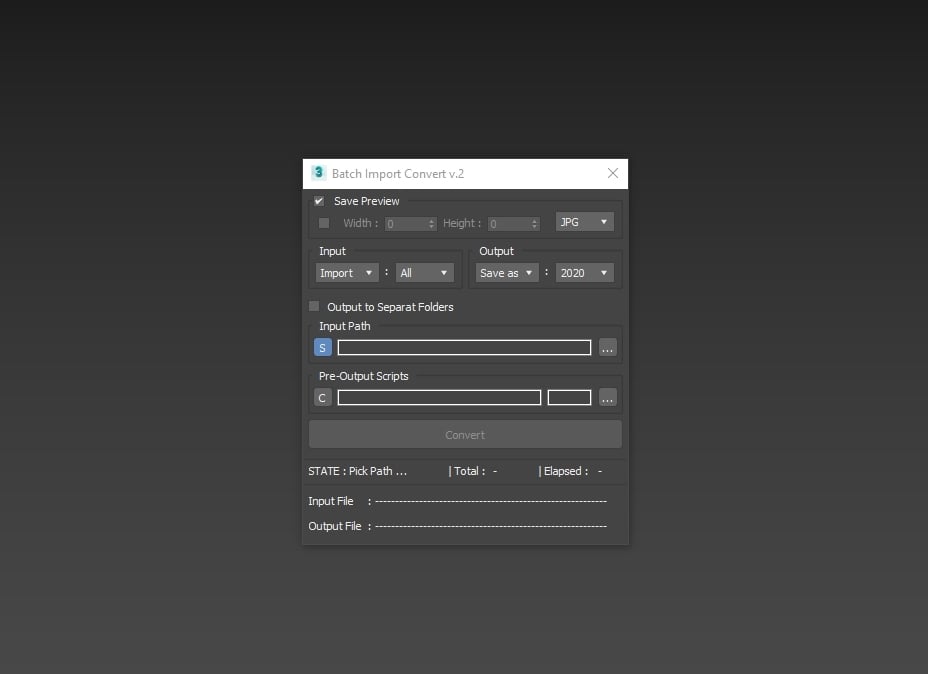
miauu's Batch Save collects OBJ, FBX, 3DS and MAX files and saves selected items as .MAX files for a 3ds Max version you choose. It is designed for batch work: gather files from a folder or select several individually, then use the checkboxes to decide which ones to process.
Choose files from a folder or a selection
Use Get Directory to select supported files in a folder. If the folder has subfolders, the script asks whether to load OBJ, FBX and 3DS files from them. To choose individual files instead, use Get File(s); it supports selecting multiple files at once.
Only files with their checkboxes turned on are processed. You can remove an item from the list with a middle-click on its name. A right-click opens that file's folder in Windows Explorer. The Show Full Path checkbox switches the list between full paths and file names; names are shown by default.
Choose the destination 3ds Max version
Before saving, select the 3ds Max version for the output .MAX files. The interface can be resized. These controls are useful when preparing a selected group of mixed-format files for a particular 3ds Max version.
The Autodesk App Store lists the script as free. Its product listing describes the supported formats and controls. The listing does not specify details such as how scene contents or existing output files are handled, so check with miauu if those details affect your workflow.