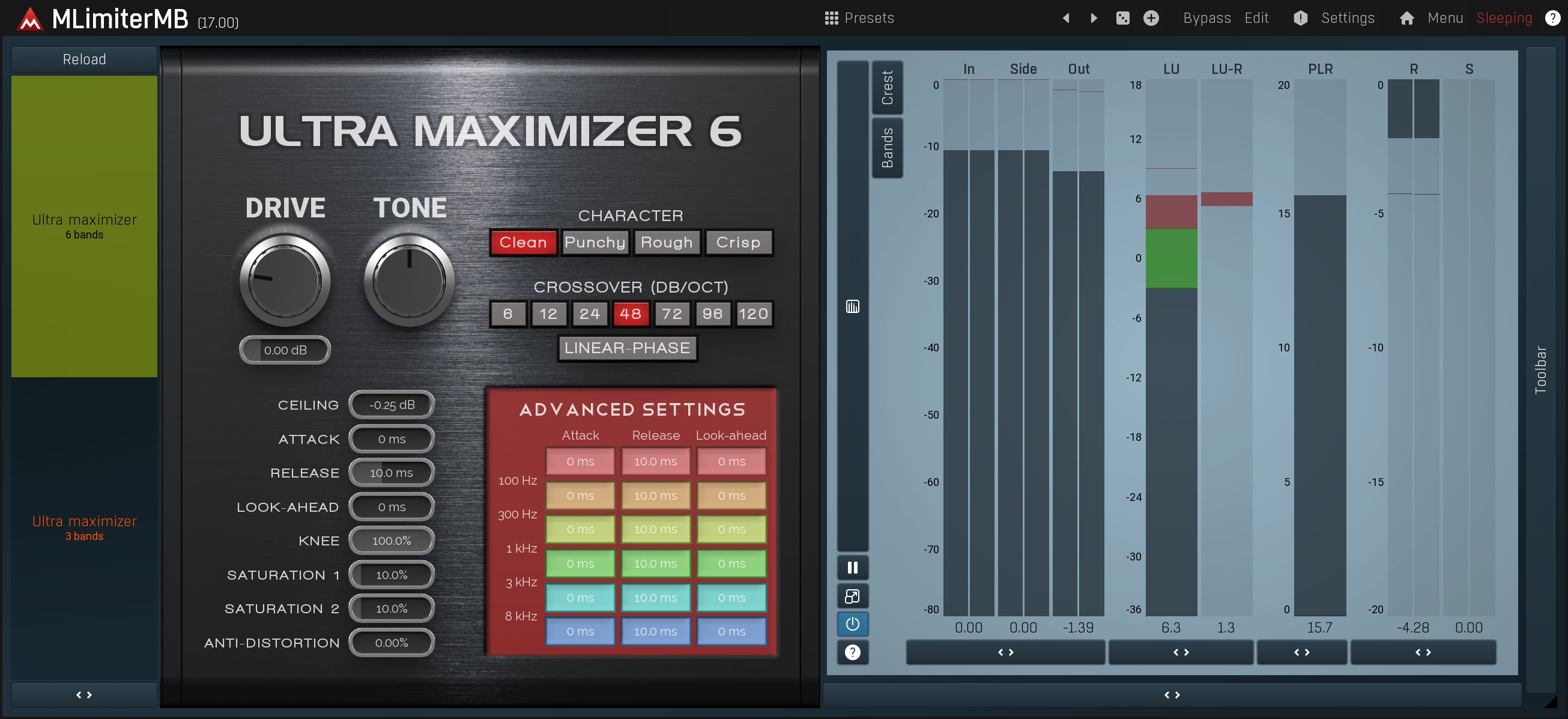
MLimiterMB is a MeldaProduction limiter and maximizer for controlling loudness across separate audio bands, with a saturation stage after the bands are combined. It fits producers and mastering engineers who want band-specific dynamics control, and offers less common ways to divide audio when a standard frequency split is not enough.
Easy and Edit screens offer different levels of control
The Easy screen presents a small set of controls for common tasks. Switch to the Edit screen to work with the full parameter set, including band settings and crossovers. MLimiterMB can divide audio into up to six bands, process the bands separately, then process the combined signal in its master stage.
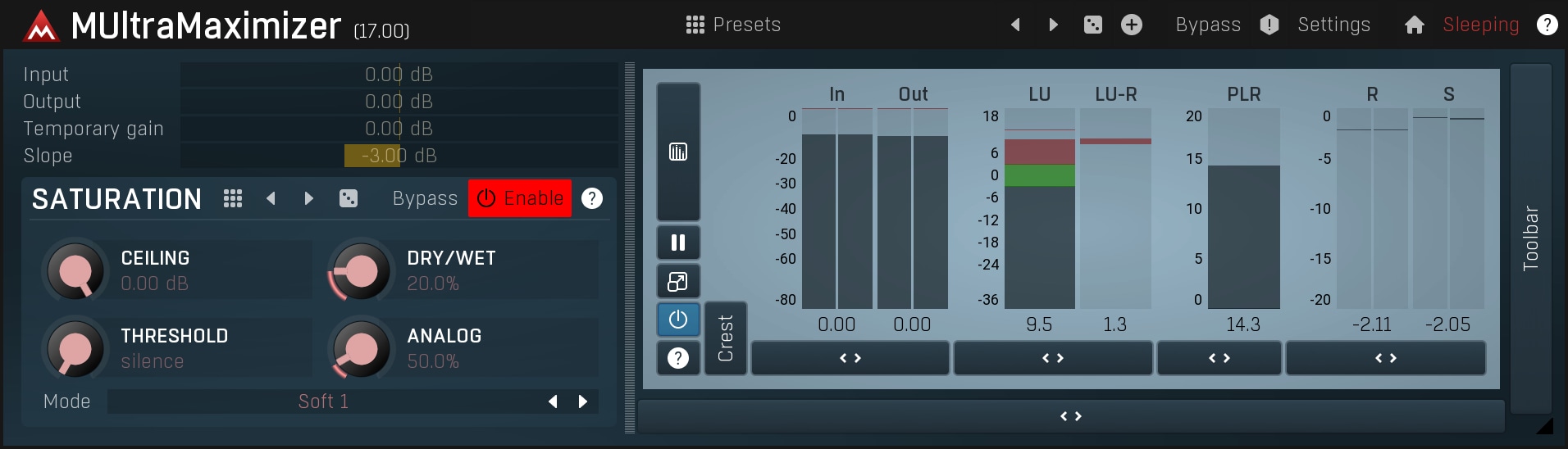
Each band has its own threshold, output gain and knee controls. The meters show band input levels and gain reduction, which helps identify where limiting is taking place. A global slope control changes the balance between band thresholds. Automatic output gain compensation can reduce level changes as you adjust those thresholds; in manual mode, you use output gain to compensate yourself.
Crossover and band-processing modes
Frequency crossovers split the signal by frequency. MLimiterMB also provides level, panorama, mid-side, spectrum and tonal/transient crossover modes, along with parallel and serial processing. Level crossovers split by signal level; panorama and mid-side crossovers use stereo position. Spectrum crossovers sort frequencies by their level, while tonal/transient crossovers sort them by transient content. Parallel mode sends the full input to each band, which can raise the output level; serial mode processes bands in sequence, so any latency in those bands adds up.
Crossover choice affects timing and phase. Analog crossovers add no latency but can shift phase; the manual lists the 6 dB/octave option as a zero-phase exception. The Analog LP, Linear-phase and Hybrid crossovers add latency without shifting phase. Look-ahead also adds latency. Check the MLimiterMB quick start guide for details on the crossover modes and their controls.
Shape the limiting and saturation
Attack and release settings, including custom shapes, let you adjust how the level detector responds. The manual describes a tradeoff between pumping and distortion as those shapes change. After band processing, the master saturation stage can add harmonics and loudness, while higher saturation can distort the signal. Its ceiling control sets the maximum output level and ranges from -24 dB to 0 dB.
Compatibility and licensing
MeldaProduction lists 64-bit support for Windows 10 and 11 with VST, VST3 and AAX hosts, and for macOS 10.14 or later with VST, VST3, AU and AAX hosts. Its system requirements specify an Intel or AMD processor with SSE2 support on Windows, and Intel, AMD or Apple Silicon CPUs on macOS. Linux is not directly supported; MeldaProduction notes that running the plugins through Wine may be possible. Check the system requirements against your host before choosing the plugin. MeldaProduction says its plugins may still work below the listed minimums and recommends using the trial to find out.
The product page offers a free trial. MeldaProduction says activation does not require a dongle or internet access, and that a personal licence can be used on all computers, provided the licence holder is the user. The company also lists free updates for the life of the product. See the MLimiterMB product page for the current trial and purchase options.