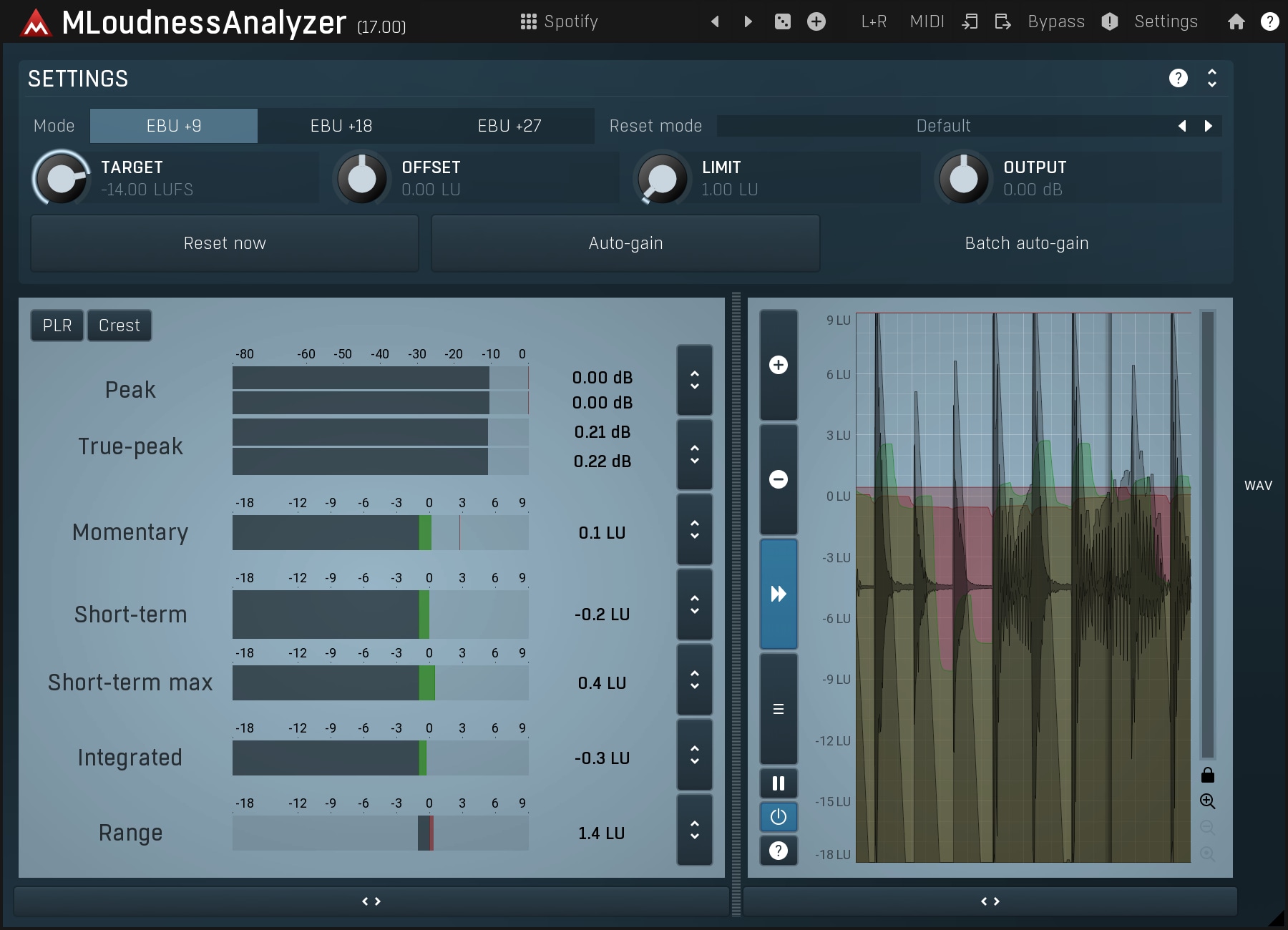
MLoudnessAnalyzer is a plug-in meter for checking loudness and peak levels in a DAW. Its separate readings help you inspect changes during playback and compare a full program with a chosen loudness target. MeldaProduction describes it as compliant with EBU R128 and ITU-R BS.1770-3.
The product page summarizes the meter, while the product manual explains its readings and controls.
What the meters show
- Peak and true peak: Peak shows the digital level; true peak estimates peaks that can occur during digital-to-analog conversion. The manual notes that true-peak readings can vary between software implementations.
- Momentary and short-term loudness: Momentary uses a 400 ms window for quick changes. Short-term uses a 3-second window for a steadier view.
- Integrated loudness: This reading accumulates over playback until reset. It uses gating to discount quieter passages, so it is not a simple average of the whole track.
- Loudness range and PLR: Loudness range describes variation in loudness. PLR is the difference between true peak and integrated loudness, which helps you assess peak headroom relative to the program's loudness.
The manual recommends comparing loudness range with recordings in a similar style. It also cautions that meters only approximate perceived loudness, so listen as well as read the display.
Set a target and check a full program
The target control defaults to -23 LUFS and can be set from -60 to 0 LUFS. It presents loudness in LU relative to that target. An offset control, ranging from -40 to +40 LU, can shift the readings for other references such as the K-System.
Auto-gain uses the current integrated loudness reading to set gain toward the selected target. Let the full program play first for a representative reading. After matching loudness, check the true-peak meter too: an integrated loudness match alone does not show whether a peak ceiling is met.
Reset behavior affects longer checks. The default follows initialization from the host. No reset keeps the readings when a host reinitializes the plug-in after rendering, while Reset on playback clears them when playback starts. Time graphs show how the measurements change during the pass.
Compatibility and availability
The support page lists support for 64-bit Windows 10 and 11 with VST, VST3 or AAX hosts and an Intel/AMD processor with SSE2, and for 64-bit macOS 10.14 or newer with VST, VST3, AU or AAX hosts and an Intel, AMD or Apple Silicon CPU. MLoudnessAnalyzer also supports mono, stereo and mid/side, up to 8-channel surround, and up to 64-channel ambisonics. The product manual says VST2 surround requires global activation and a host restart; VST3, AU and AAX do not need that activation. Ambisonics requires activation in each DAW and a restart, then selection of the ambisonics mode and order. Linux is not directly supported. MeldaProduction labels MLoudnessAnalyzer a free effect and lists it with the MFreeFXBundle.