MMorph is a spectral audio effect from MeldaProduction for transforming one sound toward another. It analyzes two signals and morphs their frequency characteristics, so its Ratio control changes spectral features instead of simply fading between channels. Pairings such as a vocal with a tonal instrument or bass with a vocal can produce hybrid textures and vocal effects.
Route signals A and B
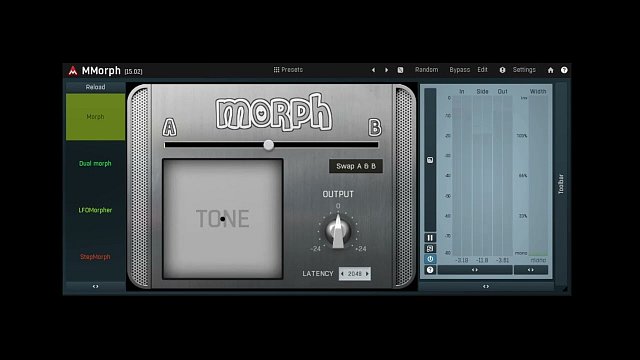
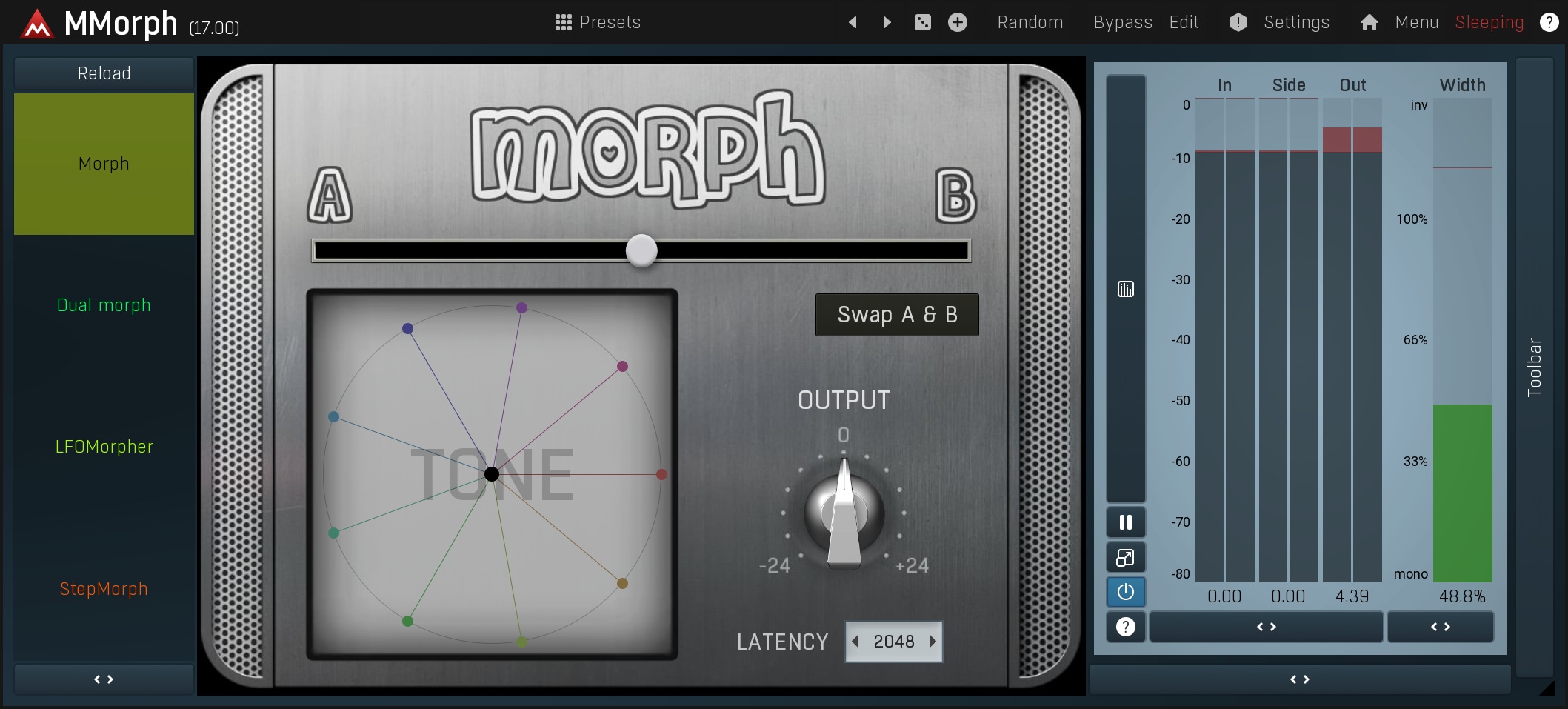
By default, signal A comes from the main input and signal B from the sidechain. The Ratio control moves from A at 100% and B at 0% to A at 0% and B at 100%. Because the processing is asymmetric, swapping the sources can change the result substantially. The quick-start guide suggests trying a vocal as B for vocal morphs, then using Swap A and B to compare the other direction. The default two-source setup requires sidechain routing in your host; LR encoding can instead morph between the main input's left and right channels.
Shape each source before and after the morph
MMorph has separate controls for A and B, plus output processing. Its Compression control changes the relative levels of frequencies, not the signal's dynamics: positive values reduce level differences between frequencies, while negative values increase them. Flattening balances nearby frequencies, and B-side whitening responds to changes over time. The harmonic generator adds upper harmonics that are not present in the input. Formant Shift changes the pitch of B, which can help bring the two spectra closer together.
Input Tone, Gain, Gate, Attack and Release controls help prepare each source. Attack and Release can smooth rhythmic material or add a resonant tail. Wet and Dry controls set the processed and original signal levels, while output controls provide further spectral shaping and gain adjustment. Automatic gain compensation helps keep output loudness comparable with the input during setting changes, and a safety brickwall limiter is included to keep output below 0 dB.
Automate movement and compare settings
Four modulators can act as LFOs, level followers, MIDI or audio-triggered ADSR envelopes, randomizers or pitch detectors, including combinations of those sources. They can also listen to the sidechain. MIDI learn can map a controller to parameters, and multiparameters let one control adjust several parameters together. MMorph also has A-to-H slots for comparing up to eight settings and an X-Y pad for morphing among the first four.
Latency, channels and compatibility
Spectral processing works in blocks, which adds latency. The manual lists buffer sizes from 256 to 16384, with a default of 2048 around 44-48 kHz. Larger buffers can add detail, CPU use and latency; very high settings may smear transients into an ambient sound. MMorph supports mono, stereo, mid-side and separate left/right processing, plus up to 8-channel surround and 64-channel ambisonics where the host supports those formats. MeldaProduction says Ableton Live does not work with surround-capable plugins and directs users to the VST version, which reports stereo capabilities by default.
The supported platforms include Windows 10 or 11 (64-bit) with VST, VST3 and AAX hosts, and macOS 10.14 or later (64-bit) with VST, VST3, AU and AAX hosts. Windows requires an Intel or AMD processor with SSE2; macOS supports Intel, AMD or Apple Silicon CPUs. Linux is not directly supported, but MeldaProduction says its plugins may run through Wine if Microsoft TrueType fonts are installed in Wine's fonts directory. Check the vendor's system requirements for installation details.
A free trial is available through MeldaProduction's downloads page. Activation uses per-person license files and does not require a dongle or internet connection; the license can be used on that person's computers while they are the user. Purchases include free updates.