MochaImport+ V6 connects planar tracking data from Mocha with After Effects layers, masks, 2D points and corner-pin effects. It suits After Effects artists who track in Mocha and need to place screen inserts, refine masks, retouch footage or control stabilization in a composition.
Carry tracking onto layers, masks and effects
Apply a Mocha track to layers and 2D properties while accounting for position, scale, rotation, shear and perspective. MochaImport+ can convert between corner-pin, corner-pin with motion blur and transform data. Supported effects include After Effects Corner Pin, CC Power Pin, Bezier Warp and Card Dance, along with Red Giant Warp Corner Pin, BCC Corner Pin, RE:Map Planar and Sapphire Warp Corner Pin. Bezier Warp adds handles at each corner for corner pins on curved surfaces.
For the Mocha plugin included with After Effects, V6 reads tracking data directly from the effect. This addresses an export limitation in the bundled plugin from After Effects CC 2019 onward, where tracking data can no longer be exported to a file or the clipboard.
Refine a track after import
For a mask or 2D property, MochaImport+ can represent movement with expressions. Adjust the base keyframe to update the track, then add manual keyframes where the mask needs correction. The plugin interpolates between those corrections using the tracking data, so you can refine a mask in After Effects without re-exporting the track from Mocha.
Use a stabilized precomp for cleanup
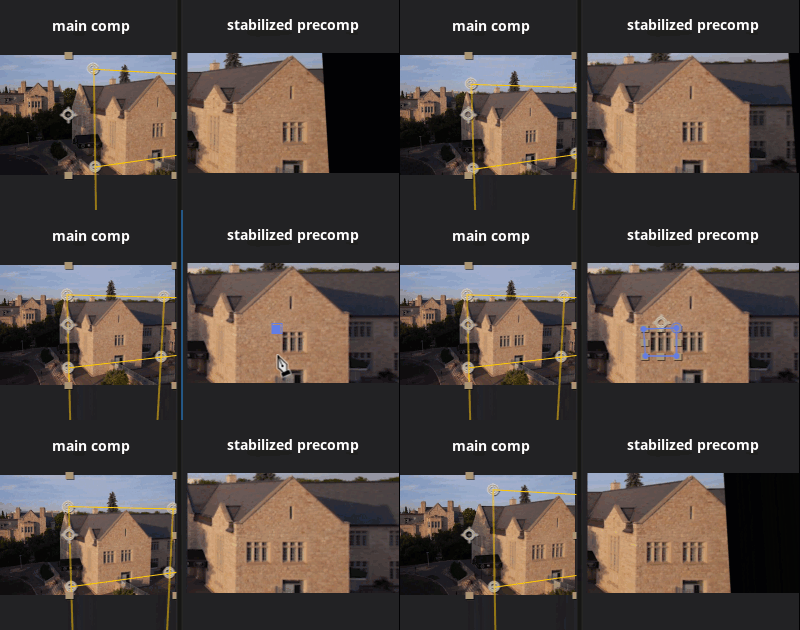
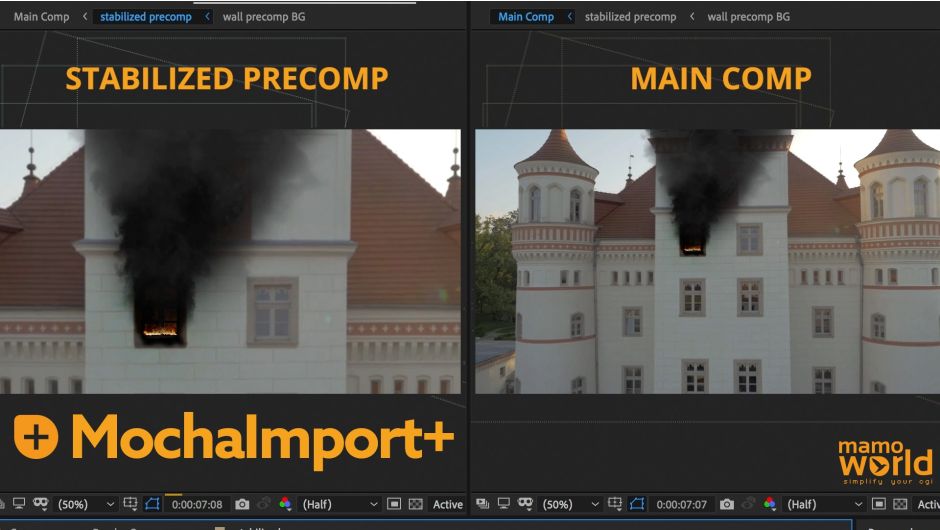
A stabilized precomp holds the tracked region still while you work. Retouch the steady view with operations such as relighting, clone-brush cleanup or object insertion, and MochaImport+ applies the changes back to the original perspective. V6 can send masks and 2D properties between the main composition and a stabilized precomp. For example, you can rotoscope in the precomp and send the finished mask back to the main composition. Smaller precomps are also available for work on small areas such as individual blemishes.
Stabilize footage and automate operations
The Stabilize Rig can stabilize footage or smooth its motion with adjustable controls, including for hyperlapse work. If you repeat MochaImport+ operations, KBar can run its functions from buttons. The scripting API can also load tracking data from a Mocha effect and apply a corner pin to the selected layer, for use in After Effects scripts and automated workflows.
Compatibility and licensing
The product listing marks After Effects 2026 through CS4 as compatible. It says MochaImport+ works with plugin and standalone versions of Mocha, including the version bundled with After Effects. The listing offers a free trial. Its EULA permits one copy on one computer at a time and requires an appropriate license for additional copies or users.