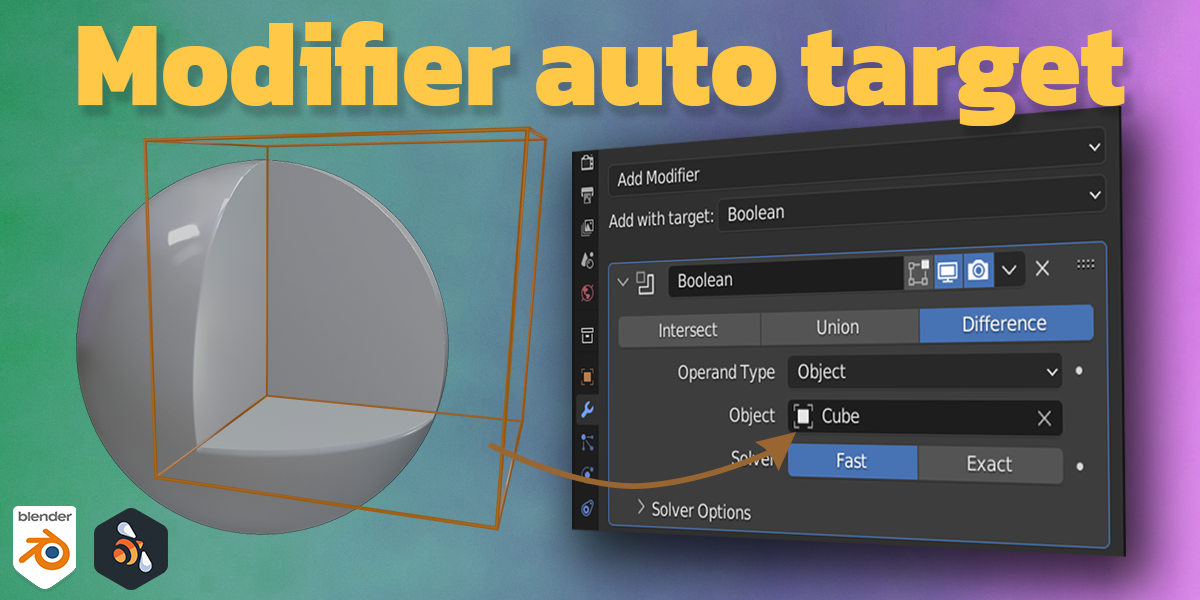
Modifier Auto Target is a Blender add-on by GilaDDD for adding a modifier and assigning its target object from the current selection. It removes the separate manual step of assigning that selected object as the modifier's target after adding the modifier.
Selection order
- Select the object to use as the target.
- Hold Shift and select the object that should receive the modifier.
- Choose a modifier from the add-on's list. Modifier Auto Target assigns the selected target to it.
This workflow is useful when modifier setup repeatedly requires assigning one object as another object's target. You can also assign a custom shortcut and launch the add-on from Blender's 3D Viewport.
Compatibility and license
The Superhive product listing identifies the license as GPL and lists Blender versions 2.8, 2.81, 2.82, 2.83, 2.9, 2.91, 2.92, 2.93, 3.0, 3.1, 3.2, 3.3, and 3.4. The listing does not confirm compatibility with later versions, so check with GilaDDD before relying on it in a newer Blender release. The documentation describes the same selection order.
AnyPlugins lists Modifier Auto Target as free. Check the product listing for current availability and terms before downloading.