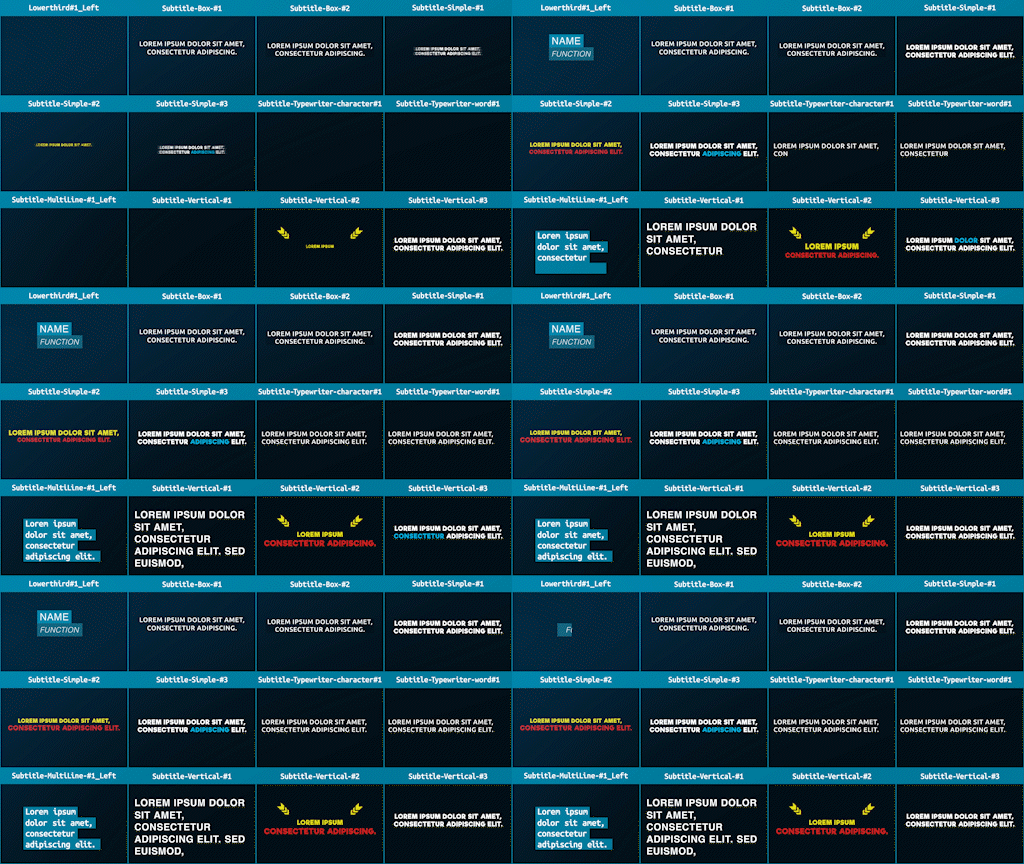
Motion Subtitle Maker is an After Effects script by Xavier Lafontaine for turning an SRT subtitle file into animated compositions. It renders those subtitles as QuickTime video or PNG files and creates timeline files for supported editors. After Effects is where you choose or build the animation template and generate the compositions.
From an SRT file to animated subtitles
- Export an SRT subtitle file from your editing software.
- Open the file in Motion Subtitle Maker in After Effects and choose a supplied template or create one.
- Adjust the available parameters, generate the compositions, and render them.
- Import the accompanying XML or FCPXML file into a supported editor to place the elements on its timeline.
The supplied After Effects project includes predefined animations. To build a template yourself, the developer says you need to know how to create a composition, add a text layer, and apply a predefined animation.
Render formats and editor compatibility
The subtitle renders are QuickTime video or PNG. The script also creates FCPXML files for DaVinci Resolve and Final Cut Pro X, and XML files for DaVinci Resolve and Premiere Pro. The developer lists these minimum editor versions:
- DaVinci Resolve: 16.2.6 or later, using FCPXML or XML.
- Final Cut Pro X: 10.5 or later on macOS, using FCPXML.
- Premiere Pro: CC 2022 or later, using XML.
The script is listed for After Effects CC 2022 through 2026 and runs on Windows and macOS. Final Cut Pro X is the exception: its listed support is macOS only. The developer also says the script can apply right-to-left text.
Check timing and template compatibility
Keep the same frame rate throughout the subtitle workflow to avoid timecode slippage. If your SRT was created outside the editing software, import it into the timeline, check its timing, and export it from that editor so the file timecode matches the timeline.
Motion Subtitle Maker can use Mographs from third-party sites, but the developer warns that After Effects cannot open Mographs generated by Premiere Pro. If you plan to use a purchased Mograph, confirm that it was made for After Effects before buying.
Version and pricing
The aescripts product listing shows version 1.8 and a name-your-own-price model. The displayed $5 is a suggested amount: individual users can pay another amount, while businesses and teams must pay the suggested price for a valid license. Check the listing and its name-your-own-price terms for current details.