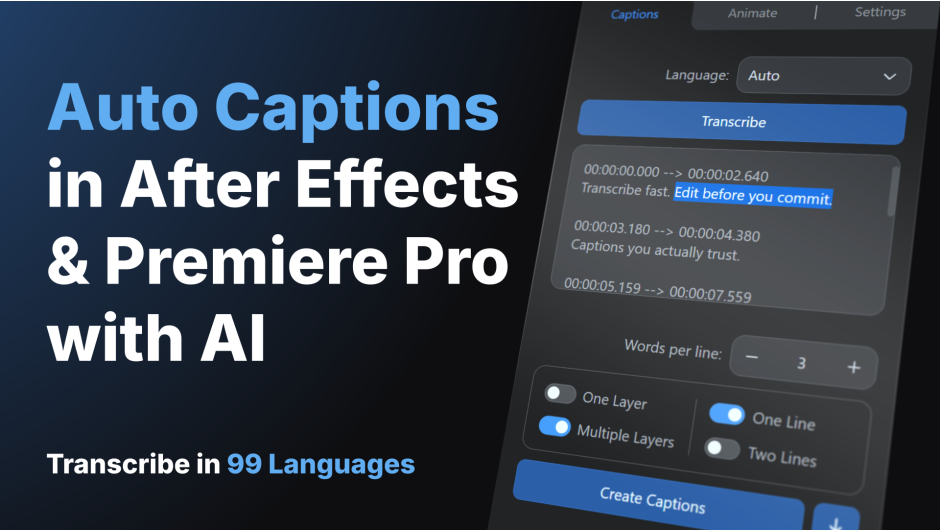
Voice2Captions is a CEP extension from Future Tools that transcribes audio in Adobe After Effects and Premiere Pro, then turns the transcript into captions or text layers. It supports 99+ languages, with automatic language detection, and lets you review and edit the transcript before creating timeline elements. Version 2.1.0 added Premiere Pro support and the Deepgram Nova-3 transcription engine.
Choose an engine and edit the transcript
The product page lists Deepgram Nova-3, Groq Whisper Large v3, and OpenAI whisper-1 as transcription options. You can switch between engines. Select one or more audio or video clips, choose a language or Auto, and start transcription from the extension panel. Before creating captions, you can edit the text, adjust timing, and change the segment count.
Create captions, text layers, or an SRT file
Output depends on the Adobe application. In Premiere Pro, captions appear in the native Captions panel. In After Effects, the extension creates native text layers, which can be styled and animated. After Effects also includes text animation presets.
For caption layout, choose from one to ten words per line and one or two lines. Voice2Captions splits text at word breaks and balances the timing. You can process several audio layers or clips in one pass, then export subtitles as an SRT file encoded with UTF-8 BOM and CRLF line endings.
Supported hosts and systems
The developer lists After Effects 2020 through 2026, plus CC 2018 and CC 2019, and Premiere Pro 2020 through 2026. Windows 10 and 11 and Apple Silicon Macs with M1 through M4 are supported; Intel Macs running macOS 10.14 or later are listed for testing. Bundled FFmpeg handles audio preparation without a separate terminal setup. The extension also supports non-ASCII paths, including Cyrillic, Chinese, and Hebrew characters.
Check how audio is handled
The developer says API keys stay on your machine and that the extension collects no telemetry. FFmpeg prepares audio locally before it is sent to the transcription provider you select. If you work with sensitive recordings, check that provider's current terms for audio handling. See the official Voice2Captions product page for current feature and compatibility details.