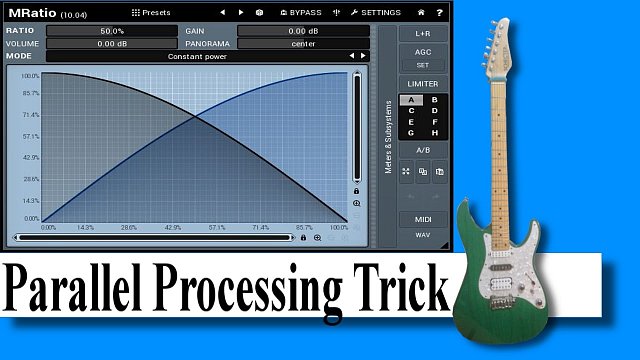
MRatio crossfades a plug-in’s main input with its sidechain in eight modes. MeldaProduction lists it as a free effect available with MFreeFXBundle.
Blend a main signal with a sidechain
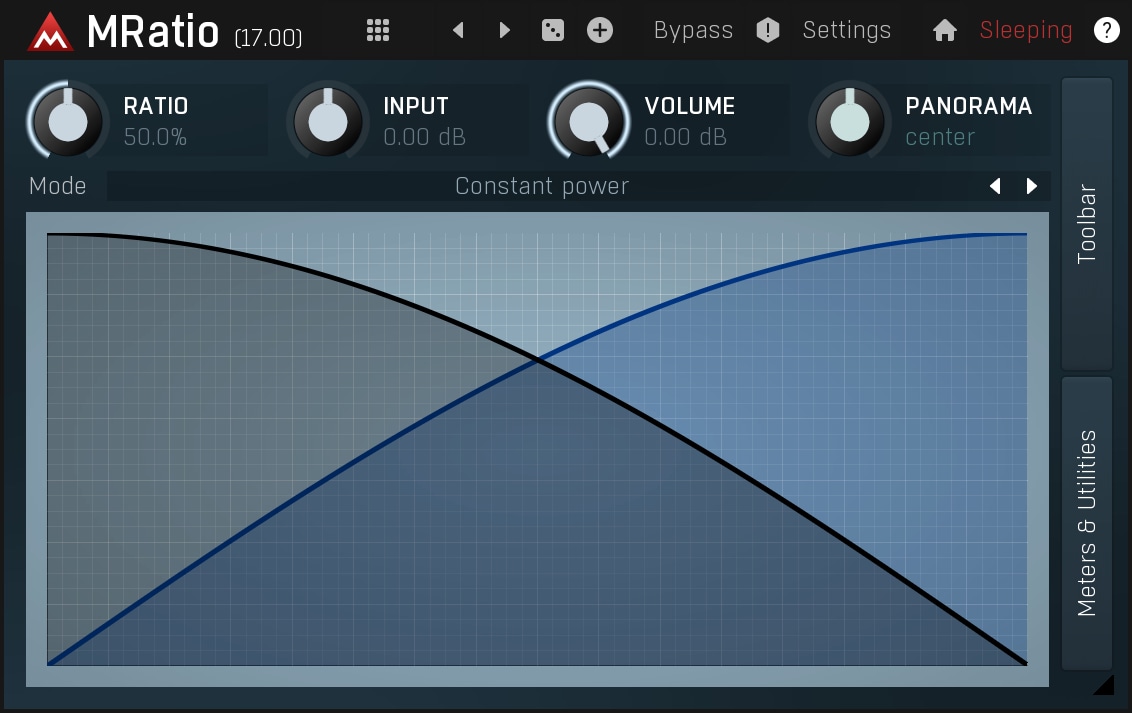
Insert MRatio on the track carrying the main signal, then route a second audio source to its sidechain input from your DAW. Set the Ratio control to adjust the balance between the two inputs; its range is 0 to 100 percent, with 50 percent as the default. A separate mode selector determines how the signals are merged, and the plug-in shows a profile of the selected mode. The vendor’s MRatio manual describes these controls and includes sidechain-routing examples for several hosts.
Input Gain adjusts the main input only, so it can help compensate for a level difference between the main and sidechain signals. The Panorama control also applies to the main input. The routing steps depend on your DAW.
Use modulation to change parameters
MRatio includes two modulators that can control plug-in parameters. Their modes include an LFO, a level follower, an envelope triggered by MIDI or audio, a randomizer, and a pitch detector. A modulator can listen to the plug-in’s sidechain, so a control can respond to the routed signal’s level. Each modulator can also control parameters on other modulators, as described in the MRatio feature list.
This is useful when you want a parameter to move over time or react to the incoming audio instead of staying fixed. Pitch detection is intended for pitched material; the manual says it is unsuitable for percussive signals and will probably detect the lowest note in polyphonic material.
Channel formats and compatibility
MRatio supports mono and stereo, separate left or right processing, mid/side modes, up to eight-channel surround, and up to 64-channel, seventh-order ambisonics. For surround in VST2, the manual says to enable the global surround option and restart the host. VST3, AU, and AAX do not require that surround activation. Ambisonics also requires a host that supports the format, its global option to be enabled, and a host restart before use.
- Windows: 64-bit Windows 10 or 11, with VST, VST3, or AAX hosts and an Intel or AMD processor with SSE2 support.
- macOS: 64-bit macOS 10.14 Mojave or newer, with VST, VST3, AU, or AAX hosts. The vendor lists Intel, AMD, and Apple Silicon CPUs.
- Linux: Not directly supported. MeldaProduction notes that running its plug-ins through Wine may be possible and documents a Microsoft TrueType font requirement.
See the MRatio support page for current platform requirements. Activation uses personal licence files and does not require a dongle or internet access; the licence can be used on the owner’s computers while they remain the user.