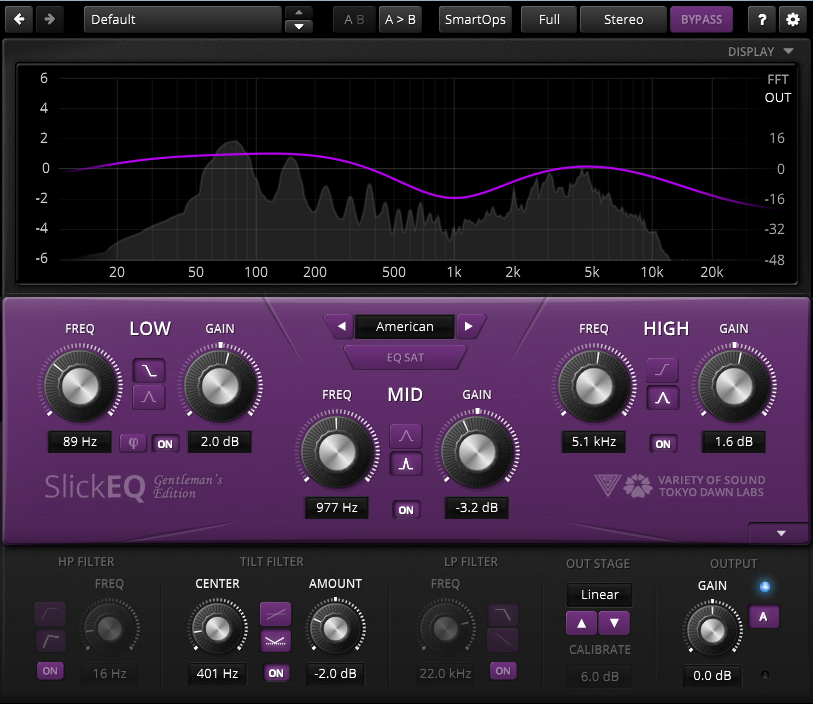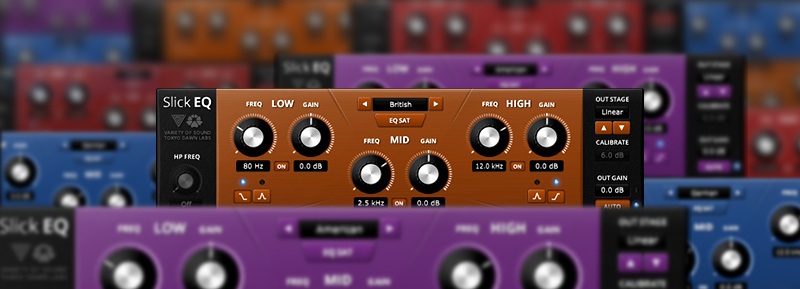
TDR VOS SlickEQ is a three-band semi-parametric equalizer for mixing and mastering. The low and high bands can use bell or shelf shapes, the mid band is a bell, and a separate 18 dB/octave Butterworth high-pass filter handles low-frequency roll-off. The selected EQ model changes the filters’ curves and behavior, so it affects how boosts and cuts respond.
How the four EQ models differ
- American: gentler slopes with proportional Q.
- British: steeper curves, more grab, and a subtle shelving dip. Boosts and cuts behave differently.
- German: tilt-style shelves with broad transitions at small boost or cut settings. TDR describes this model as useful for corrective work and mastering.
- Soviet: inverse-proportional curves that become smoother as gain increases.
Shape tone and compare at a similar loudness
The three bands suit broad tone shaping. For work that needs many precise bands, TDR’s custom-model guide recommends a multiband equalizer. EQ Saturation adds harmonics when an EQ boost is active; without a boost, that stage adds no saturation. Auto Gain tries to preserve perceived loudness as you adjust the EQ, which helps when comparing settings. The toolbar also has A/B states, undo and redo, presets, and copy and paste. Output gain and the peak trim control help manage the level leaving the plug-in.
For additional harmonic color, the output stage has five models, including a linear option and several saturation models. Calibrate adjusts the selected model’s drive. TDR describes these saturation options as intended for subtle texture rather than obvious distortion.
Choose the processing target and latency mode
Processing targets include Stereo, Mono, Left, Right, Sum, and Diff. Sum and Diff are Mid/Side modes: they let you process the stereo sum or stereo difference without separate external encoding. This is useful when an adjustment should affect the center or the stereo-width component alone.
Full is the high-quality processing mode. Eco reduces latency but disables nonlinear processing, including EQ Saturation and the output-stage saturation. Live is the zero-latency mode. Changing modes can change plug-in latency, and the manual notes that a host may need playback stopped and restarted to refresh latency compensation.
Custom models and edition differences
The custom-model system lets users redefine band ranges, stepped values, and filter behavior with expressions. Model settings are saved with the plug-in state and can also be saved in presets or copied between instances. The standard edition does not include a Narrow Bell band mode, so some custom-model features that use that mode are unavailable.
The separate TDR VOS SlickEQ Gentleman's Edition adds a real-time analyzer, more filter modes, color options, and a Tilt filter. Choose it if those tools are part of the workflow you need.
Compatibility and installation
The product page lists Windows 7 or later and Mac OS X 10.9 or later. Available builds include VST2, VST3, AU, and AAX, with formats varying by platform and package. TDR provides a Windows installer, a no-installer archive, and a macOS package. The standard edition is listed as a free download; installation through TDR Collector requires accepting its freeware EULA.