EQ design for mixing and mastering
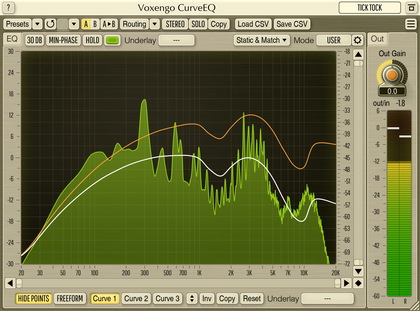
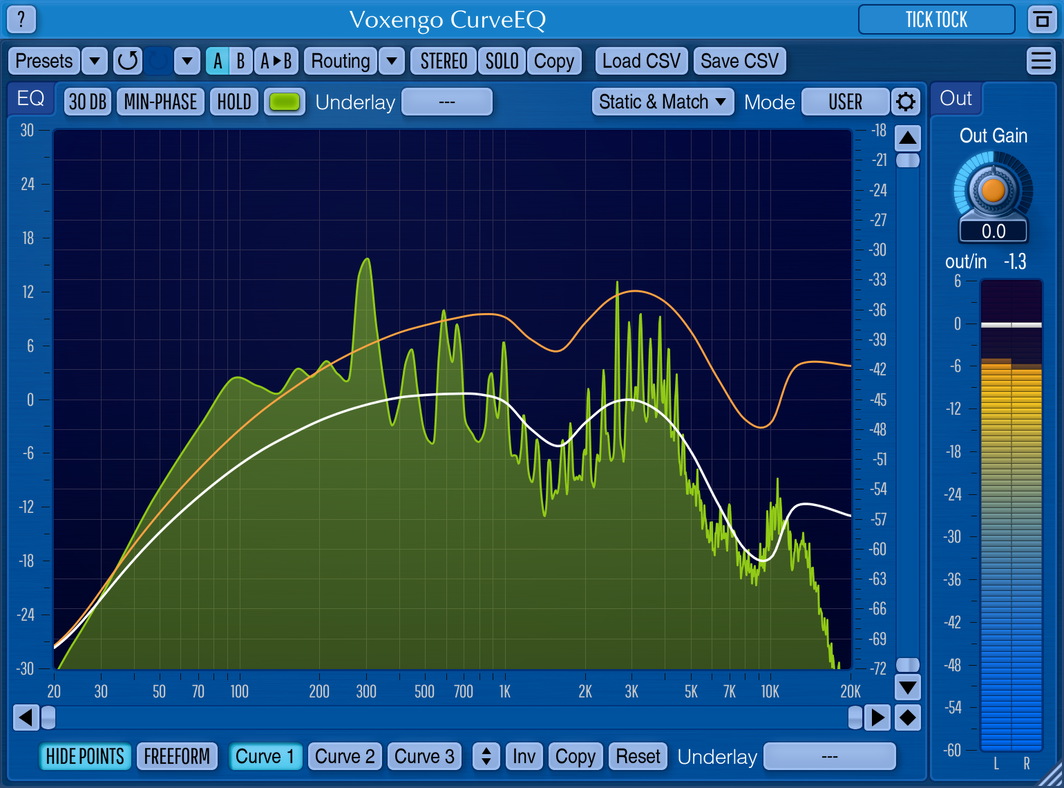
Voxengo CurveEQ is a spline equalizer: you shape a continuous response by moving control points, and a real-time FFT display shows the output spectrum. It supports stereo, multichannel, and mid-side processing, with channel groups and internal routing for working with different channel layouts. Each channel group can hold up to three EQ curves, so a matched curve can sit alongside a manually drawn adjustment.
Match captured spectra
Spectrum matching compares a captured spectrum from the material you want to equalize with a captured reference. Set the spectrum display to Average, let it settle for several seconds, then save each spectrum in a static slot. Mark the target as Apply To and the reference as Reference. At least two snapshots are needed. Keep the EQ curve flat while capturing, since the current curve affects spectrum averaging.
The Points setting controls how closely the matching curve follows the spectra. More points can make a closer fit, but may create sharp dips and peaks; fewer points often produce a smoother result. Try different counts for the material. The CurveEQ user guide describes the capture and matching controls.
Draw curves and import EQ data
Freeform mode lets you draw an EQ curve by dragging across the control surface. Switching into or out of freeform mode may lose some curve features. CurveEQ has no parametric slope control; adjacent points can create a narrower cut or boost. The curve has lower resolution below 200 Hz, so it may not follow control points exactly in that range.
You can import or export curves as CSV files containing frequency and gain pairs. Imported frequencies must fall between 20 and 20,000 Hz. This supports externally generated curves, including room-correction or RIAA phono-correction curves.
Phase and latency
CurveEQ offers linear-phase and minimum-phase filtering. Voxengo lists 53 ms of compensated processing latency. The user guide warns that linear-phase EQ has audible delay and is usually unsuitable for real-time equalization. It also notes that minimum-phase filtering avoids the pre-ringing artifacts associated with steep linear-phase slopes.
Formats and trial limits
Voxengo provides Windows and macOS builds for AU, AAX, VST, and VST3 hosts. The Mac build supports macOS 10.12 and later on Intel and Apple Silicon; the Windows installer supports 32-bit and 64-bit audio hosts. CurveEQ needs a compatible host application. For example, Logic Pro and GarageBand require the AU version, while Pro Tools uses AAX. Voxengo lists a 2.5 GHz dual-core or faster processor and at least 4 GB of RAM as the hardware requirements. Its features and compatibility page lists the current formats and system details.
Voxengo identifies CurveEQ as trial software. In demo mode, processing is muted briefly every 45 seconds. Demo authorization uses a product key; challenge-response, a dongle, and a connection to the Voxengo website are not required.