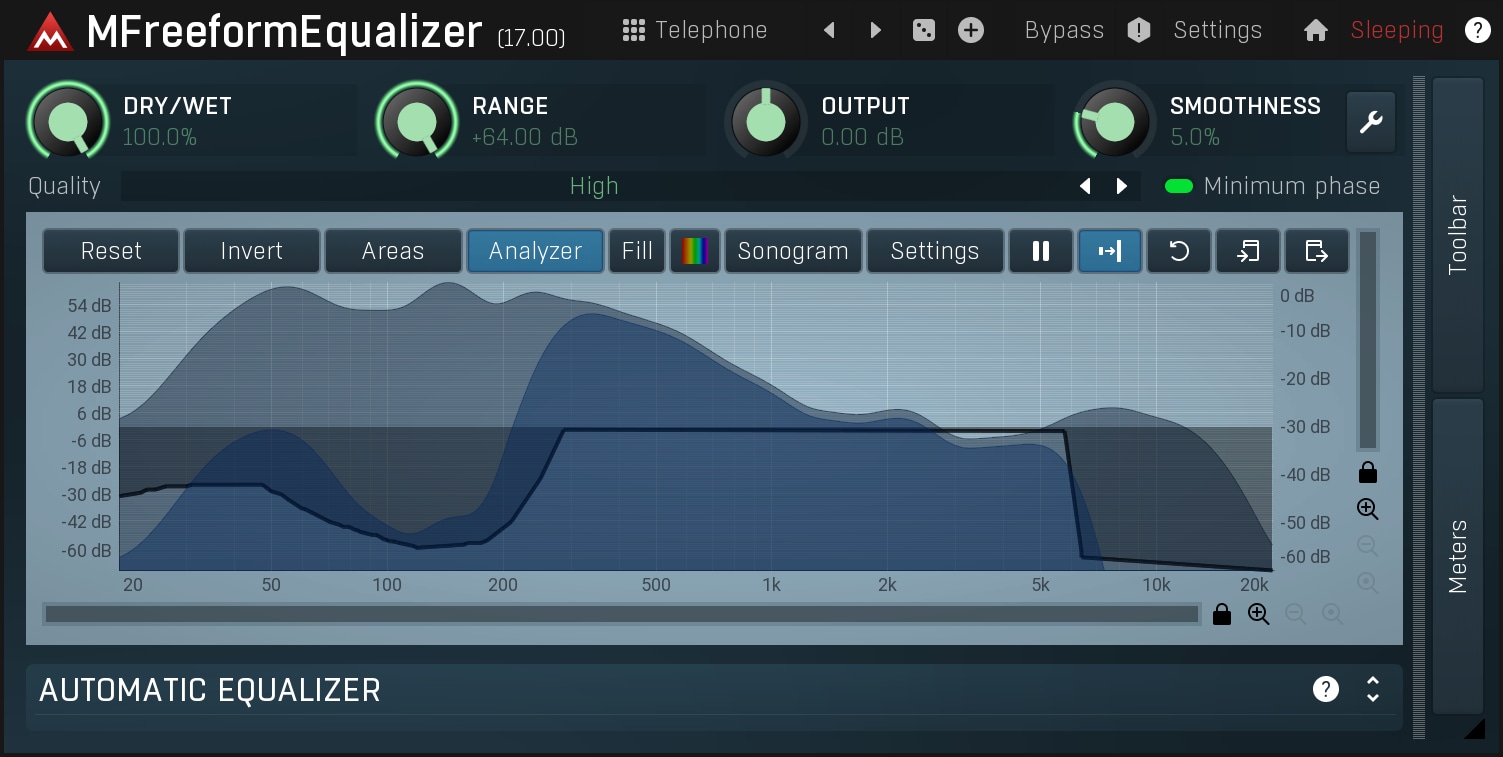
MFreeformEqualizer is MeldaProduction’s spectral equalizer for drawing custom frequency responses, matching the tone of one audio item to another, and reducing frequency overlap between tracks. It suits mixing work that calls for unusual filter shapes or analysis-based EQ. MeldaProduction cautions that its audio quality may not reach that of its high-end parametric equalizers, so the freeform approach comes with a tradeoff.
Draw a response and inspect the spectrum
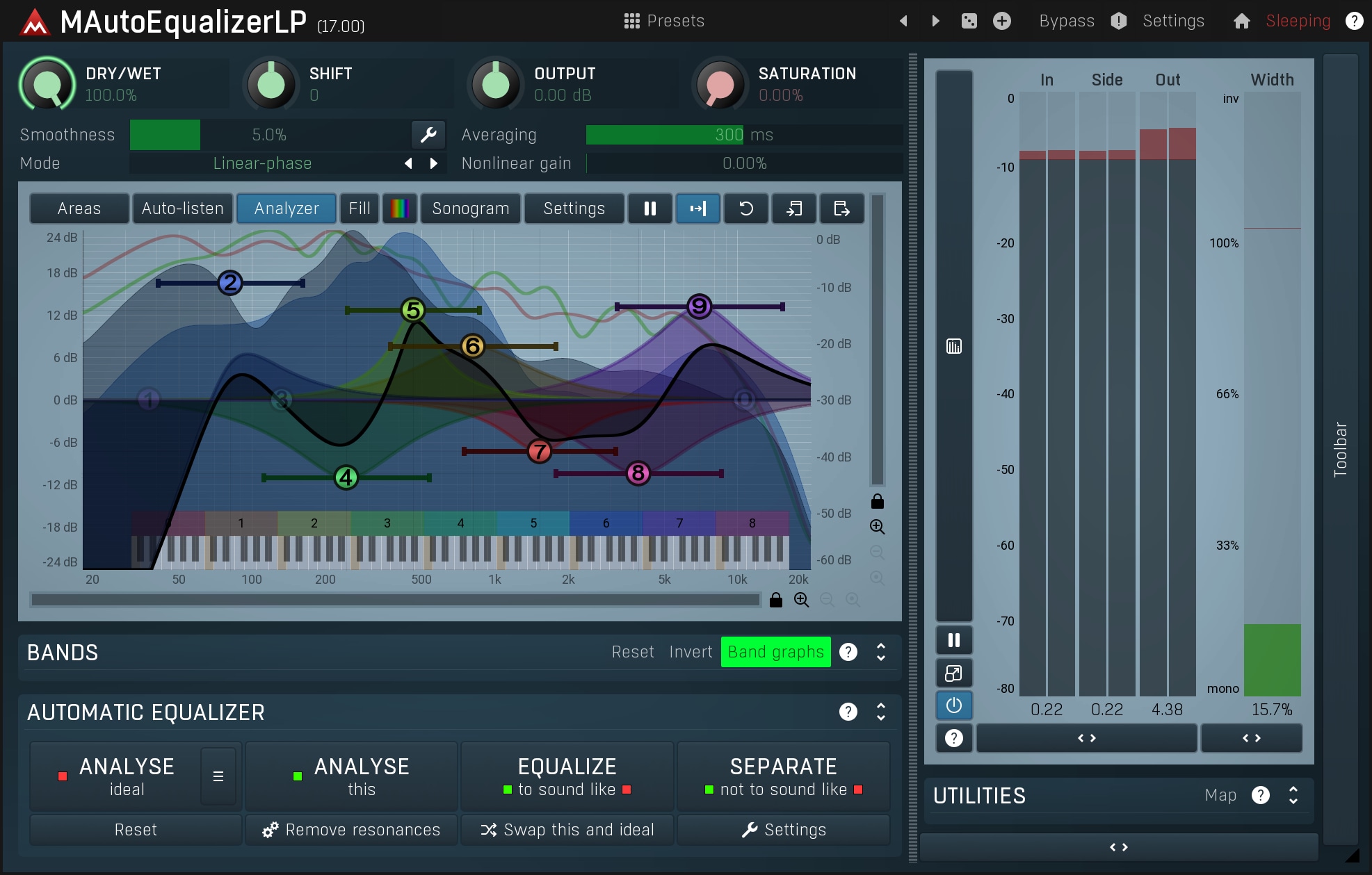
The equalizer graph starts in drawing mode, so you can sketch a response directly, including a very steep low-pass shape. For more controlled editing, the envelope graph supports multiple points, adjustable curves, and smoothing around points. You can also import or export graph points as CSV, or generate a curve from a mathematical expression. The product manual describes these editing options.
The built-in spectrum analyzer shows frequency levels, while the sonogram displays how those levels change over time. Optional analysis tools include peak detection and a super-resolution mode for more detail in the bass range, which uses additional CPU power.
Match a reference or reduce frequency clashes
The automatic equalizer uses two analyses: a source, which is the reference sound, and a target, which is the audio you want to process. Analyze both, then choose Equalize to create a curve that moves the target’s spectral balance toward the source. You can analyze audio through host playback or use supported audio files such as WAV, MP3, and FLAC.
Choose Separate when the goal is to reduce frequencies in the target that are prominent in the source. For example, analyze a kick drum as the source and a bass track as the target to reduce overlap between them. The same process can make room for a new track by comparing it with the existing mix. Separation and matching can produce a strong curve; Melda’s manual suggests lowering Dry/Wet, often to around 30-40%, or increasing Smoothness for a less pronounced result.
Phase behavior and impulse response export
Linear-phase mode is the default and adds some latency while preserving the phase of affected frequencies. Minimum-phase mode has no latency, but changes phase response and can sound different. The choice matters when timing or phase interaction with other recordings is part of the mix.
You can export an impulse response for use in a convolution processor. Treat it as a static approximation: the manual says an impulse response cannot capture dynamic, modulated, or other behavior that changes over time.
Channels, compatibility and licensing
MFreeformEqualizer supports mid/side processing, separate left and right channels, up to eight-channel surround, and up to 64-channel ambisonics. Ambisonics requires support in the host, which Melda says is still uncommon. For VST2 surround, enable the global Activate surround switch and restart the host. Ambisonics requires the global Activate ambisonics switch in the DAW and a host restart, regardless of plug-in format.
Melda lists 64-bit VST, VST3, and AAX support for Windows 10 and 11, and 64-bit VST, VST3, AU, and AAX support for macOS 10.14 Mojave or newer. Linux is not directly supported; Melda says running the plugins through Wine may work. See the support page and system requirements for compatibility details.
The product page lists a regular price of €49 and offers a free trial. Melda says activation uses a person-based license file, does not require a dongle or internet access, and lets the licensed user use the software on their computers.