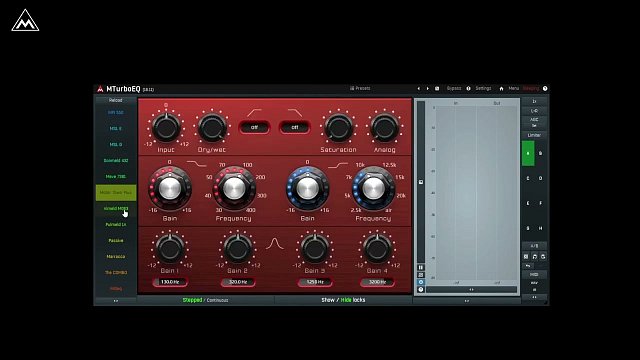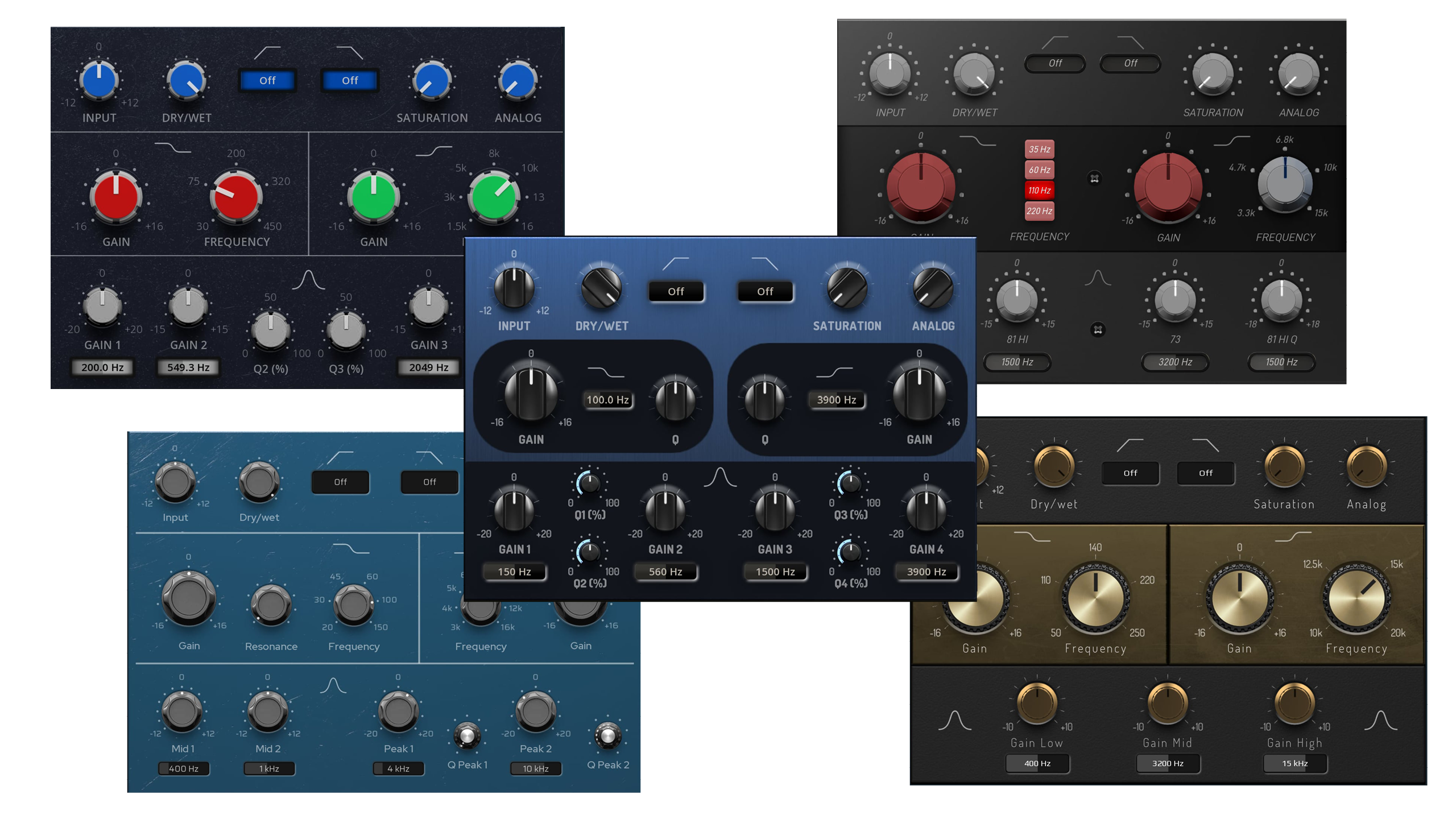
MTurboEQ brings 12 vintage-inspired equalizer designs into one plugin. Each design has its own filter shape, while the controls follow a consistent layout. MeldaProduction says the designs draw on classic hardware without necessarily reproducing the original circuits exactly.
Choose an EQ and shape the signal
The devices share core controls for low and high shelves, peak filters, high-pass and low-pass filtering, input gain, saturation and dry/wet adjustment. Most designs provide four peak filters, even when the hardware that inspired them had fewer. Input gain also changes how strongly saturation affects the signal.
Stepped mode limits filter controls to selected values for quicker decisions and comparisons. Continuous mode gives you finer adjustment across the available range. You can switch modes while working. The dry/wet control emulates a blend for this minimum-phase equalizer and does not affect the input high-pass and low-pass filters.
Compare settings without relying on loudness
MTurboEQ stores up to eight settings in A-H slots. Switch between settings to compare them, or use the X-Y control to morph among A-D. Automatic gain compensation can help keep the output level close to the input level during comparisons; its loudness measurement takes about 400 ms to react after a change. The optional safety limiter can catch peaks above 0 dB, though the manual cautions that it changes the signal and uses additional processing.
Stereo and multichannel use
Channel modes include left, right, mid, side and mid-plus-side processing. The plugin also supports surround processing for up to eight channels and ambisonics for up to 64 channels. These modes depend on the DAW and plugin format: VST2 surround must be enabled in MeldaProduction settings before loading the plugin, then the DAW restarted. Ambisonics also requires DAW support and activation. MeldaProduction notes that Ableton Live does not handle the plugin's surround buses correctly.
Compatibility and licensing
MeldaProduction lists Windows 10 or 11 (64-bit) with VST, VST3 or AAX hosts, and macOS 10.14 Mojave or newer (64-bit) with VST, VST3, AU or AAX. Linux is not directly supported; the developer says running the plugins through Wine may be possible. See the system requirements for host-specific notes.
Activation uses a license file, and the product page says no dongle or internet connection is required for activation. The license is assigned to a person: that user may install it on their computers, but only they may operate it. A trial is available through the MeldaProduction downloads page.
Who MTurboEQ suits
MTurboEQ fits engineers who want several distinct, vintage-inspired EQ curves in a shared interface, with quick preset comparison and optional mid-side or multichannel processing. The available devices have defined internal designs; their underlying processing cannot be edited. For detailed controls and setup instructions, consult the MTurboEQ manual.