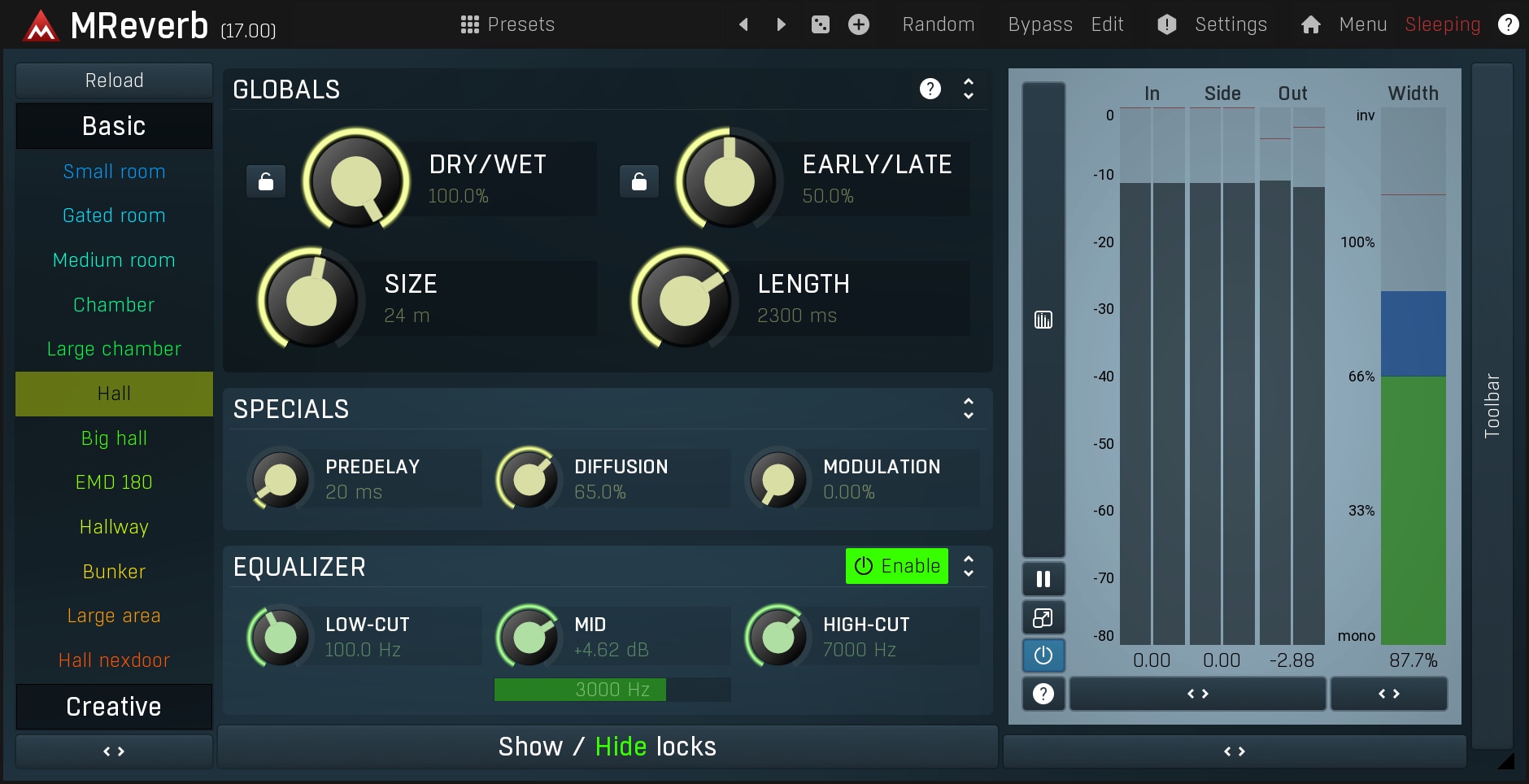
MReverb is a true-stereo algorithmic reverb for shaping room ambience, long tails, and more unusual effects. Its 2D position editor lets you place a sound source in a room view, and MReverb adjusts related settings, including predelay. If you adjust predelay manually, automatic positioning no longer works correctly. You can start with the Easy Screen’s focused controls, then switch to the Edit Screen for access to the full parameter set. See the MReverb feature list for the control overview.
Place the source and shape the return
Room size, early and late reflections, diffusion, reverb time, and frequency dampening let you refine the space after setting a position. Diffusion changes how distinct the reflections sound: the manual suggests lower early-reflection diffusion for leads or vocals when you want to retain brightness, and higher diffusion for percussion when separate echoes would distract from the rhythm.
The three-band parametric EQ and gate process the reverb signal, leaving the dry input untouched. The EQ can also process the input sent to the reverb to remove unwanted resonances before the reverb amplifies them. A wet/dry control adjusts how much ambience is added.
Animate settings and compare variations
Four modulators can control plugin parameters, including other modulators. Each can work as an LFO, level follower, MIDI or audio-triggered envelope, randomizer, or pitch detector, and can listen to the sidechain. Modulators can sync to the host tempo. Multiparameters let one control move several settings together, including morphing between banks of settings.
For sound design, smart randomization uses existing presets to guide changes, and you can lock parameters you want to preserve. A/B-style comparison extends to eight settings, with switching across slots A to H and morphing among the first four. Automatic gain compensation can help keep level differences from deciding which variation sounds better.
Compatibility and licensing
MReverb supports 64-bit VST, VST3, and AAX hosts on Windows 10 or 11. On macOS 10.14 or newer, it supports VST, VST3, AU, and AAX. Melda lists Intel or AMD processors with SSE2 support for Windows and Intel, AMD, or Apple Silicon CPUs for macOS. Linux is not directly supported; the vendor says running through Wine may be possible and notes a Microsoft TrueType font requirement. A trial is available to check a setup.
Melda says activation uses personal licence files and needs no dongle or internet connection. The licence can be used on all computers belonging to the same user, and purchases include free updates. The optional preset exchange does require an internet connection. The support page lists platform details, and the MReverb quick-start guide explains the controls.