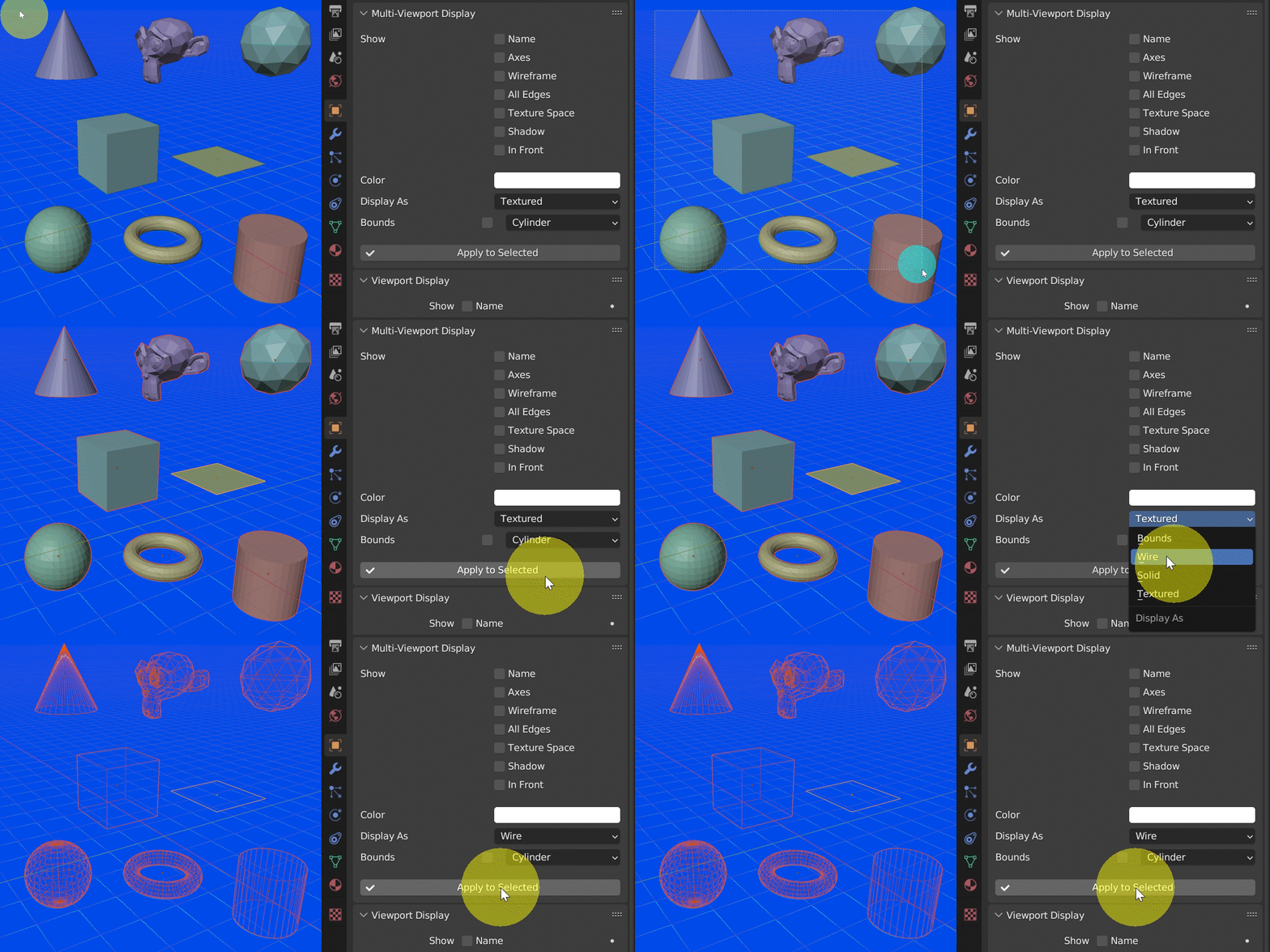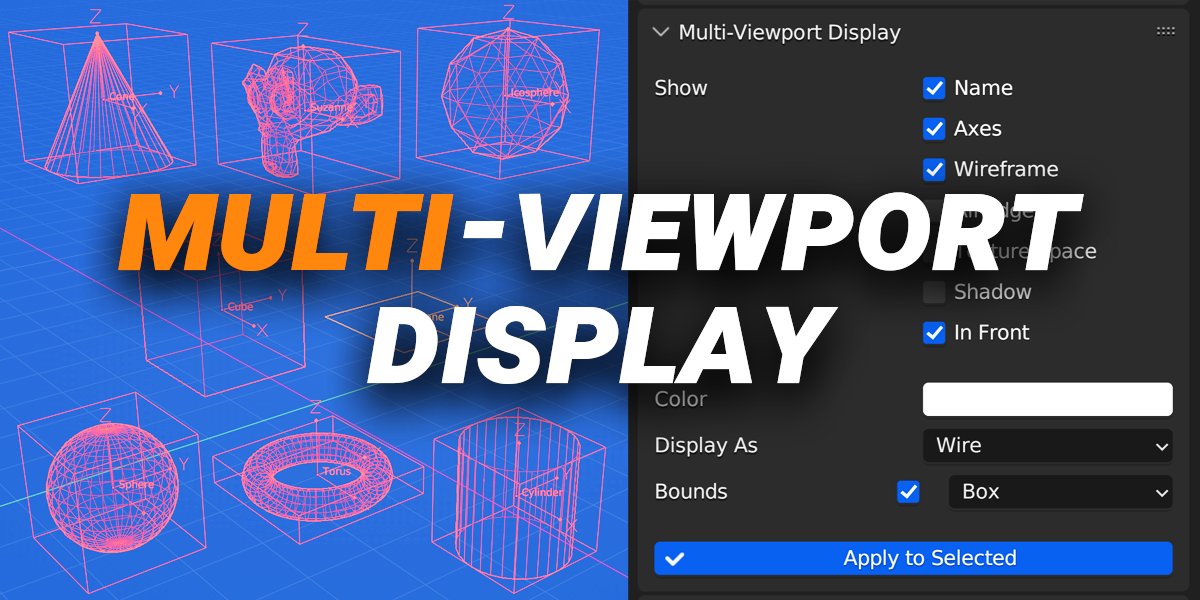
Multi-Viewport Display is a Blender add-on by mkeyworks for batch-editing Viewport Display settings. Select multiple objects and apply display changes to them at once, instead of adjusting each object individually. It is aimed at modeling, layout, and scene management tasks where objects need clear, consistent viewport presentation.
Settings you can edit
The add-on can toggle the visibility of object names, axes, wireframes, edges, texture space, and shadows. You can choose a display mode for the selected objects: Bounds, Wireframe, Solid, or Textured. For Bounds mode, the available shapes are Box, Sphere, Cylinder, Cone, and Capsule.
You can also assign colors directly in the viewport. That gives you a way to distinguish objects while organizing a complex scene, alongside the visibility and display-mode controls.
Where to find it in Blender
Multi-Viewport Display is installed as a standard Blender add-on. Its controls are under Properties > Object tab, with no extra setup required. Select the objects you want to edit, then use the add-on's controls to apply the chosen Viewport Display settings to the selection.
Compatibility and license
The Superhive product listing gives the Blender version range as 3.0 through 5.0, identifies the license as GPL, and lists Cycles and Eevee under render engines used. The listing does not give a separate add-on release number.
Who it suits
This add-on is useful when viewport display settings need to be changed across a group of objects, such as when preparing a scene layout or using colors and wireframes to keep complex scenes organized. Its documented controls focus on object visibility, display modes, bounds shapes, and viewport colors.