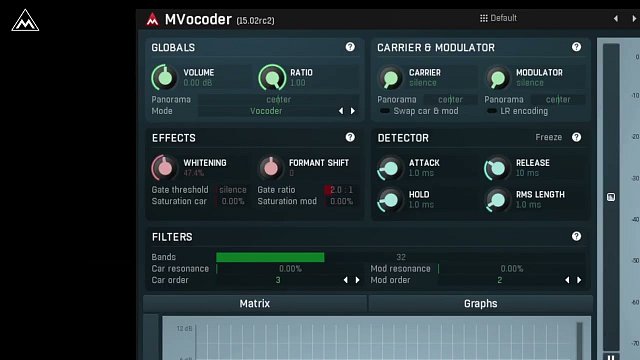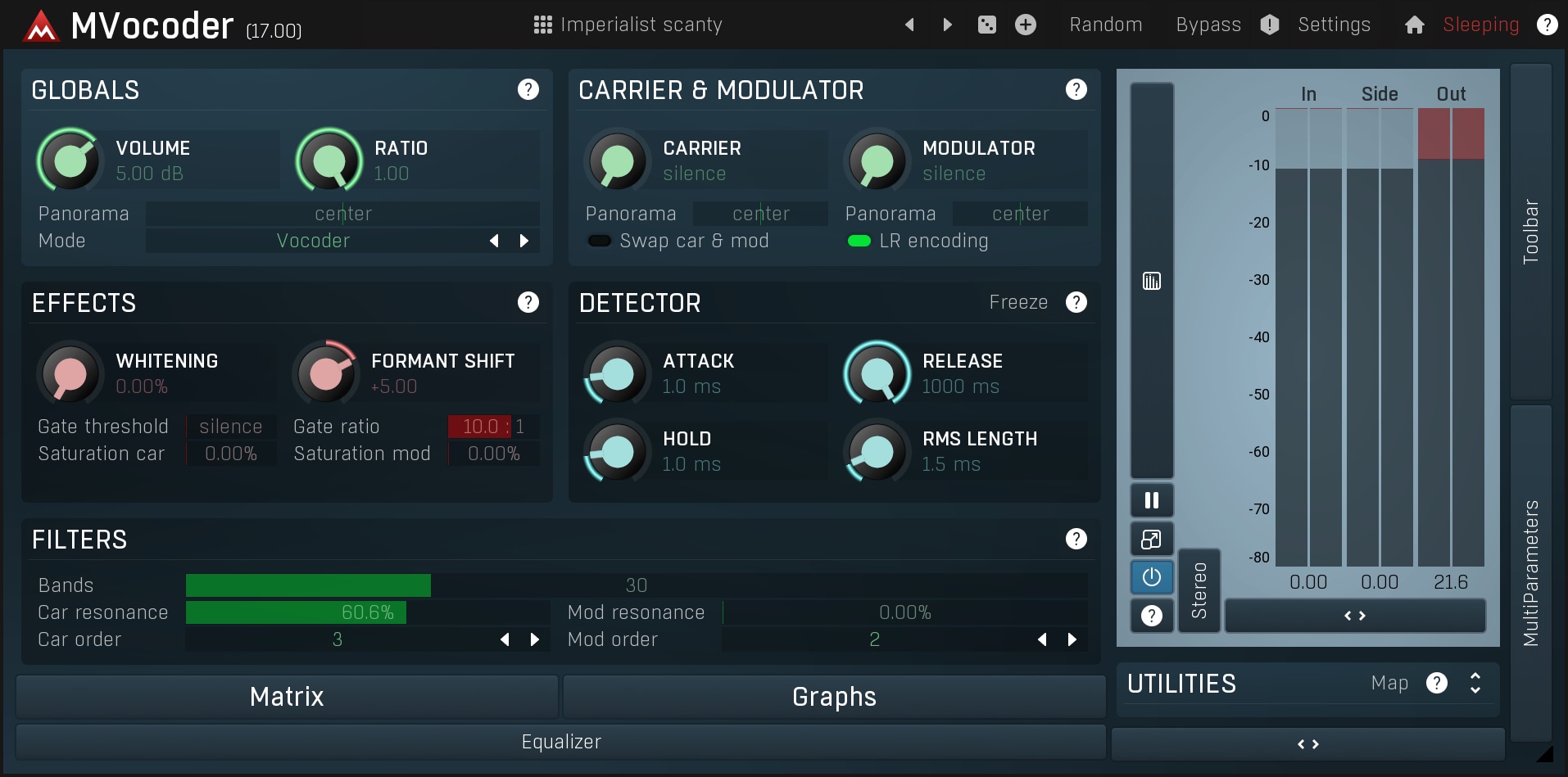
MVocoder is a filter-based vocoder for turning one audio source into the moving spectral shape of another. It can create robotic speech and singing synth parts, or blend the character of vocals, pads, beats and other sources. By default, the main input is the carrier and the external sidechain is the modulator; LR encoding can instead use the left and right input channels as carrier and modulator; MVocoder does not include a synth.
Route two sources into the vocoder
The main input is the carrier, often a synth with a harmonically rich sound. A voice or other signal feeds the sidechain as the modulator. MVocoder measures the modulator across its filter bands and applies those changing levels to the carrier, so the carrier takes on the modulator’s phrasing. MeldaProduction’s MVocoder quick start guide explains this signal flow and the available controls.
Carrier choice affects the result. A pure sine wave has little harmonic content for the filters to shape, so it can produce very little output. A synth, pad, beat or other harmonically varied source gives the vocoder more material to work with. The product page includes examples pairing spoken words or vocals with synths, as well as pads with drums.
Choose how the spectra interact
In standard Vocoder mode, the modulator’s envelope shapes the carrier. Dual vocoder reverses those roles. Morph modes blend aspects of the two inputs, while Ring modulation can produce more inharmonic effects. Exciting mode emphasizes bands that are strong in both signals; Inversion and Dual inversion emphasize frequencies that are less prominent in the modulator. The Ratio control changes how these modes process or balance the signals.
You can set between 4 and 100 bands and adjust carrier and modulator filters up to order 10. Higher band counts and filter orders can increase clarity and CPU use. The band matrix lets a modulator band affect a different carrier band, several carrier bands, or none. Band distribution and resonance graphs provide further control over how the filters are arranged and respond.
Shape and animate the sound
Whitening can add frequencies that are less present in the carrier, while formant shift changes formant information without generally shifting the overall pitch. Separate saturation controls can add harmonics to the carrier or modulator. Per-band gating and detector attack and release settings help shape how quickly the vocoder responds and how long its bands sustain.
For movement, MVocoder has four modulators. Each can operate as an LFO, level follower, MIDI or audio-triggered envelope, randomizer or pitch detector, or combine these behaviors. Modulators can also listen to the sidechain. MIDI learn and multiparameters let you map performance controls or move several settings together.
Check channel and host compatibility
MVocoder supports mid/side and separate channel processing, up to 8 surround channels, and up to 64-channel ambisonics. The vendor lists Windows 10 or 11 (64-bit) with an Intel or AMD processor that supports SSE2 and a compatible VST, VST3 or AAX host; for macOS 10.14 or newer (64-bit), it lists Intel, AMD or Apple Silicon processors with compatible VST, VST3, AU or AAX hosts. Linux is not directly supported; MeldaProduction notes that running the plugins through Wine may be possible. See the vendor’s MVocoder support page and system requirements for host details. MeldaProduction says Ableton Live does not handle reported buses correctly for surround-capable plugins; the vendor says to use the VST version, which reports only stereo capability by default.
Activation and licensing
MeldaProduction says activation uses licence files and does not require a dongle or internet access. The licence is personal, and the vendor says the licensed user can use it on all of their computers. Its product page links to a trial, which gives you a way to check the plugin in your own host and routing setup before purchasing.