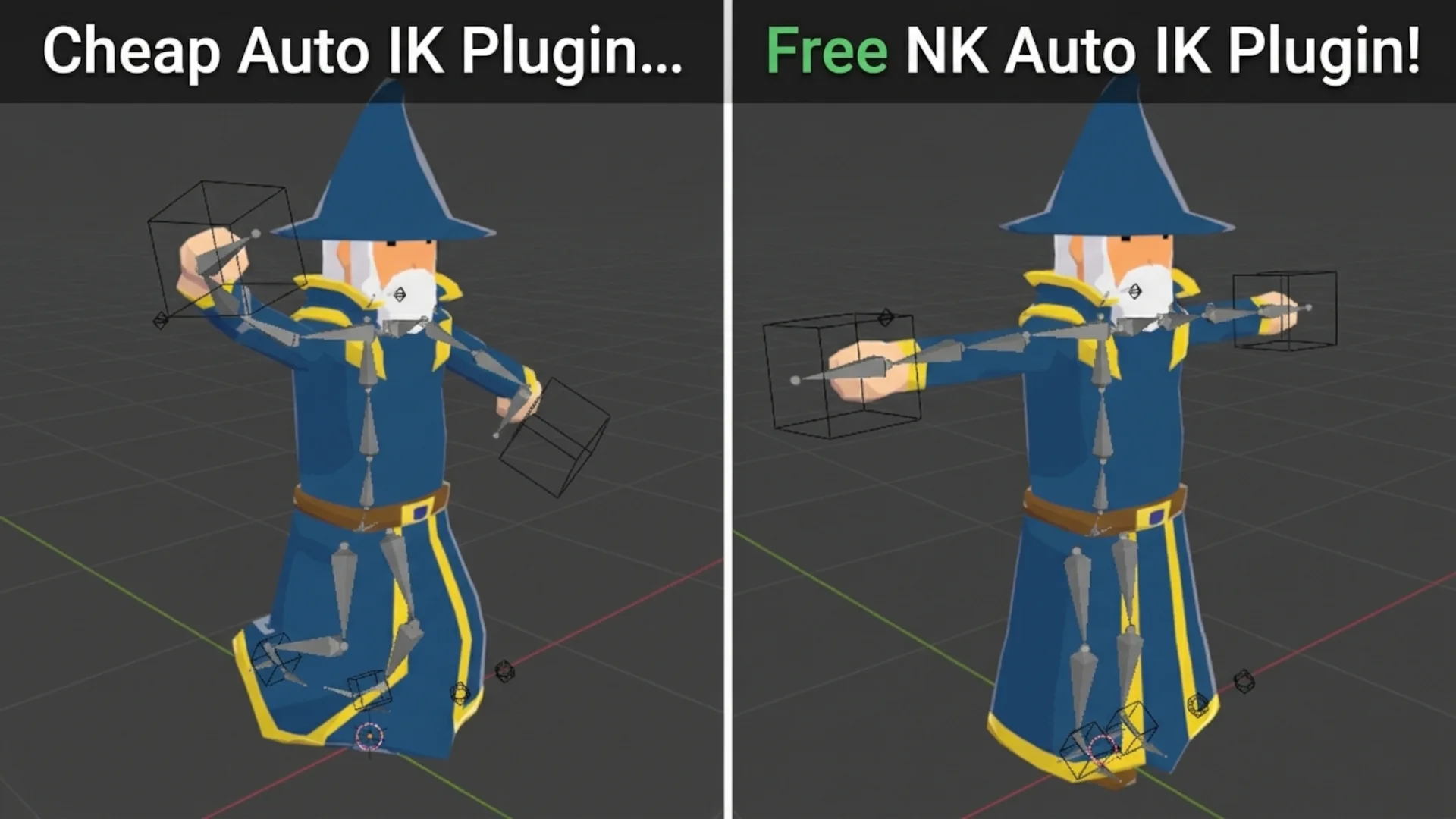
NK Auto IK is a Blender add-on that builds inverse-kinematics controls for the arms and legs of a humanoid armature. Select the armature and choose Create IK to generate hand or foot controls and pole targets. You can preview detected limbs first, then review the setup in Pose mode.
Detect and check limb chains
Automatic detection looks for common bone names, including Mixamo and Rigify-style names such as .L and .R, as well as names like lShin and Thigh_L. For unnamed bones, it can use their height, direction and relative lengths. Fingers, clavicles and the spine are ignored.
If detection misses part of a rig, enable manual bone picking. Select two or three directly parented bones in the chain, then click Add Limb; the add-on fills the upper, lower and optional end bones, limb type and side from that selection. The end bone is optional. Fill From Detection replaces the list with detected limbs so you can correct individual entries.
Controls and setup options
For each limb, NK Auto IK creates an IK control at the hand or foot and a pole target for the knee or elbow. It adds an IK constraint to the lower bone and a rotation constraint to the end bone when one is used. The add-on probes Blender's IK solver to choose a pole angle for the intended bend direction. Its joint limits can keep a knee or elbow bending as a one-direction hinge.
- In automatic mode, choose whether to build arms, legs or both.
- Set the character's front direction to Auto or choose a fixed world axis if a bend faces the wrong way.
- Adjust pole distance and Minimum Bend; the latter adds the slight pose-level pre-bend Blender's IK needs to bend a straight limb.
- Set IK stretch, add an IK/FK switch, and choose control shapes.
- Choose whether controls should be parented to a root bone when the rig has one.
The panel reports the pole angle, bend-direction error and deviation from the rest pose after setup, and warns when a result looks wrong.
Build and remove the generated IK
- Select an armature in Object or Pose mode.
- Optionally choose Detect Limbs to preview which chains will be used. This preview does not change the rig.
- Choose Create IK, then switch to Pose mode. Move the
IK_controls to pose the hands or feet; rotate thePOLE_bones to adjust knees or elbows.
Running Create IK again removes the add-on's previous generated IK before rebuilding it with the current options. Remove Generated IK deletes the bones and constraints the add-on created.
Compatibility and rig limits
NK Auto IK is designed for humanoid rigs with two arms and two legs. Other creatures can use manual bone picking if their limbs fit the supported chain structure: two or three directly parented bones, with no twist bone between them. Pre-bend is stored in the pose, not the rest pose. If clearing a knee or elbow's pose rotation with Alt+R stops the limb bending, use Restore Pre-bend. An armature whose rest pose bends a joint the wrong way may shift that joint a few centimeters when IK corrects it.
The Blender Extensions listing identifies version 1.0.0, Blender 4.5.0 as the minimum version, and the GPL-3.0-or-later license. The developer's project README says the add-on was tested with Blender 4.5.5.