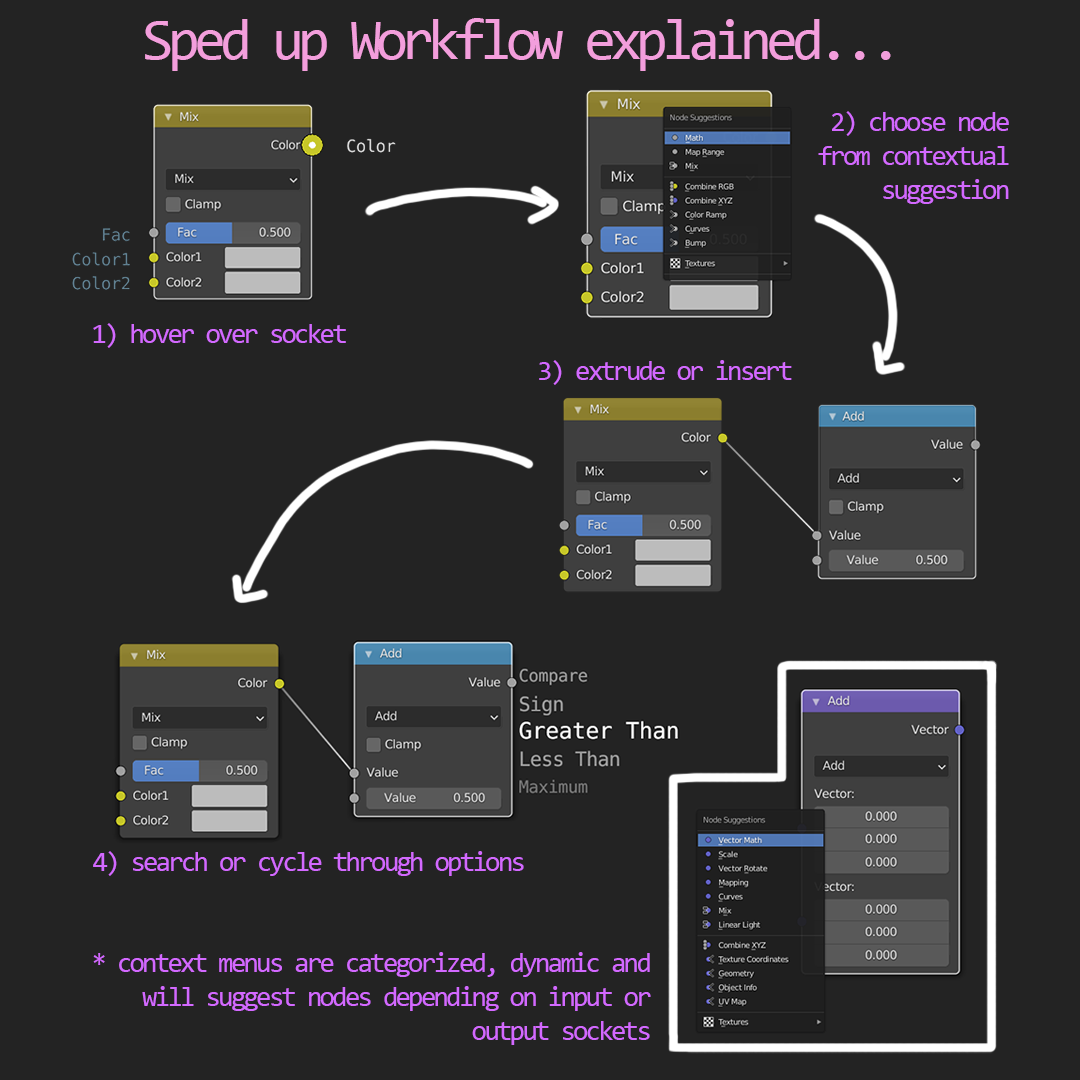
Node Extrude Addon is a Blender add-on by Kolupsy that creates nodes by dragging from sockets in the Shader Editor. Most node-based DCC packages let users drag noodles from sockets into empty space; Node Extrude Addon brings a similar workflow to Blender’s Shader Editor. A dynamic, categorized context menu suggests nodes for the socket type. For example, a vector output can suggest Separate XYZ, while a color input can suggest Combine RGB.
Use socket-based node extrusion
- Open the Shader Editor and hover over a node.
- Hold the default E shortcut and drag toward a socket.
- When the socket highlights, release the shortcut and choose a node from the suggestions.
You can also use the double-click-and-drag method . Hold Shift to insert the new node between connected sockets. You can change that behavior in the preferences.
What the context menu covers
Suggestions depend on the node, socket type, and whether the socket is an input or output. The menu groups options into general and direction-specific categories. It stays small and focuses on common connections, so some nodes still need to be added through Blender’s usual method.
Version and compatibility
The listing describes shader nodes as its only supported node type. Geometry Nodes and Compositor Nodes are listed as future goals, not supported features. The product listing names Blender 2.93; it does not establish compatibility with other Blender versions. The listing also says the add-on is not recommended for Mac at this time and identifies the license as GPL.
Version 1.0.1 made the E shortcut configurable, included minor bug fixes, and added documentation. Check the product listing for release details before installing.