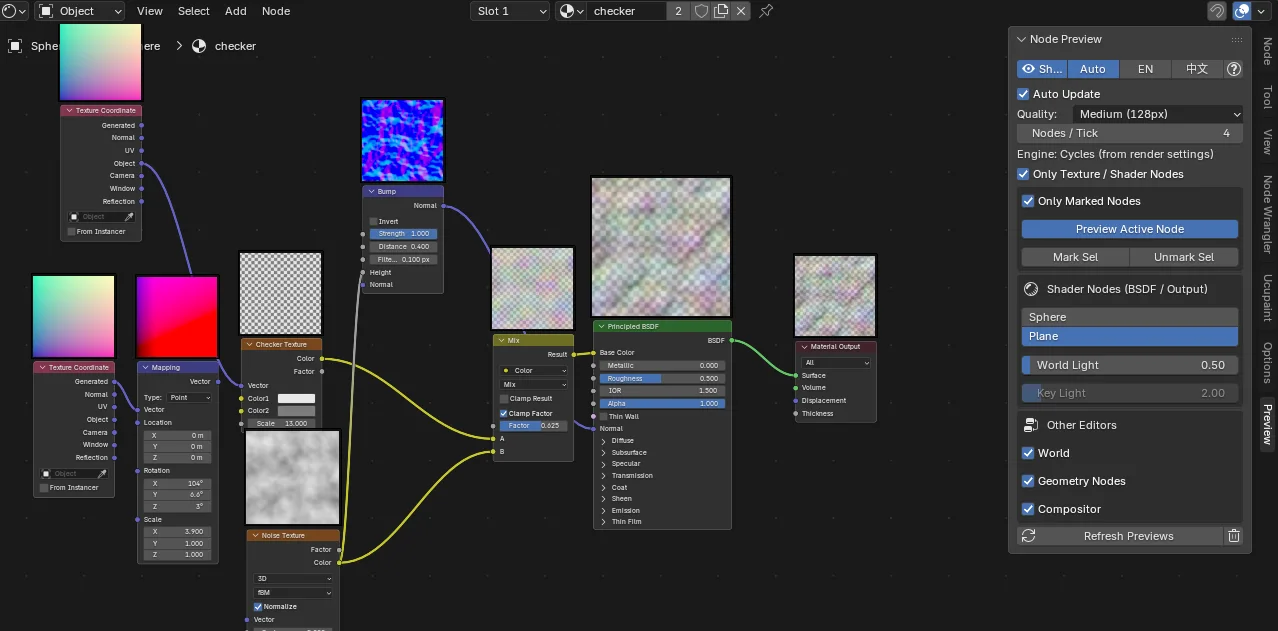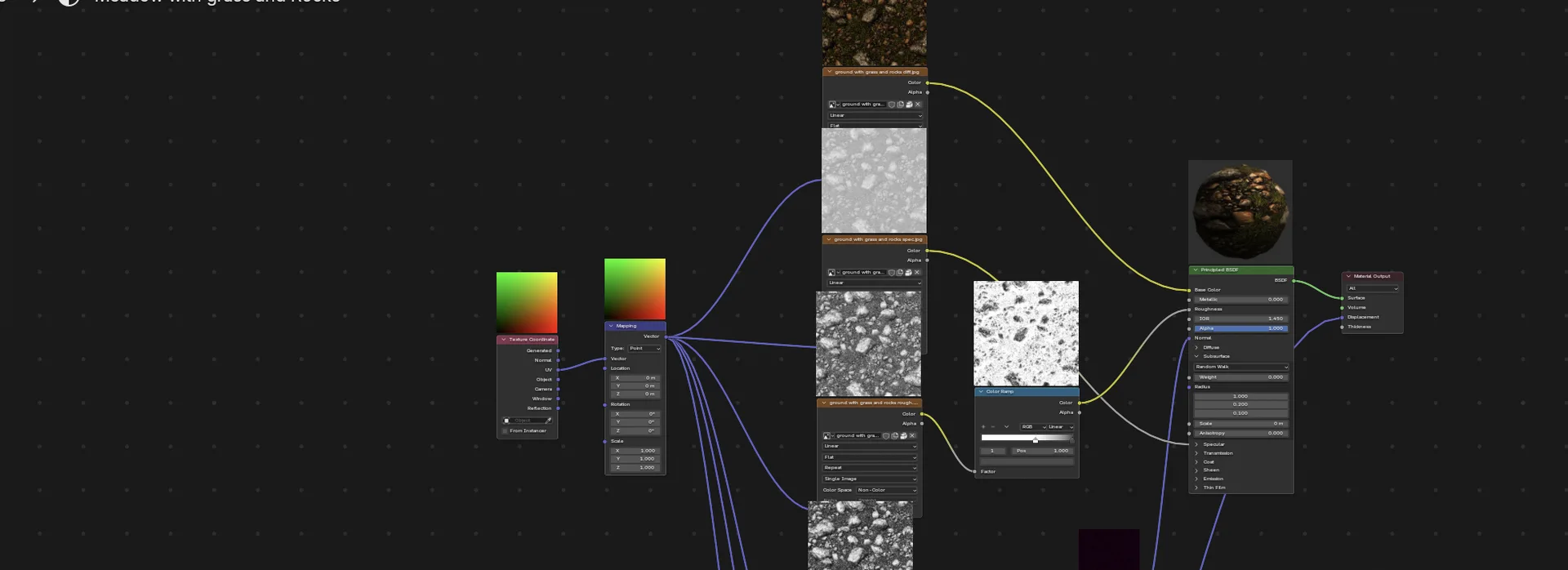
Node Peek is a Blender add-on that renders small thumbnails of node outputs above nodes in Blender's Shader Editor, letting artists inspect shader results as they work. The Blender Extensions listing reports that version 0.6.0 defaults to selected-node previews, with All Nodes available as an option.
Select a node to show its preview, or choose All Nodes in the Shader Editor's Overlays popover to preview the graph. Ctrl+Shift+P pins selected previews while you adjust another node; the editor's Overlays toggle hides them. Entering a node group shows previews for its interior nodes; when a group has multiple instances, Node Peek uses the first instance it finds. World and Geometry Nodes trees are not handled, collapsed nodes are skipped, and pure-Python nodes or nodes from other render engines have no thumbnail when Cycles cannot render them.
Compatibility and requirements
- The Blender Extensions catalog lists version 0.6.0.
- The catalog lists Blender 4.2.0 as the minimum; one catalog review reports that version 0.6.0 does not run on Blender 4.5.5 LTS.
- License: GPL-3.0-or-later.
- Declared file permission: write temporary render results to the system temporary directory.
These details appear in the Blender Extensions catalog record. Check the listing before installing if you need to match a particular Blender release.
Install and evaluate Node Peek
Open the official Node Peek page and use its download link. Blender's Install from Disk instructions cover that installation route. For Blender 4.5.5 LTS, check the listing's version history or issue tracker for an update to the reported 0.6.0 compatibility issue before installing. Check the documented node-type limits if your material depends on add-on nodes.
Project and support
The Blender Extensions listing names mlstr0m as the maintainer and links to the GitHub project and its issue tracker. Consult those project pages for implementation details or to report a problem.