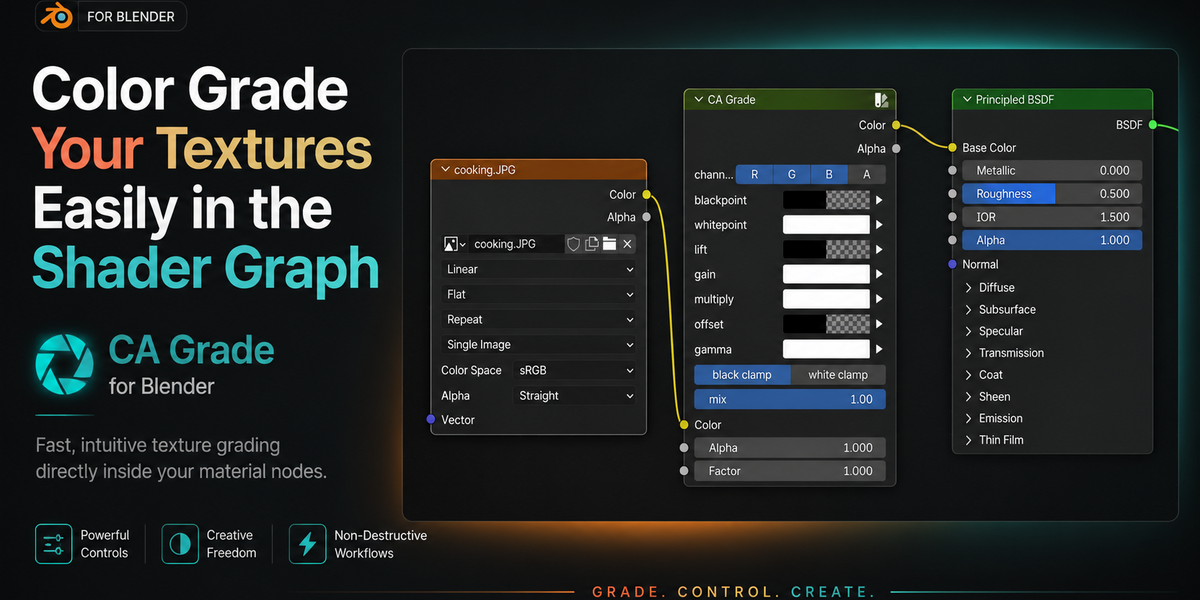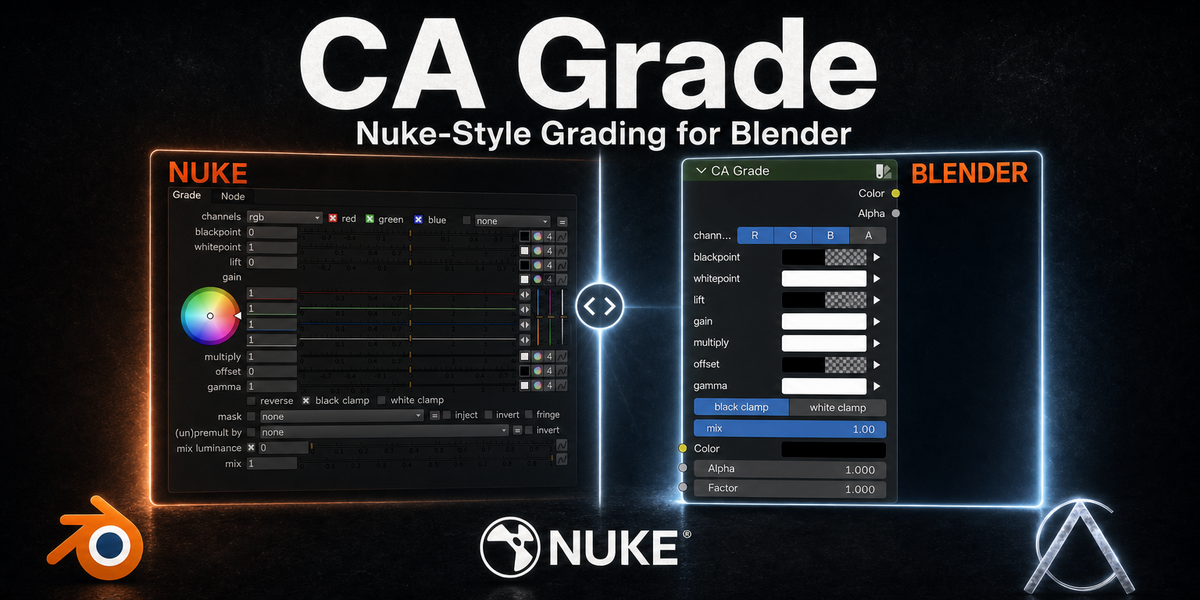
CA Grade brings Nuke-style color grading to Blender materials and textures through a single node group. Its blackpoint, whitepoint, lift, gain, multiply, offset and gamma controls use the same names, order and math as Nuke's Grade node. For a basic lift-gamma-gain pass, the listing says this replaces a chain of Color Balance, Bright/Contrast and Curves nodes.
Grade controls in one node
Use the controls together or select R, G, B or A for per-channel adjustments. Black and white clamp toggles are built in, and a mix slider blends the grade with the original input. Alpha and Factor outputs connect to other nodes in the tree.
Shader Editor and Compositor support
The tool is aimed at grading textures and materials in the Shader Editor. It also works in the Compositor, where Blender already has color grading tools. The product listing says CA Grade works with both Cycles and Eevee.
Compatibility and delivery
Compositing Academy's listing requires Blender 5.0 or later, while its version details list Blender 5.0 through 5.2. It is marked Blender Extension compatible and uses the GPL license. The download is provided as a .py or .zip file, with no external Python dependencies. Check the current product listing for compatibility and licensing details.
Who it suits
CA Grade may suit artists who move between Nuke and Blender and want familiar grade controls in a material graph. It also fits texture and material workflows where keeping a basic grade in one reusable node is useful.