One Click Export is a Premiere Pro extension for turning repeat export setups into buttons. Choose Adobe Premiere or Adobe Media Encoder to run a job, set what to export, and select a button when you are ready. The extension runs on Windows and Mac.
Set up buttons for recurring exports
You can create up to 28 customizable export buttons and add your own .epr preset files. The product page lists nearly 600 presets, including ProRes, DNxHR, H.264, HEVC, and MXF OP1a. You can also choose a naming rule: use the sequence name or enter a name before export, then append the date, time, or button label.
Choose sequences, ranges, and destinations
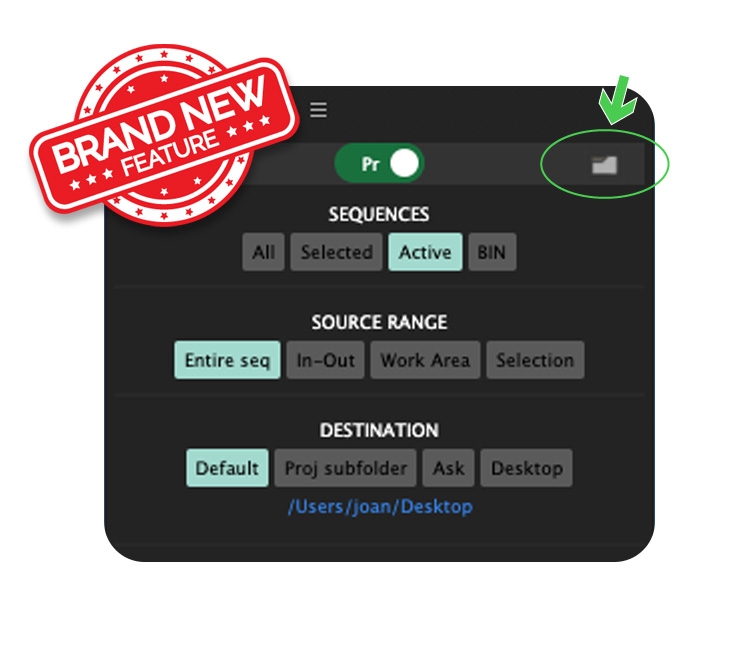
One Click Export can send all sequences in a project, selected sequences, the active sequence, or sequences inside the _OneClickExport bin. For each export, choose the entire sequence, an In and Out range, the work area, or selected clips.
Destinations include your default user folder, a subfolder within the active project path, a prompt before each render, or the desktop. The project-subfolder option supports nested folders; by default, it uses _OneClickExport next to the active project.
In version 1.2.4 and later, click the folder icon to enable automatic opening of the output folder when a movie render finishes.
Export individual frames
Seven buttons cover still-frame output in JPG, PNG, DPX, TIF, BMP, GIF, and TGA. PNG, TIF, and TGA support an alpha channel. The extension updates the last output-folder path after each movie or frame export.
Compatibility and installation
The developer's listed compatibility range is Premiere Pro 2021 through 2026, with CC 2021 identified as version 15.1. Version 1.2.5, dated December 3, 2024, includes a fix for paths containing non-standard characters. The product page notes a known issue with Adobe Media Encoder v15 on Mac: it does not accept render jobs through scripting.
A fully functional 10-day trial is available. The developer recommends installing through the aescripts+aeplugins Manager App and also lists a ZXP installer. After installation, open the extension from Window > Extensions > One Click Export. Check the product page for current version, trial, and license details.