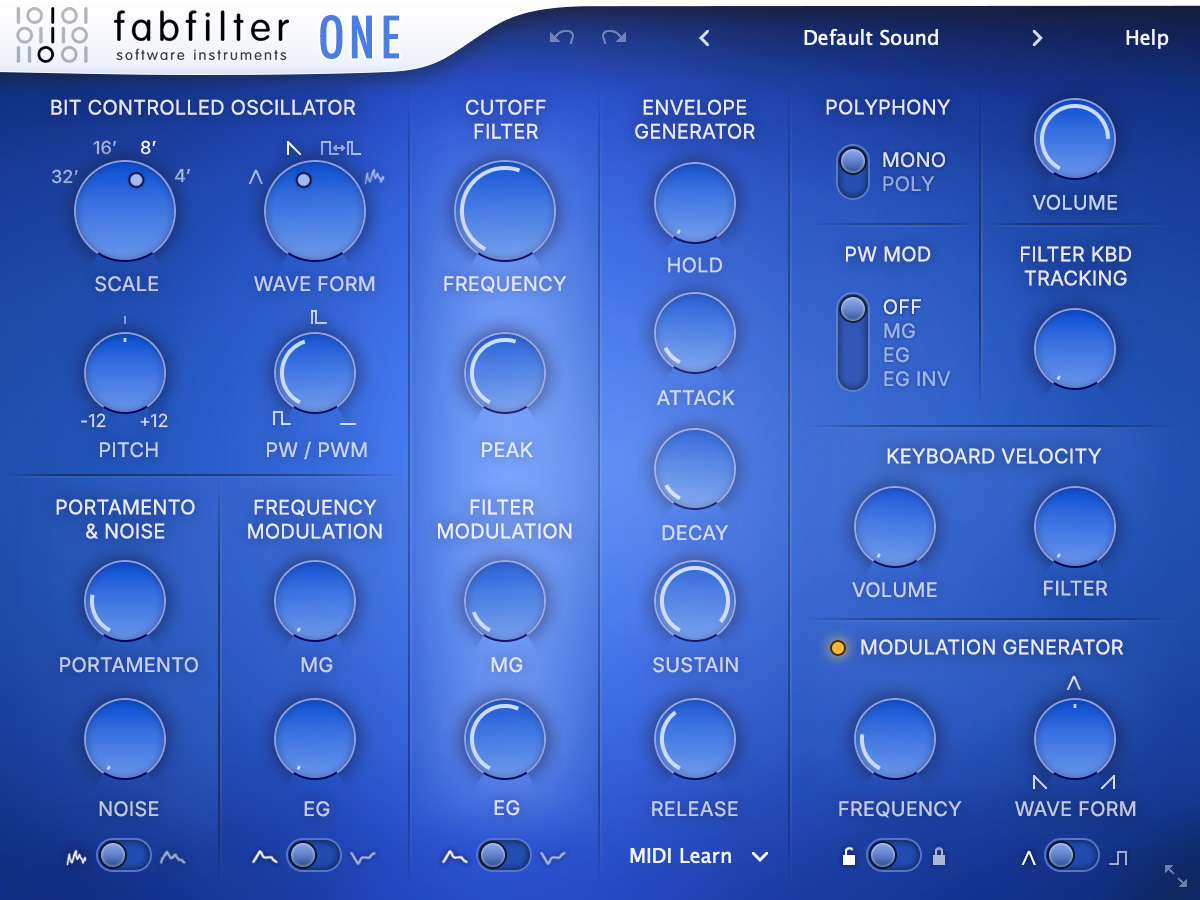
FabFilter One is a basic synthesizer built around one oscillator and a self-oscillating low-pass filter. That focused setup suits producers looking for a direct instrument for basses, leads, percussion or sound effects. Its single oscillator is also a clear limit if a patch needs multiple oscillators. FabFilter says its self-oscillating low-pass filter avoids zipper-like digital artifacts at full resonance.
Shape basses, leads and percussion
The oscillator has triangle, sawtooth and square waveforms with pulse-width modulation. A white/pink noise generator can also add noise to the signal. An ADSR envelope adds a Hold control, while a low-frequency modulation generator can move the oscillator pitch or filter cutoff. The modulation generator can sync to the host tempo, and the filter cutoff can also respond to the envelope, velocity and keyboard tracking.
For bass, FabFilter suggests triangle for a deep, sine-like tone, sawtooth for a more defined sound, or square for an electro-style bass. A short attack, decay and release with high sustain gives a snappy envelope; lowering sustain sharpens the attack. Modulating the cutoff with the envelope adds movement. FabFilter's bass-sound guide gives more starting points.
For leads, start with sawtooth or square. A short attack and decay, high sustain and noticeable release keep the note full while it is held. Modulation can add pitch or filter movement. For percussion, the noise waveform can make hi-hat and brush sounds; short envelope settings and filter modulation help shape transients. The drum-sound guide covers bass drums, snares, toms and hi-hats.
Playing and controlling patches
One supports 10-voice polyphony, velocity sensitivity for volume and filter, smooth portamento between notes, and sample-accurate automation of its parameters. MIDI Learn maps hardware controls to plug-in parameters. More than 100 presets are listed on the product page, and you can save your own. FabFilter's help says preset files use the same format on Windows and macOS, so sounds can be shared between those systems.
Compatibility and evaluation
FabFilter lists Windows 11, 10, 8, 7 and Vista for 32-bit or 64-bit setups, and macOS 10.13 or later for 64-bit Intel or Apple Silicon systems. One supports VST 2/3, CLAP, Audio Units on macOS, and Pro Tools. Check that your DAW supports a listed format; the quick-start guide shows how to load One in several hosts.
FabFilter documents a 30-day evaluation. To keep using One after the 30-day evaluation, purchase it and enter a personal license key; after entering the key, restart the plug-in host to register One. If you did not have the chance to properly evaluate One during that period, FabFilter says you can request a new evaluation period by contacting them. See the purchase and evaluation guide for trial and purchase details.