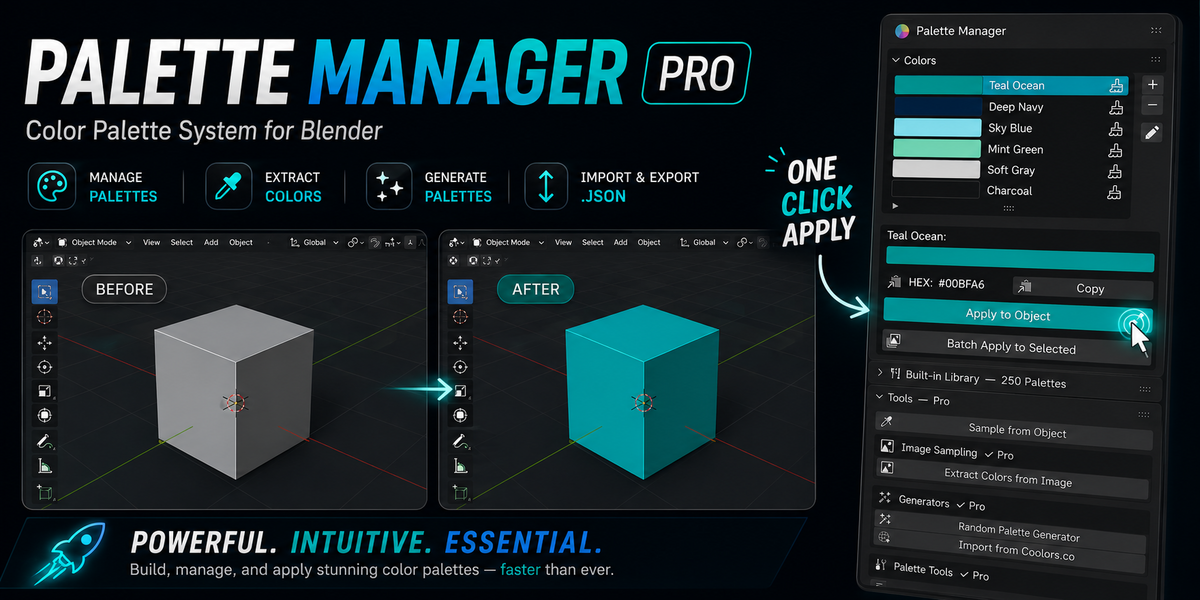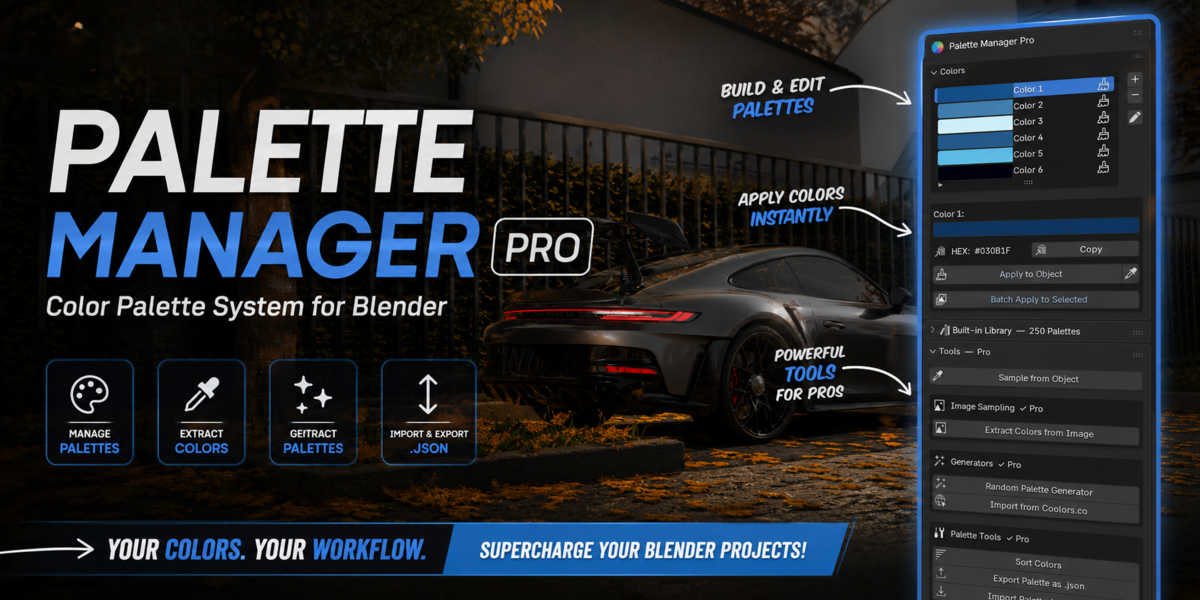
Palette Manager Pro adds named color palettes to Blender's Material tab. You can name palettes and their colors, apply a color to an object's material base color, and sample a color from an object into a palette slot. It is designed for Blender artists who want to keep named colors ready to reuse while working on a project.
Keep palettes with a project or move them between projects
Palettes save automatically inside the current .blend file. In the Free edition, they stay with that file, so a new project starts with its own palettes. Lite and Pro add JSON export and import, which lets you carry a palette, including its color names, into another project.
Choose an edition by the tools you need
- Free supports up to two named palettes with six colors each. It includes one-click color application, the eyedropper and automatic saving in the .blend file. The free version is available on GitHub under GPL v3, with no account required to download.
- Lite raises the limit to five palettes with up to 12 colors each. It adds HEX display, JSON import and export, and a library of 50 built-in palettes across eight categories. A preview popup shows palette colors and HEX codes before loading.
- Pro includes Lite's features, removes the palette and color limits, and lists 250 built-in palettes across ten categories. It adds dominant-color extraction from images, batch application to selected objects, a random palette generator with five modes, and import from a Coolors.co URL. Pro also includes color sorting and copying HEX values to the clipboard.
Where it fits in a Blender workflow
Open the palette panel from the Material tab in the Properties panel, select a mesh, and apply a saved color to its material base color without opening the shader editor. The eyedropper can capture a color from an object for reuse. Pro's batch apply is useful when several selected objects need the same color; image extraction can turn a reference image into a palette. The generator offers Analogous, Triadic, Complementary, Split-Complementary and Synthwave modes.
Compatibility and details to check
The listing identifies Blender versions 4.0–5.1 and says the add-on was tested on Blender 5.1. It supports EEVEE and Cycles and is listed for Windows, macOS and Linux. The Superhive product listing describes its tiers, their features and licensing.