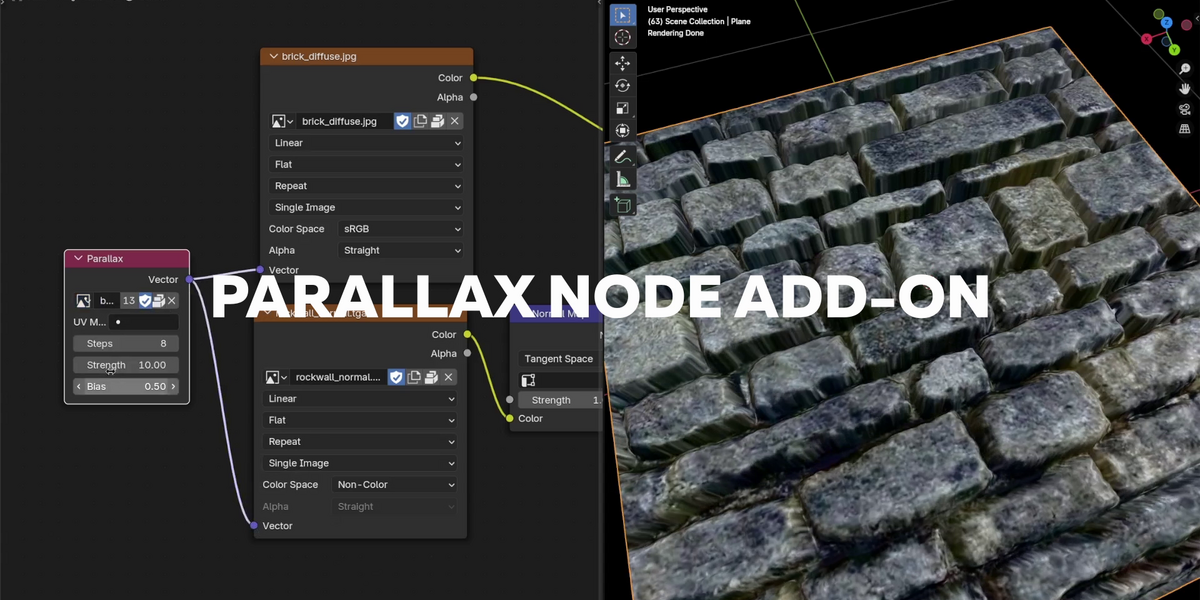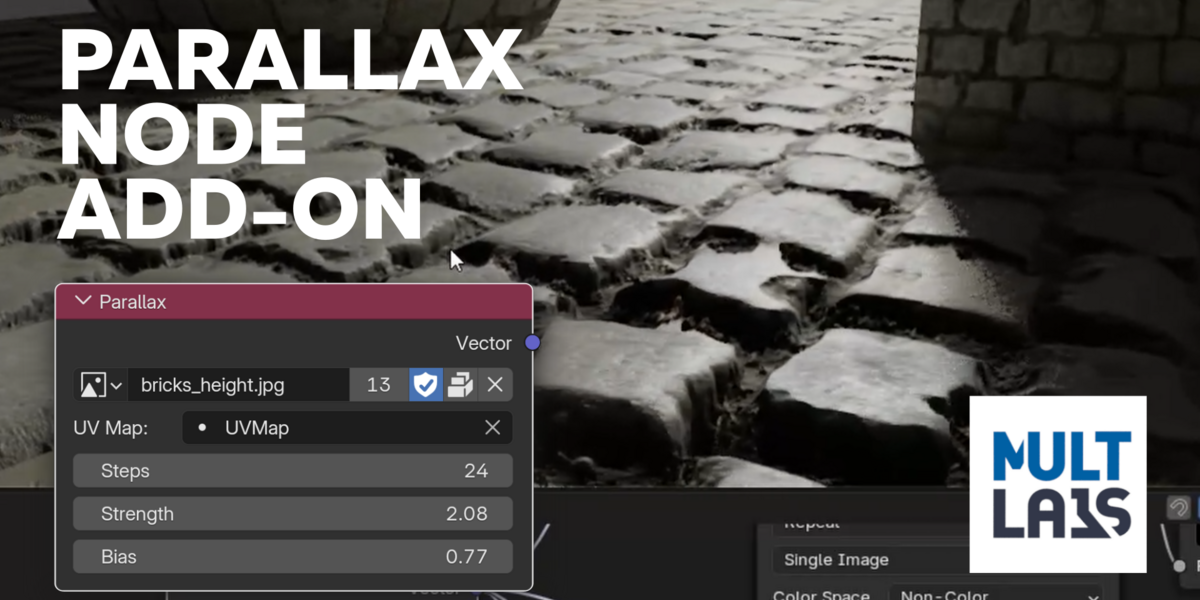
Parallax Node (Free), by multlabs, adds parallax mapping to Blender materials through a shader node. The node takes a height map and uses a step parameter to control its sampling iterations. The effect gives a flat surface the appearance of depth without adding geometry.
How the parallax effect works
The node offsets texture coordinates according to the height map and viewing angle. Each sampling iteration refines that offset, changing the apparent relief with the viewing angle. The product listing says the add-on works with both Cycles and EEVEE and supports custom UV layers.
Using the node in Blender
Open the Shader Editor and create or select a material. Press Shift+A, then choose Paralax Nodes > Parallax. Use the Parallax node in place of a Texture Coordinate node, then connect its vector output to the texture inputs.
The documentation lists these controls:
- Elevation Image: the height or displacement map that defines the surface relief.
- UV Map: selects a UV layer when the object has multiple UV maps.
- Steps: sets 1 to 64 iterations. Higher values can improve quality and take longer.
- Strength: ranges from 0.0 to 100.0 and controls how pronounced the depth effect appears.
- Bias: ranges from 0.0 to 2.0 and fine-tunes the height mapping.
Version 1.1 and Blender compatibility
Version 1.1 adds a Parallax Closure node for textures beyond image inputs, a shader repeat zone for one-time shader compilation, orthographic and panoramic camera support, and UV scale and offset controls. Blender Extensions lists version 1.1.3 as replacing an earlier automatic camera fix that could produce artifacts with a Camera Type setting. Use Default for Perspective, Orthographic, and Custom cameras, Panoramic for panoramic cameras except Mirror Ball, and Mirror Ball for that camera mode.
Superhive's compatibility field lists Blender 4.5 to 5.2, while its version 1.1 notice requires Blender 5.0. Blender Extensions lists version 1.1.3 as compatible with Blender 5.0 and newer. Check that listing for the package version you plan to install.
Availability and license
A free version is linked from the product listing. The project is licensed under GNU GPL v3.0 or later. Its listing also credits code adapted from or inspired by the Noise Nodes add-on by haseebahmed295. See the product documentation for the node controls and setup steps.