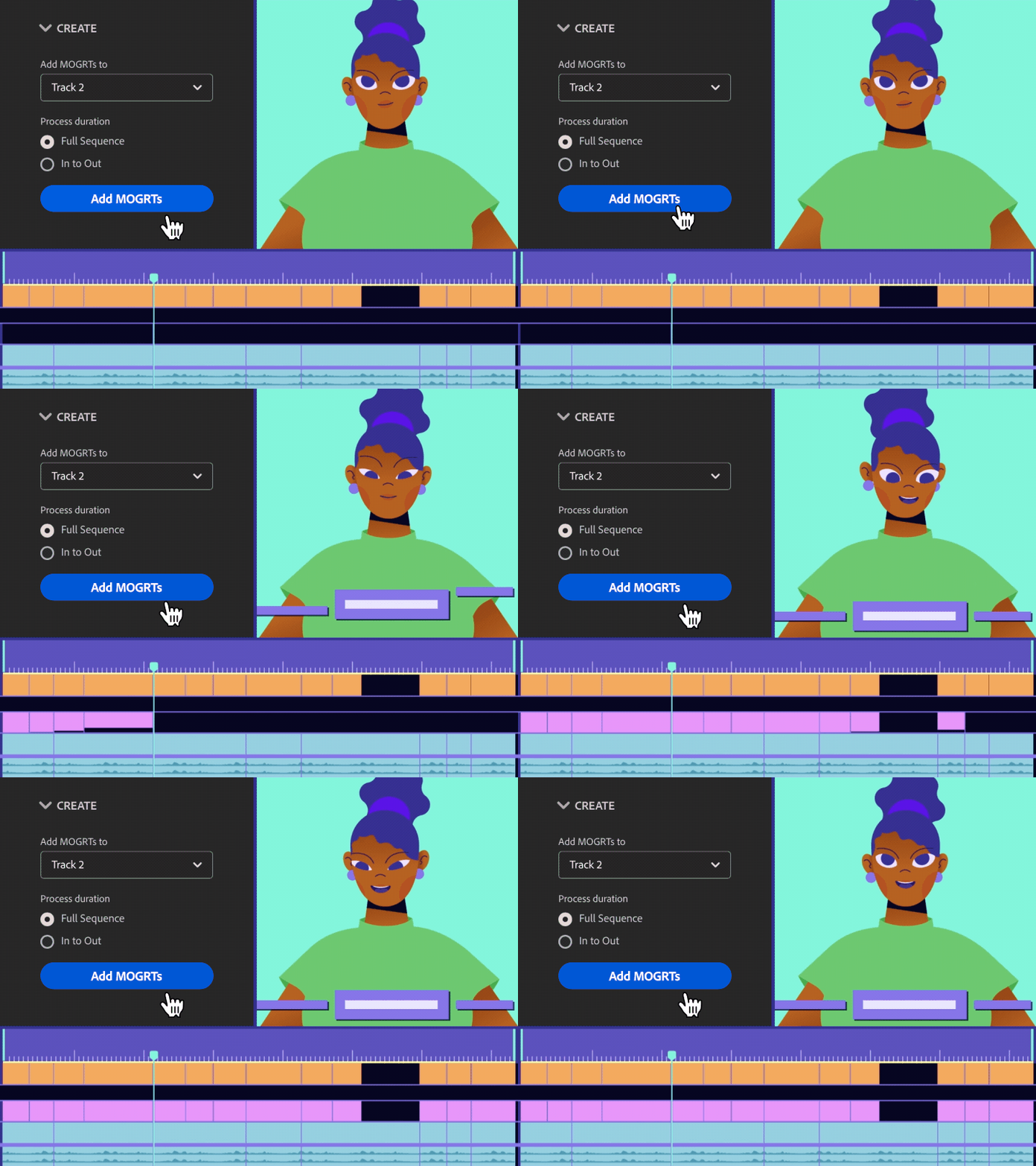
PHONT Studio is a caption-generation plugin for Adobe Premiere Pro. It transcribes audio from a sequence and places animated subtitles on the timeline as Motion Graphics Templates (MOGRTs). You can edit the generated captions in Premiere, including their fonts, colors, and timing.
How caption generation works
Choose a style in the plugin and start generation. PHONT says it transcribes the audio and tags each word with emotion, intensity, and emphasis. The captions then appear as MOGRTs on the track you choose.
- Open PHONT Studio in Premiere Pro and choose a caption style.
- Generate captions from the sequence audio.
- Review and adjust the editable MOGRTs on the timeline.
Emotion-driven styles and editing controls
The style library has two groups: emotion-based animations and motion-based animations. PHONT’s page currently lists seven emotion styles and four motion styles, and says new styles ship with releases. The animations are designed to respond to how a line is spoken, including its emphasis and intensity.
For names, brands, or specialist terms, customized vocabulary lets you bias recognition toward words used in your content. You can also save and reuse presets, which helps when you want a consistent caption treatment across multiple edits.
When PHONT Studio may fit your workflow
PHONT Studio is aimed at creators, teams, and agencies already editing in Premiere Pro who want animated subtitles they can continue to adjust. Its emotion and motion styles may suit edits where the captions should reflect changes in delivery, while reusable presets help with recurring formats. If names or industry terms matter, add them to customized vocabulary and check the transcription before export; vocabulary support can guide recognition but does not guarantee every word will be correct.
Compatibility and plans
The catalog lists compatibility with Premiere Pro 22.0 and later. PHONT directs users to Adobe Exchange for installation; check the current listing and PHONT’s product page for setup details.
PHONT’s product page lists a free allowance of five minutes per month, renewed each calendar month. Creator Basic is listed at 50 minutes per month for €10, and Creator Pro at 150 minutes per month for €20. The page also lists 50-minute add-on packs for €10 and says prices include VAT for private customers in the EU. Check the current plan details before subscribing.