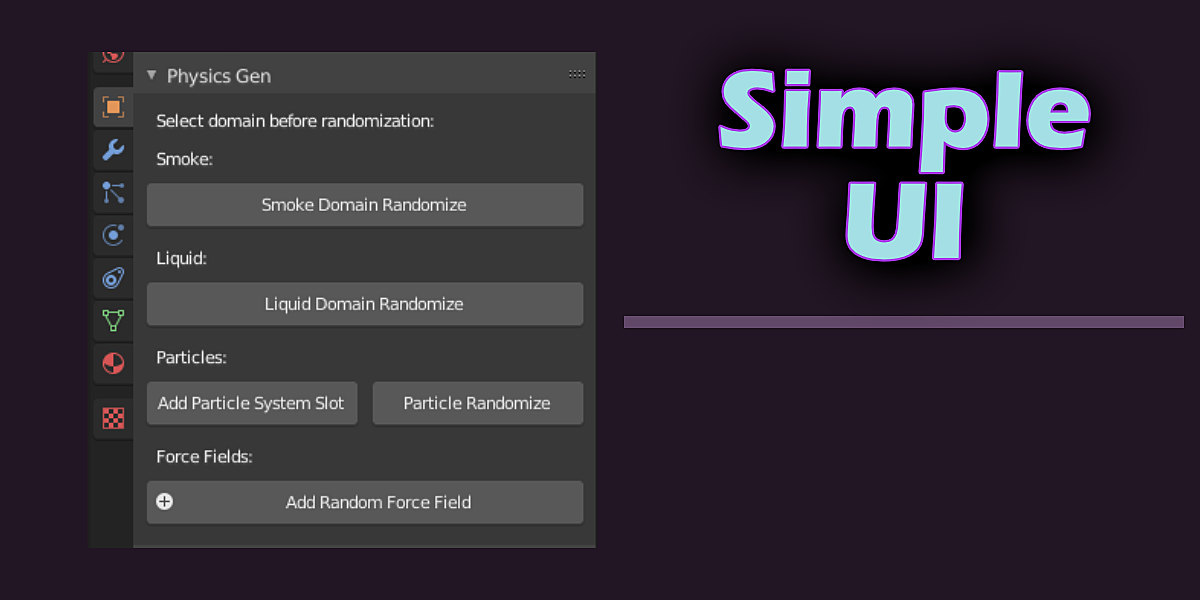
Physics Gen is a Blender add-on by Ace Of 3D that sets randomized values for physics simulations with a button press. It covers smoke, fire, fluid, and particle settings, and can add random force fields. You can use its quick simulation setup or start with your own setup, then adjust the generated properties by hand.
Simulation settings it can randomize
- Smoke and fire domain settings
- Fluid domain settings
- Particle settings
- Random force fields
For experienced Blender users, randomization can provide a starting point for custom simulations. The generated properties remain available to tweak.
Where to find Physics Gen
Select an object and add a quick simulation setup or configure one yourself. For smoke or fluid simulations, select the domain before using the add-on. Open the Physics Gen panel in the 3D Viewport sidebar under the 'N' tab and Physics, or find it in the object properties.
Installation and Blender version support
The documentation says Blender 4.2 and later users can drag the ZIP file into Blender or use Preferences, Get Extensions, and Install from Disk. For Blender 4.1 and earlier, use Edit, Preferences, Add-ons, then Install; select the ZIP file, install the add-on, and activate it.
The product page presents version 1.5.0 with a Blender 5.0+ compatibility notice, while its Details section lists Blender 2.8 to 5.0. It also says legacy and extension add-on versions are supported. Check the Physics Gen product page for the download that matches your Blender release, and see the installation documentation for setup instructions.