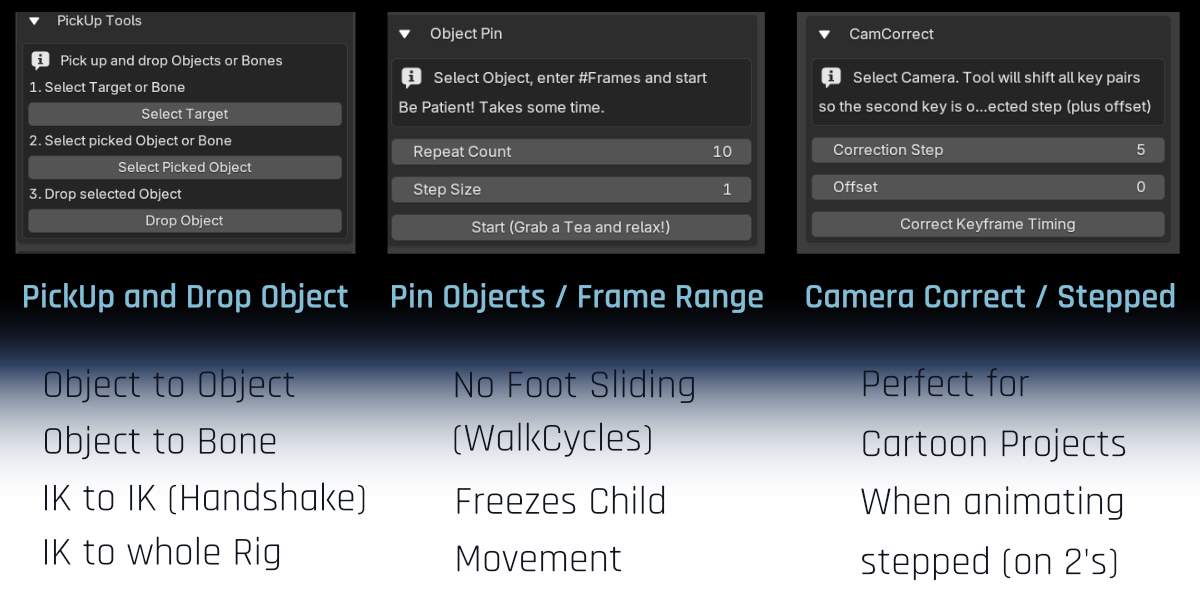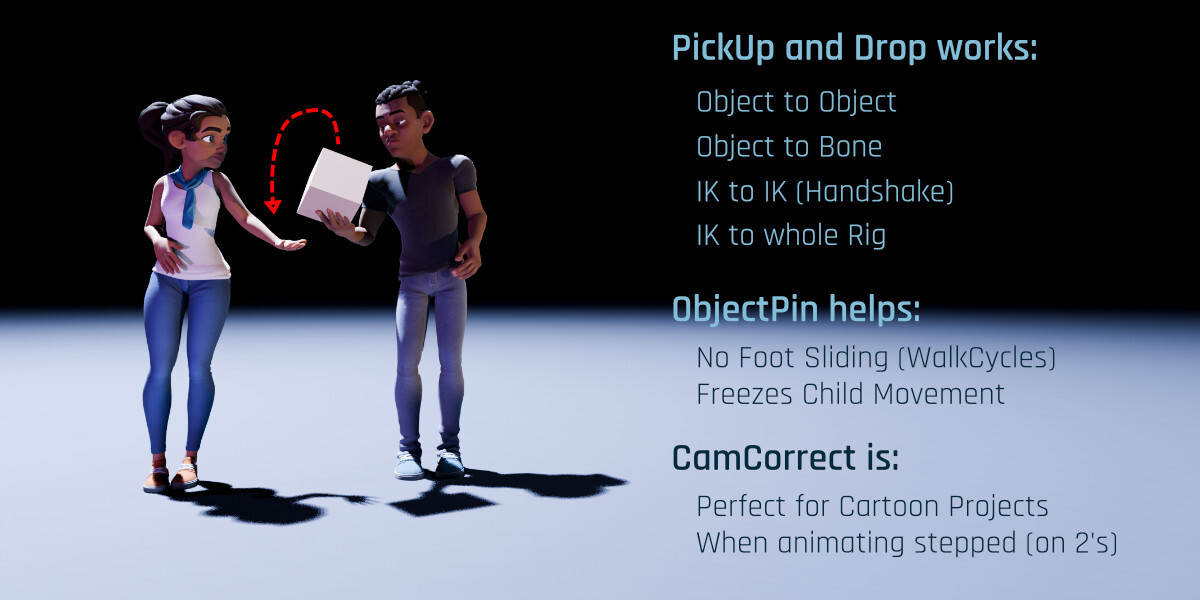
Pickup Tools, also called WK Tools, is a Blender add-on by Wolfram Kampffmeyer. It groups tools for prop handoffs and position pinning with stepped camera fixes, preview rendering, foot resets, Multi-Slot Action management, and batch renaming. The Superhive listing says it was tested with Blender 5.2 and lists Blender versions 3.5 to 5.2. The documentation describes each workflow and its limits.
Animate pickup and drop actions
The PickUp module sets up Child Of constraints, offsets, and keyframes for an object or bone that needs to follow a target. Select the target, mark the object to be picked up, then use the pickup control. To release it, select the object and use Drop Object. The object stays in place while the constraint is muted with keyframes. Multiple pickup and drop sequences can be added to one object, including object-to-object, bone-to-object, and IK-to-IK setups.
Pin objects and reset feet
ObjectPin copies an object's world transform across a chosen frame range, keeping it in place even when a parent or other animation moves. It works with objects, pose bones, IK chains, and child objects. For a walk cycle, pin the foot over its ground-contact frames. The documentation recommends copying the pinned foot's starting keyframe a few frames later so the cycle continues normally. Quick Foot Reset can place a foot at the floor while preserving the selected rotation axis; its up-axis and rotation-axis settings can be changed for rigs that use different axes.
Align stepped cameras and preview frames
CamCorrect adjusts camera keyframe pairs that are one frame apart so cuts land on a chosen stepped interval, such as every two or five frames. It can move a cut forward or backward, so the documentation recommends correcting camera timing before character animation begins. Viewport Render Stepped can capture every fifth frame and duplicate the in-betweens, while capturing extra frames for camera movement or lip sync when those are part of the selected scene.
Manage actions and rename scene data
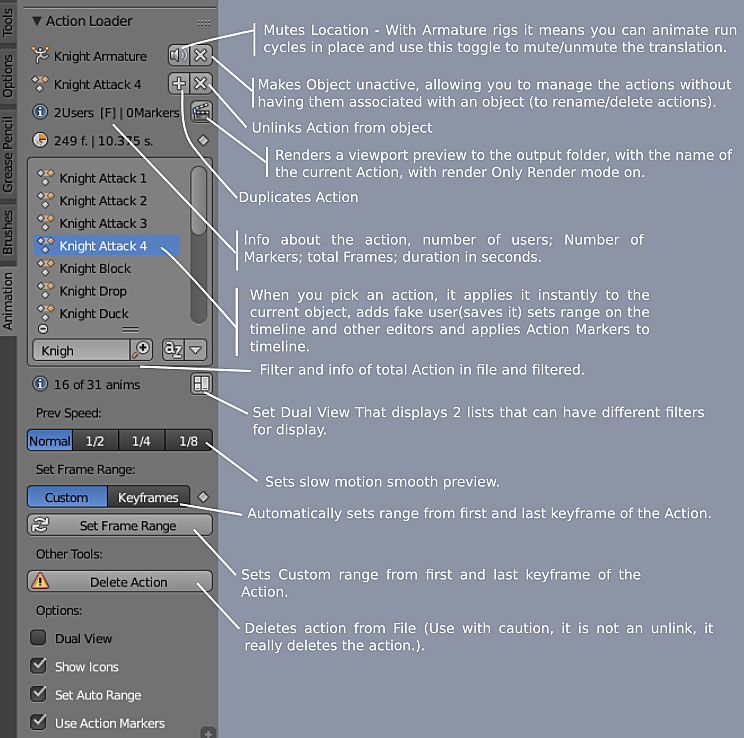
Action Management works with Blender's native Multi-Slot Actions. It can merge existing animation from several objects into one Action, assign or remove Action assignments, and retarget animation channels to other objects using an editable slot mapping. Retargeting creates an independent Action and leaves the source Action unchanged. It transfers compatible channels; it does not automatically adapt animations between different skeletal rigs, bone structures, or object properties.
Advanced Renamer handles selected objects, collections, hierarchies, and several data-block types. It can include hidden or unselectable items, apply operations such as find and replace or add a prefix, and show a preview for checking name conflicts before changes are applied.
Install Pickup Tools
In Blender, open Edit > Preferences > Add-ons, choose Install, and select wk_tools.zip. Enable WK Tools, then open it from the Sidebar with the N key. The supplied Superhive listing gives the version range and test version; check it for compatibility details before installing.