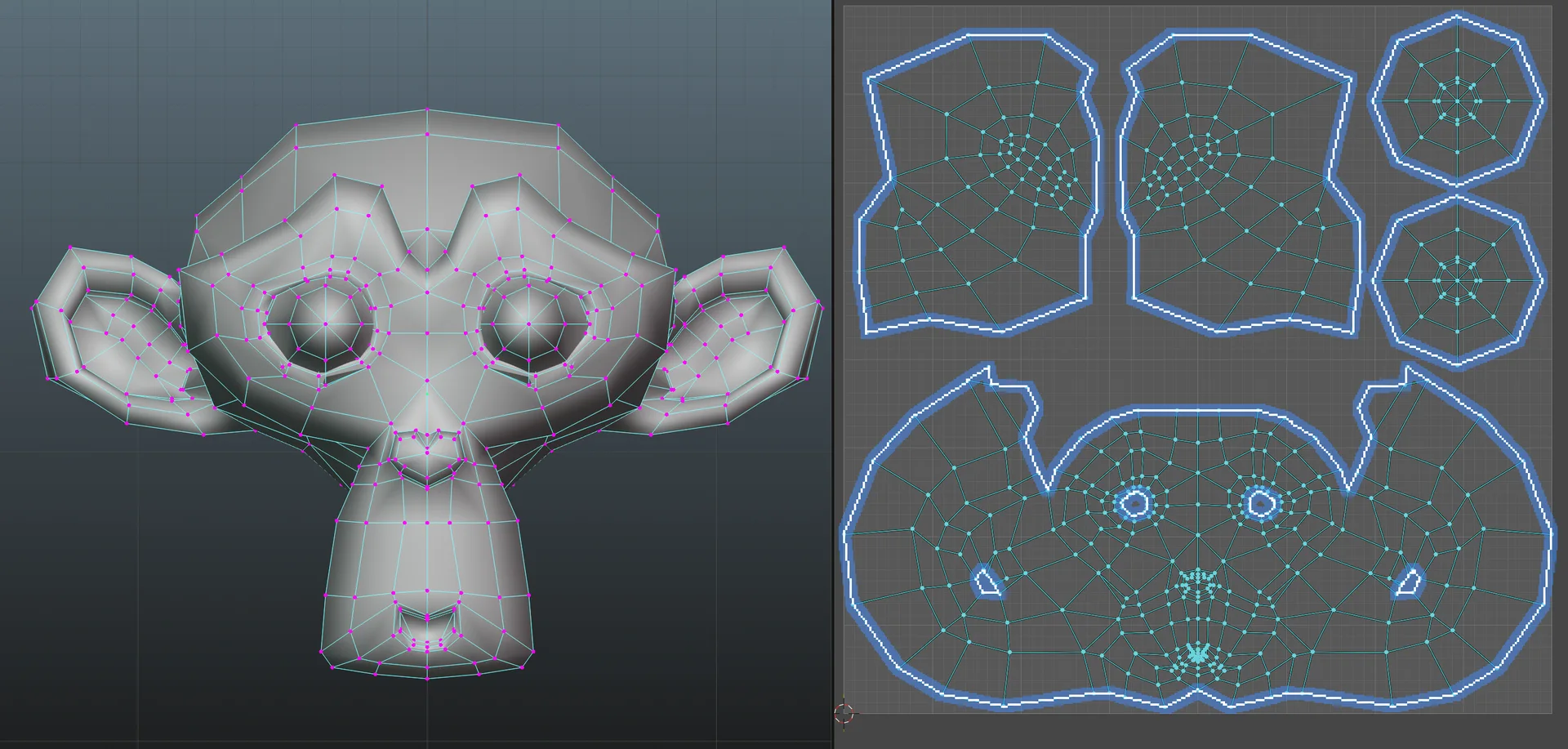
Pixel UV Border is a Blender add-on for inspecting split UV edges and previewing bake dilation while working on a mesh. In the UV Editor, enter Edit Mode and open the Sidebar (N), then the Pixel Border tab. The Blender Extensions listing identifies version 1.0.1 and compatibility with Blender 4.2.0 or later.
Inspect UV island borders
The add-on draws split UV borders as pixel blocks that keep a constant on-screen size as you zoom. Detection is independent of seam marks, and overlapping splits are detected too. You can adjust the block size and color. Selected border edges use Blender's theme selection color, or a custom color, to make them easier to distinguish while checking a mesh.
It can reveal borders that seam marking alone does not show. The listing says the overlay data is rebuilt when mesh geometry changes; zooming and panning do not trigger that rebuild.
Preview bake expansion
Choose a texture resolution from 512 to 8192 and set the outward dilation width. The default is 8 px. Pixel UV Border displays the expansion in texel size and scales the preview with the UV view, so you can inspect how far bake padding extends around island borders at the selected resolution.
Export masks and mark seams
You can export the expansion area or filled faces as a PNG, or, on Windows, copy the mask to the system clipboard and paste it into Photoshop with Ctrl+V. Feathering is available to soften mask edges. The add-on also has a toggleable Maya-style auto-seam option: it marks edges with split UVs as seams, adds marks only, and never removes existing seams.
Workflow fit and project details
Pixel UV Border suits UV and texture workflows that need a visible split-border overlay, a texel-size expansion preview, or a mask handoff to Photoshop. The add-on is licensed under GNU GPL v3.0 or later. See the LENS6 project repository for source and issue tracking.