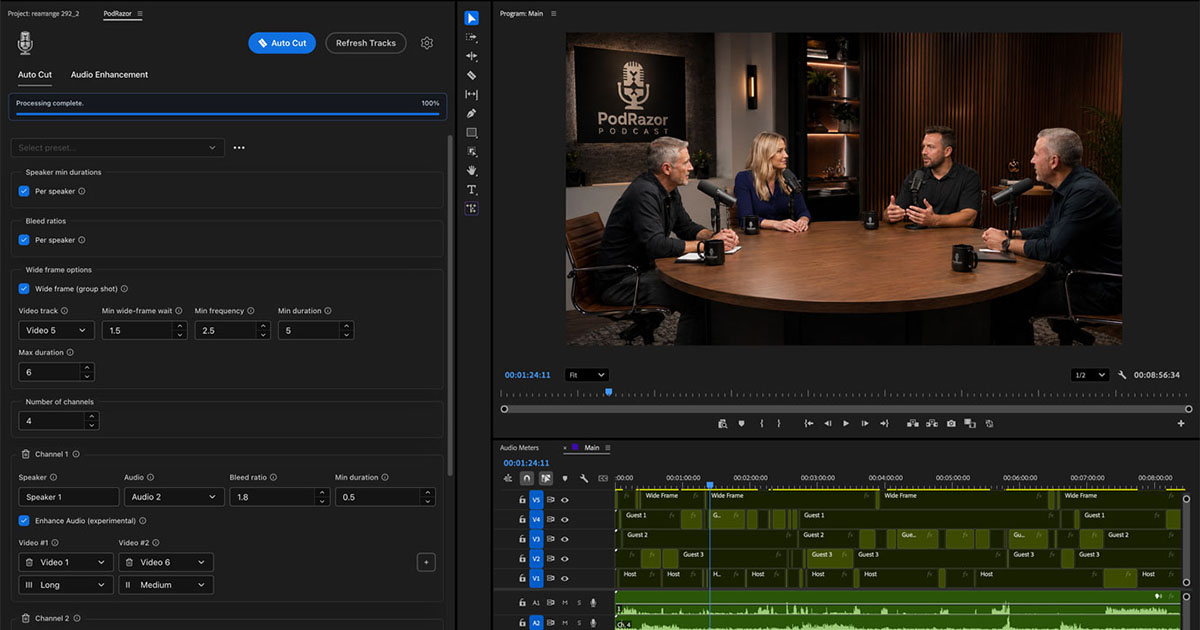
PodRazor is an editing assistant for Adobe Premiere Pro designed for podcasts, interviews, and talking-head video. Its Auto Cut workflow uses speaker audio tracks and assigned camera coverage to build an initial edit around who is speaking. It handles repetitive speaker-led cutting while leaving creative decisions with the editor.
Build a speaker-based first pass
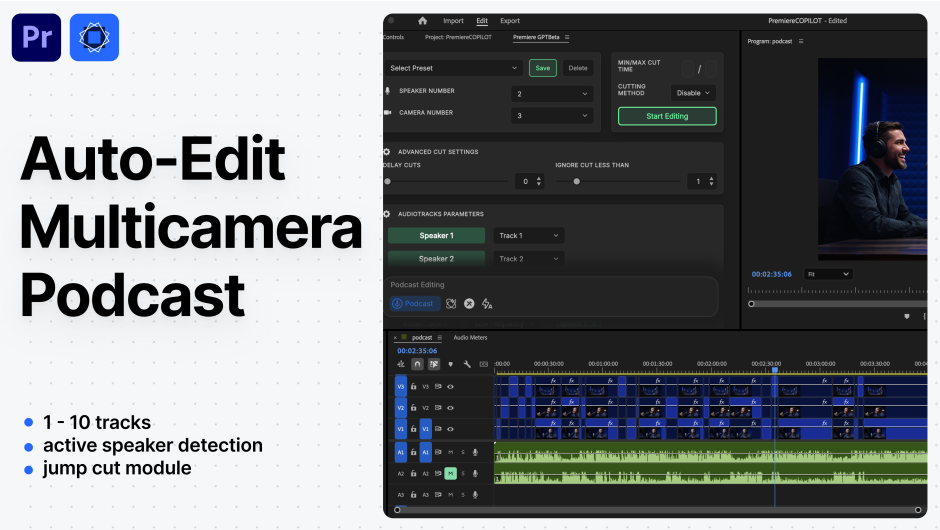
Assign each speaker to an audio track, add a label, and map the available camera coverage. PodRazor supports up to 16 channels/speakers and up to four cameras per speaker. When several angles are assigned, priority settings determine the order of camera switching. This workflow suits footage where each speaker's audio and camera coverage can be mapped clearly.
Adjust speaker cut behavior
Controls let you set how sensitive PodRazor is to a speaker change and how strictly it separates an active speaker from audio bleed. The sensitivity setting can help avoid cuts triggered by short vocal bursts. Adjust these controls globally or for individual speakers, then review the first pass for interruptions, crosstalk, and edits that need a different rhythm.
Use wide shots around pauses and overlap
A separate wide-frame or group-shot workflow provides fallback coverage during silence, overlap, interruptions, and pauses. Editors can control when a wide shot appears, how often it recurs, and how long it stays on screen.
Enhance dialogue audio
Audio Enhancement uses AI noise reduction and cleanup to reduce room tone and background noise. It works on Premiere timeline tracks or separate audio files, and PodRazor brings the enhanced audio back into the editing workflow. Saved presets and reusable defaults can keep repeat jobs consistent.
Compatibility and licensing
The catalog entry identifies version 1.5.6, updated June 5, 2026, and lists compatibility with Premiere Pro 13.0 and later. The developer's pricing page lists monthly, annual, and one-time payment options; a November 2026 capture showed a monthly price of $4.99, reduced from $9.99. The catalog entry labels PodRazor free and mentions a two-week free trial; Adobe Exchange also labels it free. The available captures do not clarify whether either free label refers to ongoing access or a trial, or whether the catalog's two-week trial is currently available. Check PodRazor's website or the Adobe Exchange listing for current details before downloading.
Who is PodRazor for?
PodRazor may suit editors working on multi-speaker podcasts, remote interviews, panel conversations, or talking-head video when each speaker can be mapped to audio tracks and camera angles. Editors can review the automated first pass against the conversation.