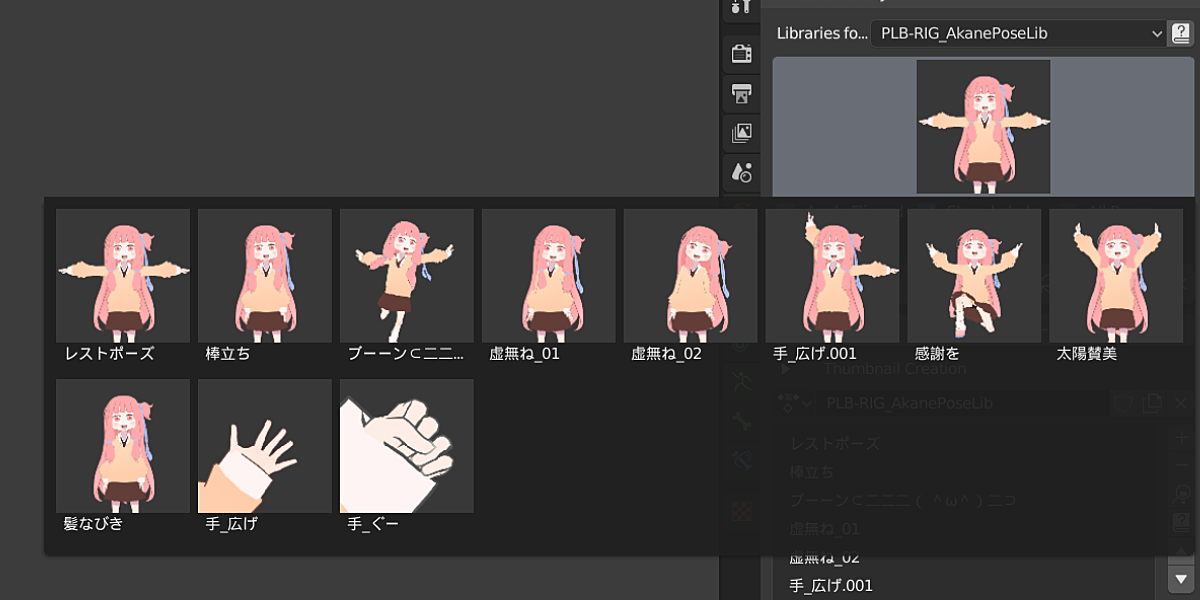
Pose Library Thumbnails [Ver2.0.4~] is a Blender add-on by Bookyakuno for adding rendered previews to pose libraries. In pose mode on a rig object, choose a thumbnail to apply its pose to the selected bone. The add-on also turns pose lists into larger buttons for motion production.
Create and manage pose thumbnails
From Property Editor > Armature > Pose Library, you can create a pose and its thumbnail, render or update the active item, or update an item with the current pose. If a pose library does not exist, the add-on can create one. Its batch rendering option generates thumbnails for all poses. Changing the resolution can also make the output useful for checking poses as images. Move existing thumbnail files before batch rendering if you want to keep them unchanged.
By default, thumbnail images go in a poselib folder beside the .blend file. Settings include output path, file format, X and Y resolution, camera view, overlays, background transparency and normal rendering. Paths can be relative or absolute. The documentation warns that using a custom viewport background color resets it to the default after the operation because of an issue with that color.
Browse poses as buttons
List buttoning mode presents pose entries as larger, easier-to-click buttons. The add-on also provides a panel menu in the 3D View Item tab, and its registered tab can be changed in the add-on settings. Added menus can be collapsed.
Blender compatibility and license
The Superhive documentation lists Blender 2.8, 2.81, 2.82, 2.83, 2.9, 2.91 and 2.92. It warns that the add-on does not work in Blender 2.93 because the thumbnail menu cannot display normally. The warning is dated August 24, 2021, and refers to add-on version 2.0.50; the page does not document support for later Blender versions. Check compatibility before installing. The Superhive listing identifies the license as GPL and currently displays a $10 price; confirm the current terms on the listing.