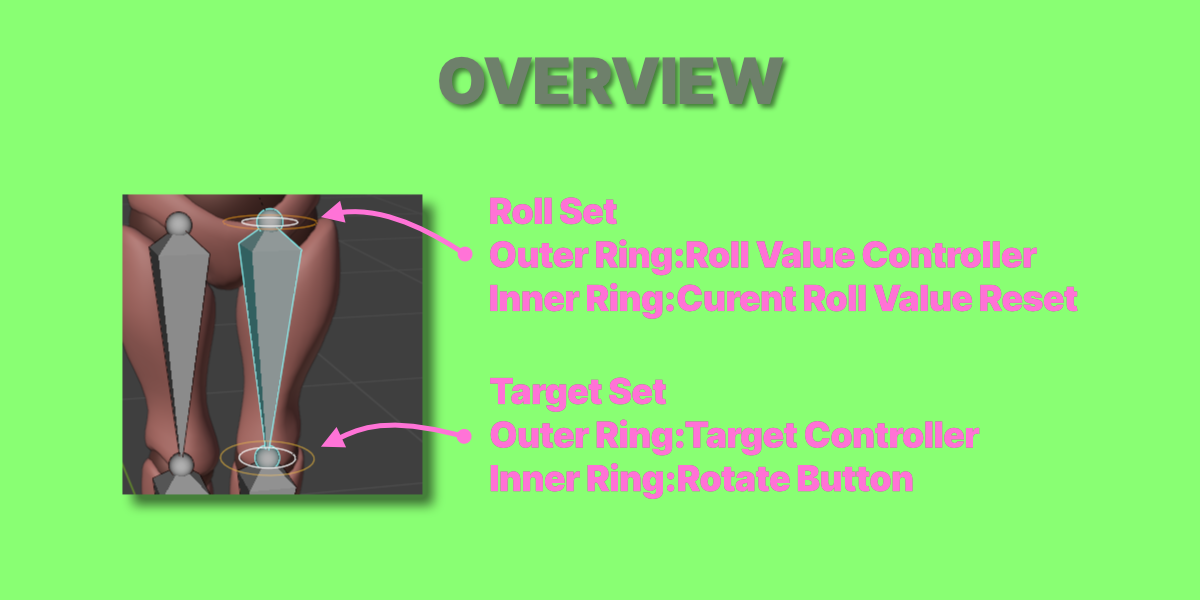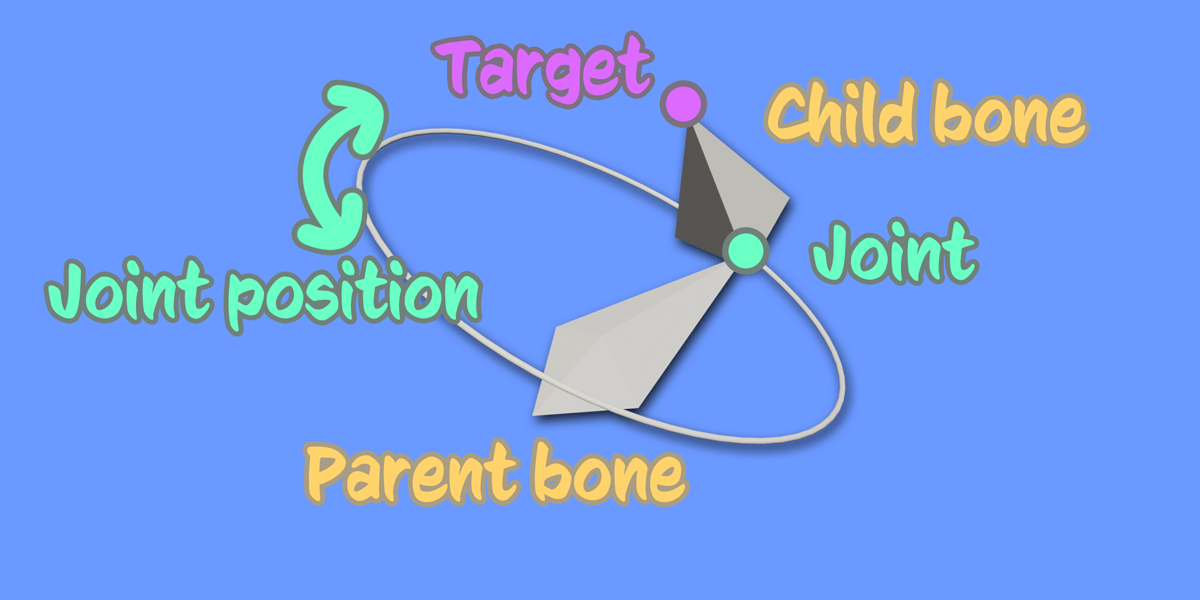
Posingatwill is a Blender add-on from POWERBLOW for rotating bones and adjusting bone roll with mouse controls. It works with FK rigs without setup. The controls use a movable Target Set and a fixed Roll Set, offering an alternative to Blender’s R-key and axis-based rotation workflow. The POWERBLOW product listing explains the controls and current system requirements.
How the Target and Roll rings work
The Target Set starts at the selected bone’s tail and can be moved elsewhere. Its outer ring defines the rotation direction; its inner ring applies the rotation. The Roll Set stays fixed at the bone’s head and does not rotate it. Use the Roll Set’s outer ring to choose a roll value, then click the Target Set’s inner Rotate button to apply it. The Roll Set’s inner button resets the panel value to the bone’s current roll.
You can also enter target and roll values in the panel. When you finish using the overlay, turn off the View checkbox in the Posing@Will tab.
Install and use Posingatwill
- In Blender, open Edit, then Preferences, then Add-ons.
- Click Install and select the add-on ZIP file, then enable the add-on.
- Select the target armature and switch to Pose mode.
- Open the Posing@Will tab in the 3D View sidebar and enable View.
- Select a bone, move the Target Set’s outer ring to choose a direction, and click its inner ring to apply the rotation.
- For bone roll, adjust the Roll Set’s outer ring while watching the panel value, then click the Target Set’s inner ring to apply it.
Roll changes remain unapplied until you click the Target Set’s inner Rotate button.
Blender versions and operating systems
POWERBLOW lists Blender 4.2, 4.5, 5.0, 5.1, 5.2, and 5.3 as supported; older versions are not guaranteed. The add-on requires 64-bit Windows 10 or 11 on an x86_64 Intel or AMD processor. It is incompatible with ARM64 Windows devices, macOS, and Linux.
License and support
Posingatwill uses the MIT License, with the full license text included as LICENSE.txt in the add-on ZIP. POWERBLOW says support for the next Blender LTS version is planned, without naming a version. The listing notes that updates and bug fixes are provided as needed for the currently supported Blender versions.