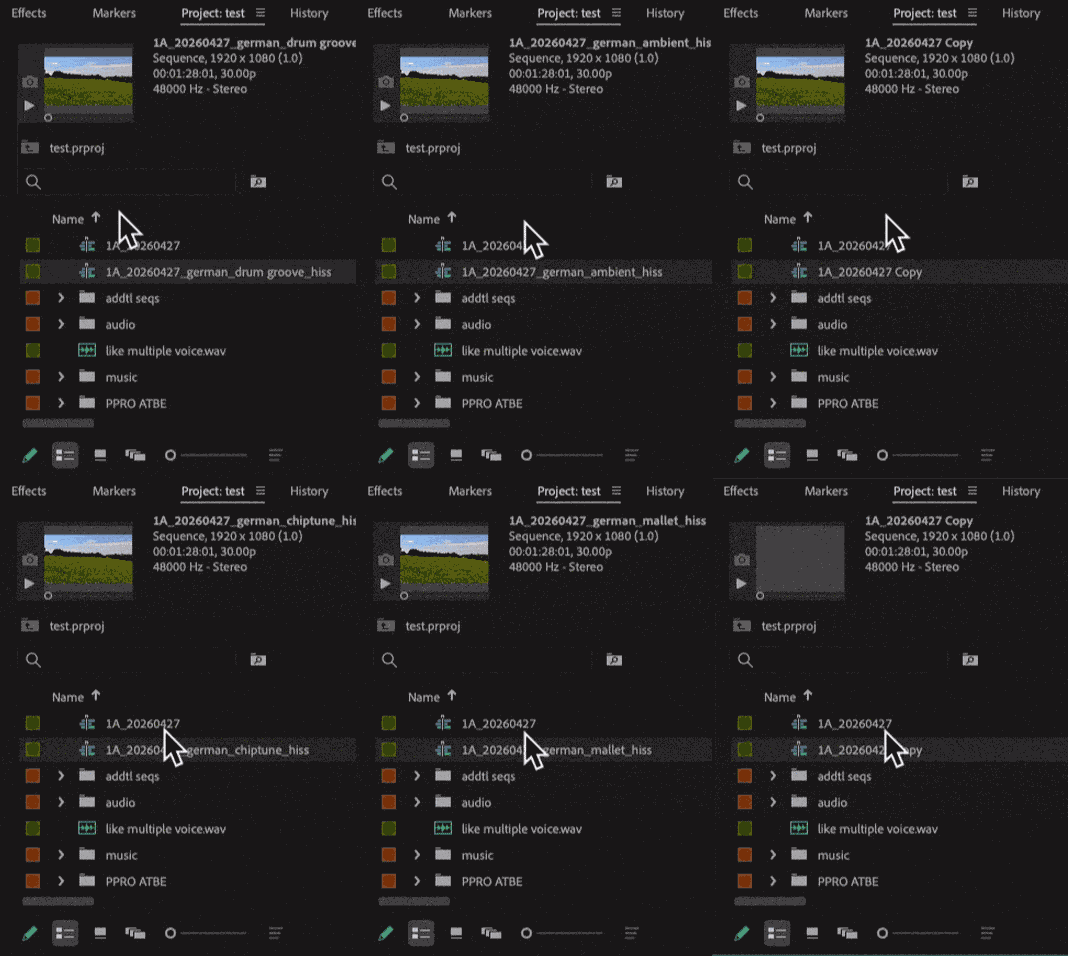
PPro Audio Batch Exporter is a Premiere Pro tool for preparing several audio versions from one video sequence. It automates repeated setup that would otherwise involve duplicating sequences, muting or soloing tracks, and configuring each export separately. Fan Creative, Inc. lists multilingual videos, alternate mixes, and localized deliverables among its intended uses. The publisher’s product page describes support for single- and multi-track videos.
Set up multiple audio versions
Start with the sequence you want to use, then choose which audio tracks should be included in each version. The panel includes a Refresh Active Sequence button and options to export tracks individually, select a subset, or set up matrix combinations. Persistent tracks can remain included across versions, which is useful for audio that should accompany every variation.
- Choose the tracks or combinations for the batch.
- Set naming, output, export-range, and other available options.
- Use the panel’s Test/Start AME control and send the batch to Adobe Media Encoder.
The plugin duplicates sequences automatically for the configured exports, and the resulting jobs appear in Media Encoder. That workflow keeps the source edit as the basis for each version while avoiding repeated manual export setup.
Track selection and export controls
Individual-track exports are suited to making a separate version for each selected track. A subset lets you choose only the tracks needed for a delivery, while matrix combinations cover batches with multiple track arrangements. Persistent audio tracks can stay on across those versions. The panel also provides naming and output options, an export-range setting, and additional controls. The publisher’s tutorial video demonstrates the panel, including track selection, matrix and persistent tracks, naming, output, and export range.
Compatibility and setup
The publisher lists compatibility with Premiere Pro 2022, 2023, 2024, 2025, and 2026. Adobe Media Encoder must be installed on the same computer for the batch export workflow. Check the publisher’s listing for compatibility with a specific build and for current trial and purchase details.