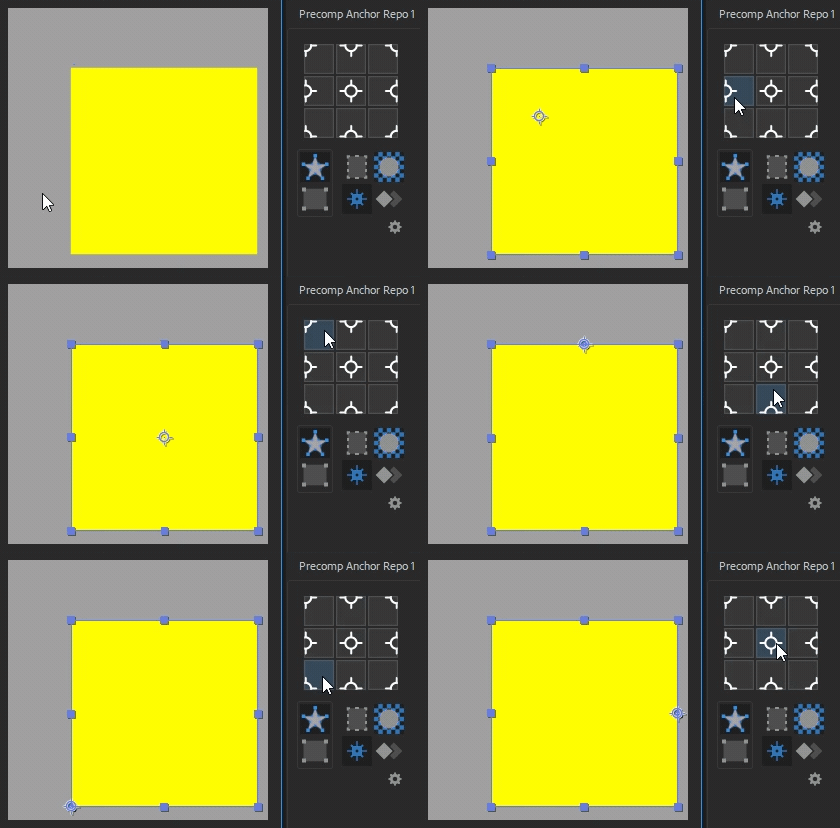
Precomp Anchor Repo is a script for Adobe After Effects that adjusts anchor points and layer positions relative to a layer, composition, or parent content area. It can calculate a precomp’s content area from the layers inside it, which helps when an adjustment should follow the precomp’s contents.
Adjust anchor points and positions
Select a layer and left-click to adjust its anchor point without moving the layer. Right-click to adjust its position relative to the composition. The parent options apply the same actions relative to the parent’s content area: left-click for the anchor point, right-click for position.
Choose how content areas are measured
Corner mode uses layer corners to determine an area. Vertex mode uses layer vertices. Precomps are measured from the content of the layers inside them. The script supports Add, Subtract, Add-Inverted, and Subtract-Inverted masks.
Alpha and Alpha-Inverted track mattes, along with the Set Matte effect, are calculated from matte vertices or layer edges, not from the matte’s actual alpha channel. The product page also notes that Bezier curves are not calculated in Vertex mode, which can make edge calculations slightly inaccurate for shapes and masks. If an edge looks off, compare the available calculation methods on a copy of the affected layer.
Check supported layers and effects
Supported 2D layer types include solids, shape, text, null, footage, and adjustment layers. Parametric ellipses, rectangles, polygons, and stars are supported, with limits: rectangle and polygon roundness are unsupported, while stars do not support roundness or inner radius. Shape contents can include stroke width, Merge Paths, and Trim Paths; Bezier curves and skew transforms are listed for Vertex mode.
Animation Composer is listed as supported. Most plugins that create 3D or layer effects are listed as unsupported, and Set Matte is the only supported layer effect. Three-dimensional layers are skipped by default, though Settings can force-allow them; the product page says 3D adjustments are planned. Use the trial version to check behavior with a specific project or plugin.
Version and price
Version 1.01, dated April 30, 2022, upgraded the framework and fixed a bug that prevented the script from running in After Effects 2022. The aescripts product page lists it at $20 and offers a trial version. Check that page for current pricing and compatibility details.