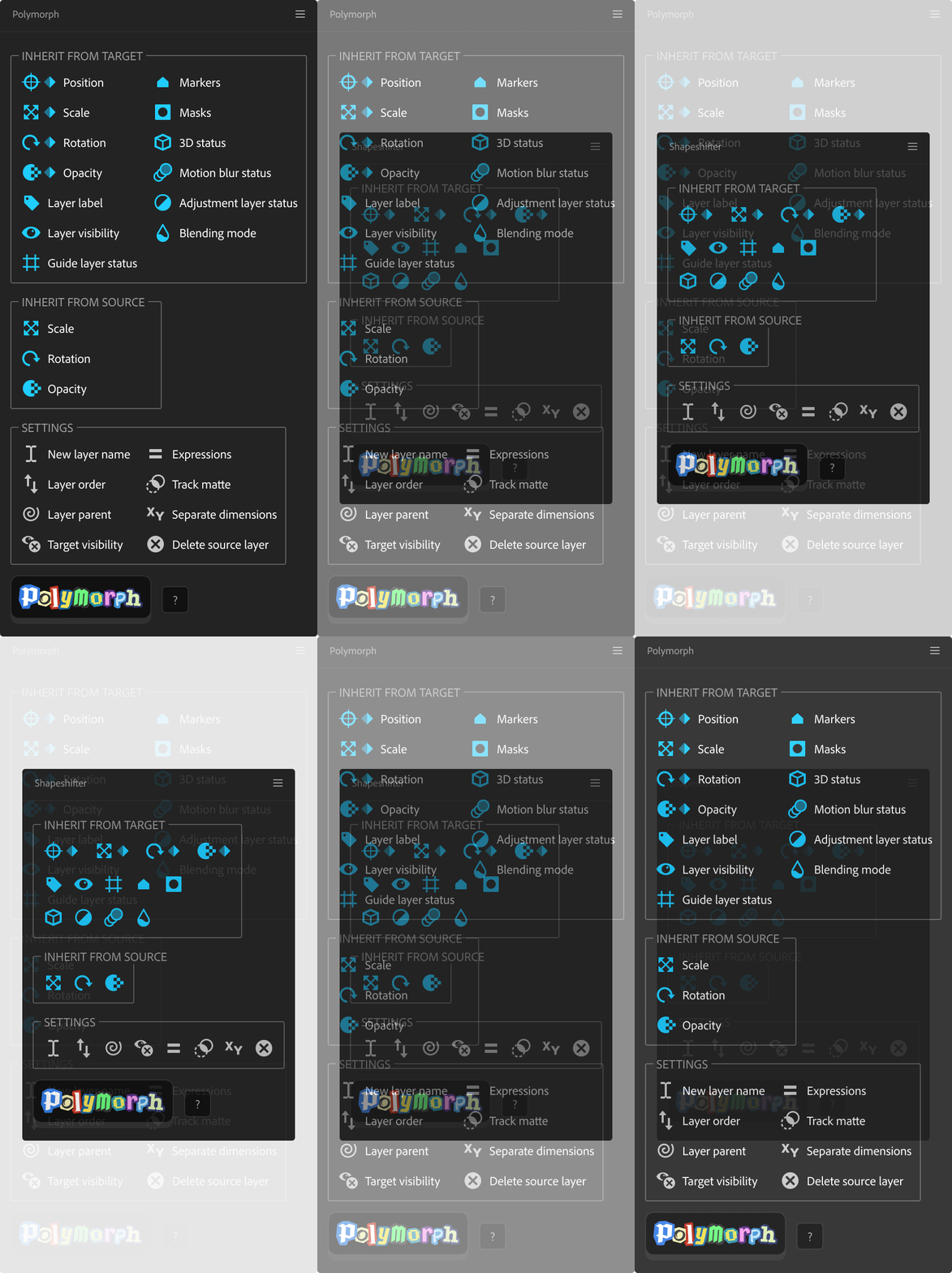
Polymorph is an After Effects utility by Rob Barrett for replacing or attaching layers in a composition. Select a source layer and one or more target layers, then run Polymorph. It can replace targets with the source layer's contents even when the source and target types differ, including shape layers, text layers, footage and nulls. It can also attach one source layer to multiple targets. The product page lists support for After Effects 2026 and 2025. See Polymorph's product page for the current details.
Replace or attach layers
Using one source across multiple targets can help when a composition has repeated placeholders or elements that need to change together. The product page describes standard After Effects replacement as unable to replace shape or text layers or let you choose which properties transfer. Polymorph adds controls for the replacement layer's attributes and relationships.
Its settings cover transforms, expressions, masks, track mattes and parenting. Polymorph can also inherit Separated Dimensions from the source layer's Position property. Source transform values can act as multipliers or additions. For example, the product page says a source at 50% scale and a target at 30% scale produce a replacement at 15% when the source value acts as a multiplier. You can also inherit scale, rotation and opacity from target layers; choose whether a mask comes from the source or target; and keep or overwrite expressions from the source and/or target layers, or remove expressions from transform properties.
Control placement and layer relationships
- Choose the first-selected or last-selected layer as the source, and place replacements above or below target layers.
- Choose how replacements are parented: to the source, target, target's parent or duplicated parent; create a parent chain; or leave them unparented.
- Set custom names using source and target layer name tokens. Show, hide or delete target layers after replacement, and optionally delete the source.
- Choose whether replacements inherit a target's track matte, keep the source matte, use the target as the new matte or use no matte.
Examples for animation and simulations
Rob Barrett describes using Polymorph to swap character rig body parts, including parts that are already animated. The product page names Limber, Rubberhose and DUIK as tools it works well with for this task. It also describes replacing multiple shape layers in simulations, including those made with Newton, and swapping animated 2D layers with 3D objects. These examples suit projects where layer types and relationships need to change while the composition is being assembled or revised.
Version and compatibility
Polymorph's initial release was version 1.0, dated March 17, 2026. The product page lists After Effects 2026 and 2025 as compatible versions. It also offers a free trial; check the developer's page for current licensing and purchase details.