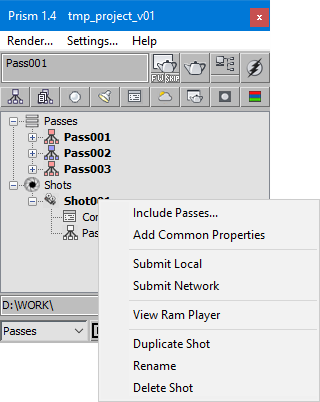
Prism is a render pass manager for 3ds Max by grover_gol. It lets you create an unlimited number of passes in one output file and configure settings for each pass. Built as a native 3ds Max script, it also includes naming templates to help identify rendered output.
The developer describes Prism as a tool for managing render passes across supported renderers and network rendering setups. It may suit artists whose scenes need several pass configurations or whose jobs run through a render farm.
Passes and scene controls
Prism’s feature list covers controls for scene elements and render settings. The developer lists object and light sets, along with overrides for common properties, the environment, renderer, modifiers, XRefs, and State Sets.
- Automask, multiformat save, and V-Ray GI nodes
- Script nodes and Render Switcher materials
- Pass selection and default settings
- File naming templates for finding rendered output
These controls let you keep different pass setups and scene overrides within the same manager. The developer’s Prism feature list gives the names of the available controls.
Renderer and network support
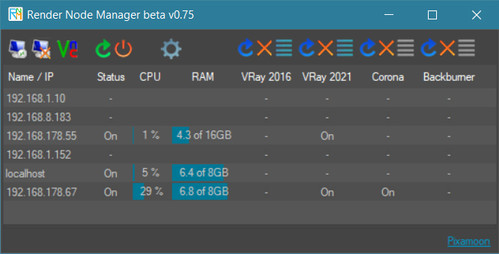
The developer names V-Ray 3.0 and Corona as supported renderers. Prism also supports network rendering through Autodesk Backburner and Thinkbox Deadline. The developer says it does not need a separate installation on render-farm computers.
Redshift support has a version-specific caveat in the developer’s Prism 1.4 notes: Automask for layers, objects, and masksets is limited by Redshift’s Puzzlematte support. Object IDs and material IDs work, and editing Redshift object properties is available. Check the developer’s current help and release information for details on other versions.
Compatibility and version details
The developer says Prism works with 3ds Max 2012 and later. Prism was previously called LPM 2.0 and is a fork of Lukas Pass Manager; the developer says the name changed to avoid confusion.
Version records differ: the ScriptSpot listing shows version 1.4, while the developer’s download page links to an installer named Prism_1.507_InstallAuto.mzp. Check the developer page for the package and compatibility details that apply to your setup.